
Descript AI credits, and how far 800 goes on Creator
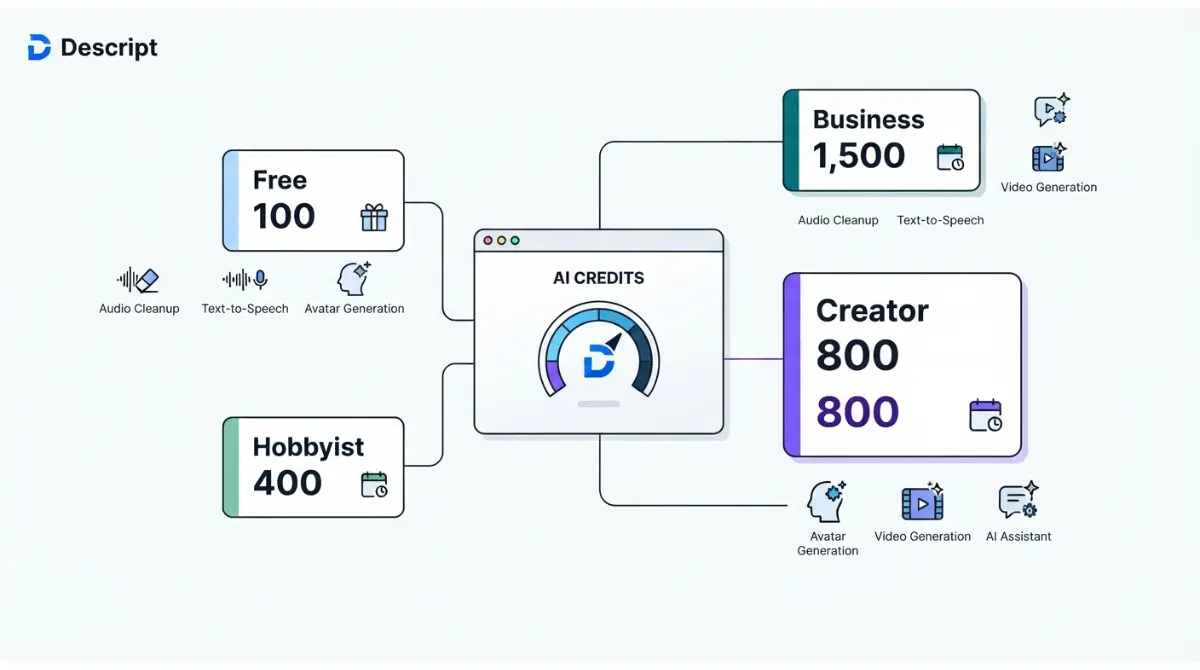
Table of Contents
Descript’s Creator plan includes 800 AI credits per editor each month, verified on Descript’s pricing page on 11 September 2026. Its help centre names a cost ceiling for only two tools: Studio Sound and Remove Filler Words cap at 30 credits per application, so 800 credits cover at least 26 of them. Underlord, avatars and generated video have no published per-use price.
How many AI credits each Descript plan includes
Every paid Descript plan grants a monthly AI credit allowance per Editor seat, and Free grants one batch that never resets. Both are per Descript’s pricing page, retrieved 11 September 2026.
Four allowances, one pool per editor
| Plan | AI credits | Resets | Who hits this | Verified |
|---|---|---|---|---|
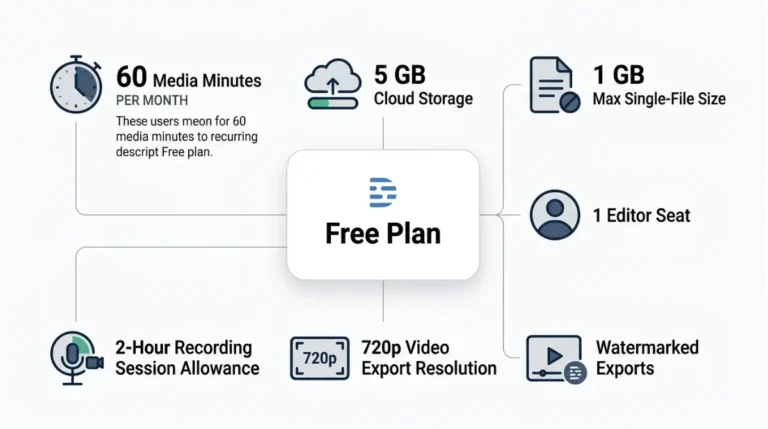
| Free | 100 | Never, one-time | Evaluating the editor | 11 Sept 2026 |
| Hobbyist | 400 | Monthly | One editor | 11 Sept 2026 |
| Creator | 800 | Monthly | One to three editors | 11 Sept 2026 |
| Business | 1,500 | Monthly | Up to five editors | 11 Sept 2026 |
🗓️ Allowances verified 11 September 2026. Software plans change frequently — confirm on the vendor’s site before relying on these figures.
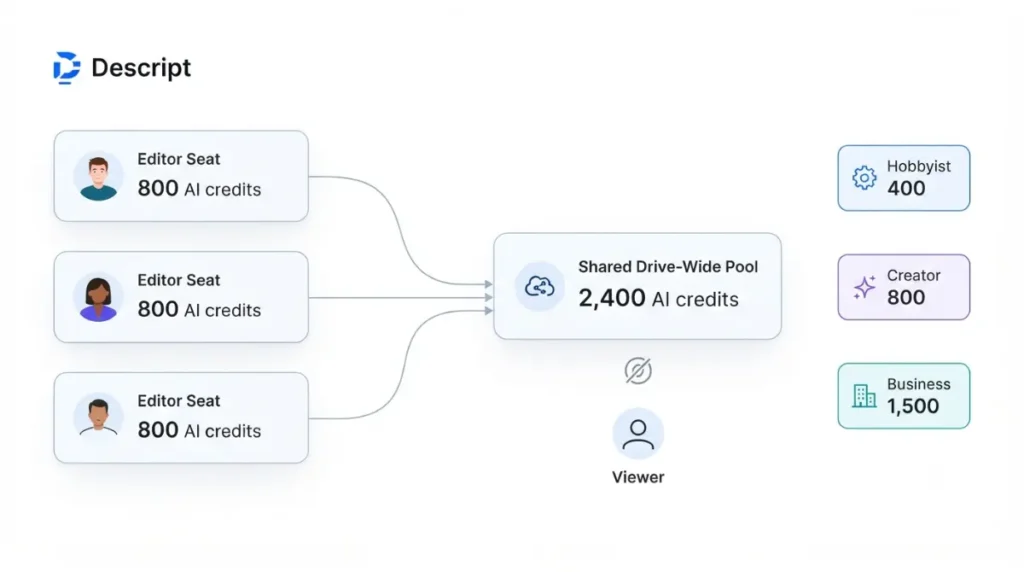
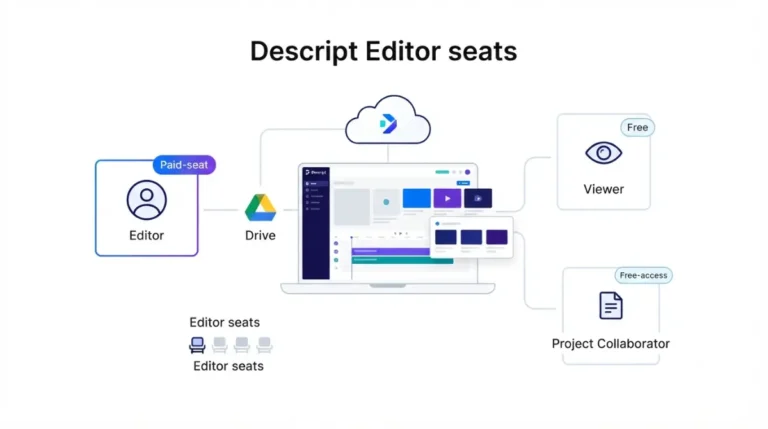
Each Editor seat adds its allowance to one pool shared across the drive. Viewers and project-level Editors cannot spend it, per Descript’s usage guide, retrieved 11 September 2026.
If you’re on Free or a Legacy plan
The one-time free batch has its own breakdown: what the free plan’s one-time credits cover. Legacy and Sunset plans meter usage differently and sit outside this article. The pillar compares what both Descript meters cost on every tier.
What draws Descript AI credits, and what doesn’t
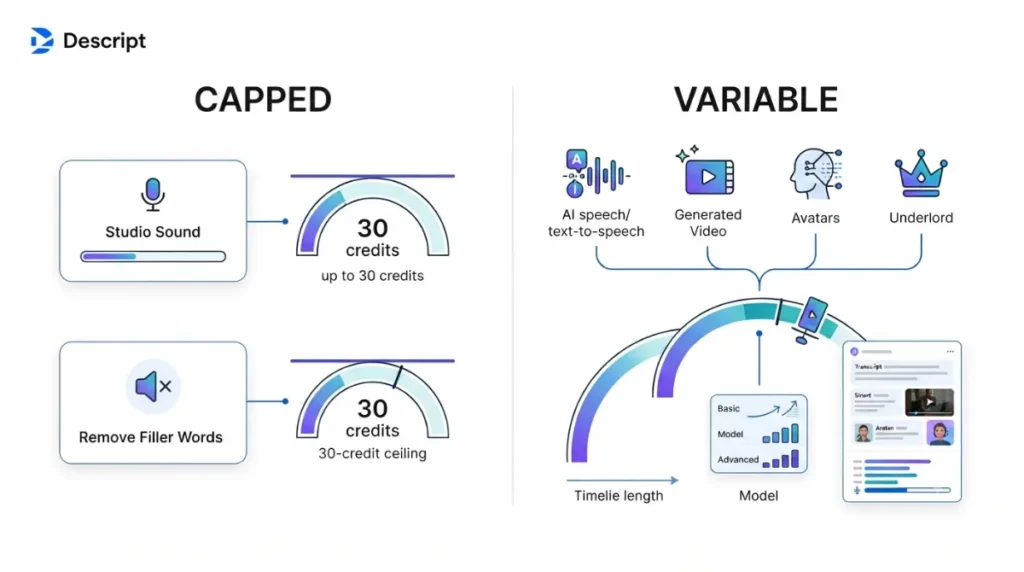
Only Studio Sound and Remove Filler Words have a published ceiling: 30 credits per file or tool application. That comes from Descript’s usage guide, retrieved 11 September 2026.
Two tools with a published ceiling
However long the file, one application of either tool costs no more than that ceiling. Descript publishes no fixed per-use figure below it. Several third-party guides quote a lower per-use number, but Descript’s help centre does not carry one as of 11 September 2026.
Tools that scale with length
For manually applied tools, AI speech and filler removal cost more as the media or generated audio runs longer. Generative tools also cost more on more advanced models. The same input costs the same amount each time.
Tools with no fixed price
Underlord has no fixed price per action. Descript calls it non-deterministic: the cost depends on media length, model and what the AI generates.
| Credit draw | Cost type | What Descript publishes | Verified |
|---|---|---|---|
| Studio Sound | Capped | 30 maximum per application | 11 Sept 2026 |
| Remove Filler Words | Capped | 30 maximum per application | 11 Sept 2026 |
| AI speech, text-to-speech | Scales with length | No per-minute rate | 11 Sept 2026 |
| Generated image and video | Scales with model and length | No per-model rate | 11 Sept 2026 |
| Avatars | Scales with spoken-audio length | No rate | 11 Sept 2026 |
| Eye Contact, Green Screen | Not stated | No rate | 11 Sept 2026 |
| Underlord | No fixed price | Cost shown after each run | 11 Sept 2026 |
How far 800 credits go on Creator
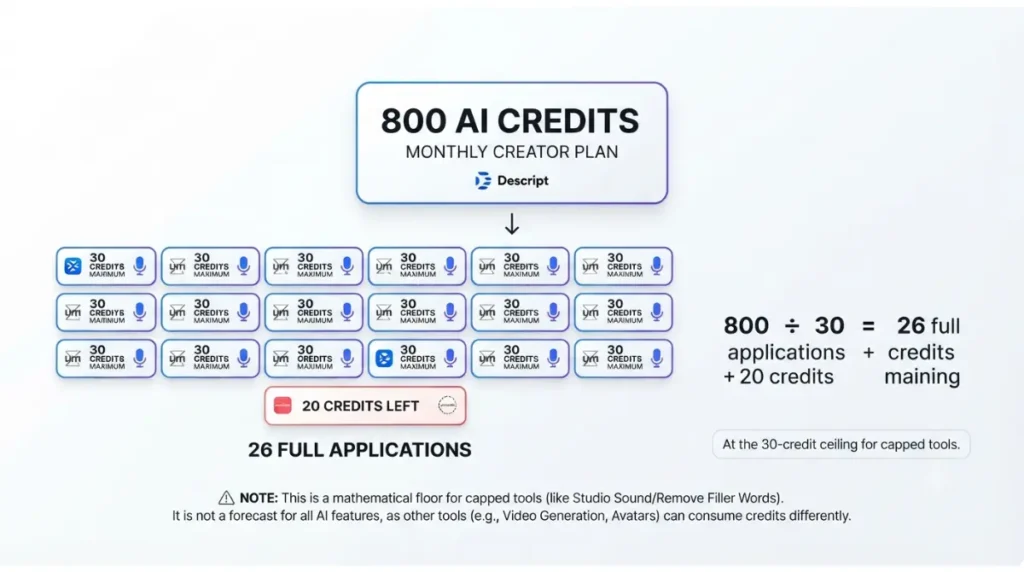
800 credits cover at least 26 full-ceiling applications of Studio Sound or Remove Filler Words. That is App Compare HQ’s division of the Creator allowance by the 30-credit ceiling; both figures are published by Descript and were retrieved 11 September 2026.
The floor: 26 capped applications
| Plan | Monthly credits | Full-ceiling applications, at least | Verified |
|---|---|---|---|
| Hobbyist | 400 | 13 | 11 Sept 2026 |
| Creator | 800 | 26 | 11 Sept 2026 |
| Business | 1,500 | 50 | 11 Sept 2026 |
🔍 Why It Works This Way: The ceiling is a maximum, so this is the worst case for capped tools. A shorter file can cost less than 30, so a month of short files goes further. Put any uncapped tool in the same month and the floor stops being a forecast.
A three-seat Creator drive
Credits pool per seat, so three Creator editors share 2,400 credits. That gives a floor of 80 full-ceiling applications, by our arithmetic from the same two figures. Creator stops at three seats, per the pricing page retrieved 11 September 2026. The separate page on what each extra Editor seat costs covers the bill side.
Where AI credits go before the month ends
Four documented drains break the floor. All four are in Descript’s help centre, retrieved 11 September 2026.
Underlord charges twice, and chat counts
Each message to Underlord uses a few credits, even when no tool runs. When Underlord applies a tool for you, you pay for its reasoning and for the tool itself.
Avatars bill again on every regenerate
Any change to the script, speaker or underlying audio forces an avatar regeneration. Each regeneration is debited on the full length of spoken audio, per Descript’s avatar troubleshooting page.
⚠️ This Costs You: Editing one line after generating an avatar charges the whole spoken-audio length again, not just that line. Lock the script and speaker labels before you generate.
Premium models and long files cost more
Descript says higher-end models and longer videos usually use more credits, per its model comparison page. Descript’s Studio Sound guide also advises splitting files of six hours or more before processing. Because the ceiling applies per file, each segment carries its own 30-credit ceiling. That is our reading of the two pages, not a figure Descript states.
Nothing rolls over
Unused monthly credits expire at month end. Edits started through the Descript API or MCP draw from the same pool.
400, 800 or 1,500: which credit allowance fits
Stepping up from Hobbyist to Creator adds 400 monthly credits for $8 more per person per month on annual billing, or $11 more on monthly billing. That is App Compare HQ’s arithmetic from Descript’s pricing page, retrieved 11 September 2026. Hobbyist costs $16 annual or $24 monthly per person per month, and Creator costs $24 or $35, both verified 11 September 2026.
🗓️ Pricing verified 11 September 2026. Software pricing changes frequently — confirm on the vendor’s site before purchasing.
Hobbyist can’t buy more
Top-ups are sold only on Creator and Business, per Descript’s top-ups article, retrieved 11 September 2026. On Hobbyist, an empty balance stays empty until the monthly reset or an upgrade. Where top-ups exist, they are drawn only after the monthly allowance runs out.
What stepping up to Creator adds
If AI cleanup outruns 400 credits most months, Creator’s larger pool and top-up access both apply. Descript’s own guidance is to top up for a temporary spike and upgrade if you run out every month. For the bundle side of that choice, see what a credit top-up costs, bundle by bundle.
How to check your credits before a heavy month
Descript’s help centre documents three habits that stretch the pool, retrieved 11 September 2026.
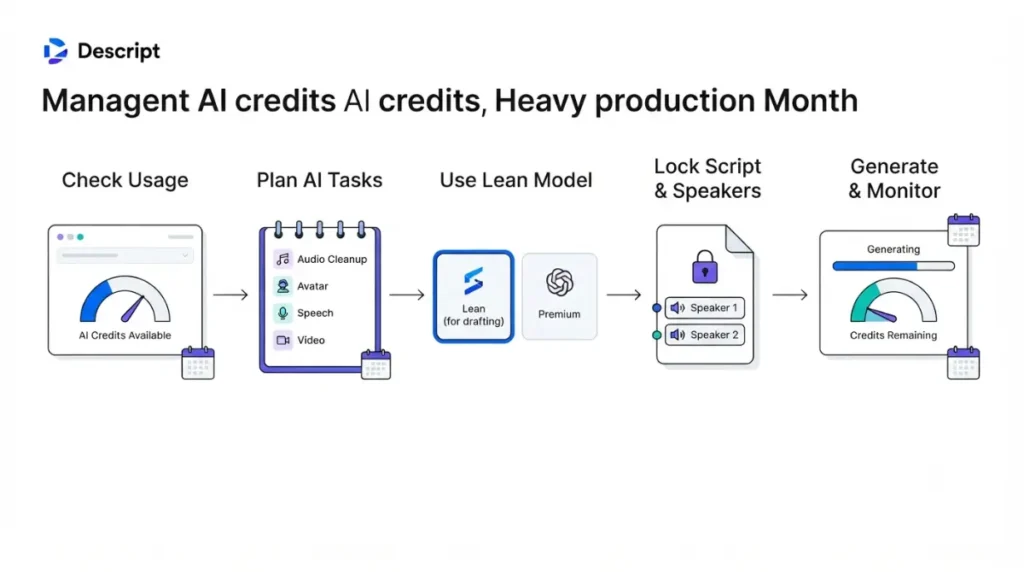
Read the Usage tab first
Descript’s usage guide places the tab under Settings: choose the drive, then select Usage in the left sidebar. It shows what each past run cost. For an Underlord-heavy month, that is the only way to size the next one.
Reuse files that already carry an effect
Importing a file that already has Studio Sound, Eye Contact or Green Screen applied is not charged again, per Descript’s guide to importing from another project. Both projects must sit on the same drive, and you need Editor access.
Draft on a lean model
Descript’s model page suggests drafting on a faster, leaner model and switching to a premium one to finalise.
✅ Do This: Lock the script and speakers, read the Usage tab, then run your month through our Subscription Cost Calculator before changing tier.
🧾 Not Tested: We did not open a Descript account, free or paid, so we could not see the Usage tab, a credit deduction, or an avatar regeneration charge. Every allowance, ceiling and rule above comes from Descript’s public pricing page and help centre, captured 11 September 2026. Nothing here describes using the software.
Descript AI credit questions, answered
1. How many AI credits does Descript Creator include?
800 per editor each month, per Descript’s pricing page retrieved 11 September 2026. Unused credits do not roll over.
2. Do Descript AI credits roll over?
No. Unused monthly AI credits expire at month end, per Descript’s usage guide retrieved 11 September 2026.
3. Does chatting with Underlord use AI credits?
Yes. Each Underlord message uses a few credits even when no tool runs, and tool runs charge twice.
4. How many credits does Studio Sound cost?
At most 30 per file or application, per Descript’s help centre retrieved 11 September 2026. No lower fixed figure is published.
5. Can I buy more AI credits on Hobbyist?
No. AI credit top-ups are sold only on Creator and Business, per Descript’s top-ups article retrieved 11 September 2026.
6. What happens when my Descript AI credits run out?
On Hobbyist, the balance stays empty until the monthly reset or an upgrade. Creator and Business can add a top-up.
7. Do team seats share AI credits?
Yes. Each Editor seat adds its allowance to one drive-wide pool; Viewers and project-level Editors cannot spend it.
8. Does regenerating a Descript avatar cost credits again?
Yes. Every generation or regeneration is debited on the full length of spoken audio, not only the edited part.
9. Do premium AI models cost more credits?
Usually, per Descript’s model page. Higher-end models and longer videos tend to draw more credits than lean ones.
The short version
Plan around the floor in the section above, not around a per-use figure Descript doesn’t publish. Lock scripts before avatar runs, read the Usage tab before a heavy month, and change tier only when an ordinary month runs short.
2 Comments