Descript Voice Cloning: Whose Consent You Need
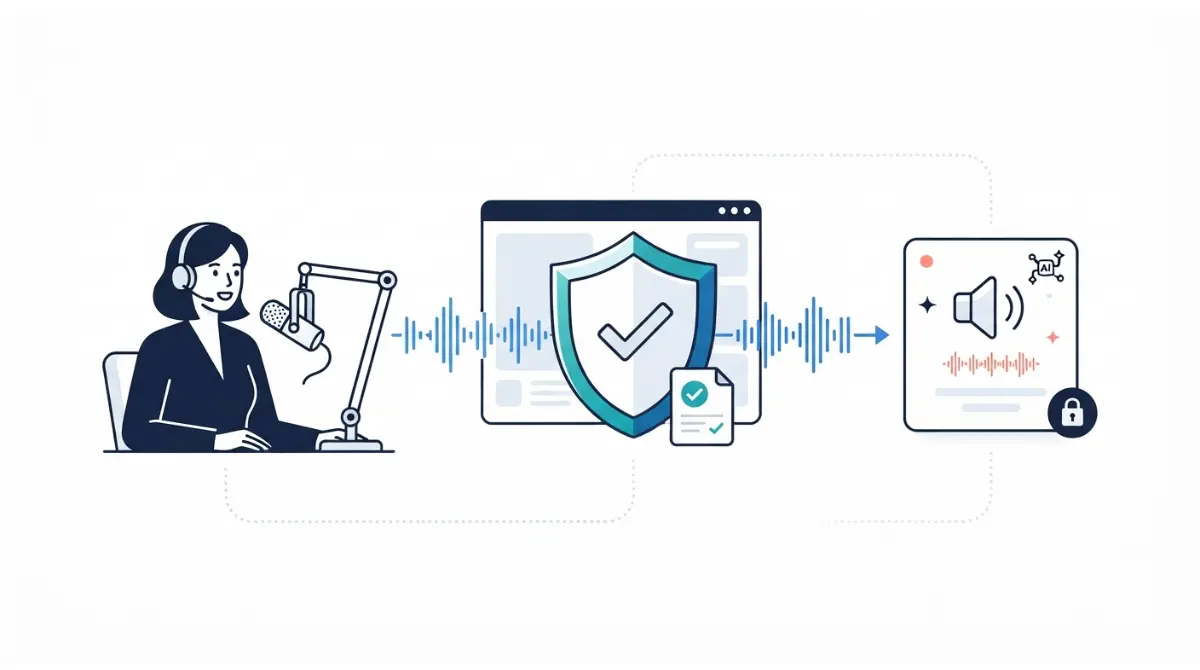
Table of Contents
As of 23 September 2026, Descript clones a voice only after that person records its consent statement themselves, in English. A collaborator can record it and send you the file. Descript’s help centre lists four cases it won’t clone: a deceased person, a non-consenting person, anyone unable to record the statement, and AI-generated audio. The legal consent your use needs can go further.
Two kinds of consent a voice clone needs
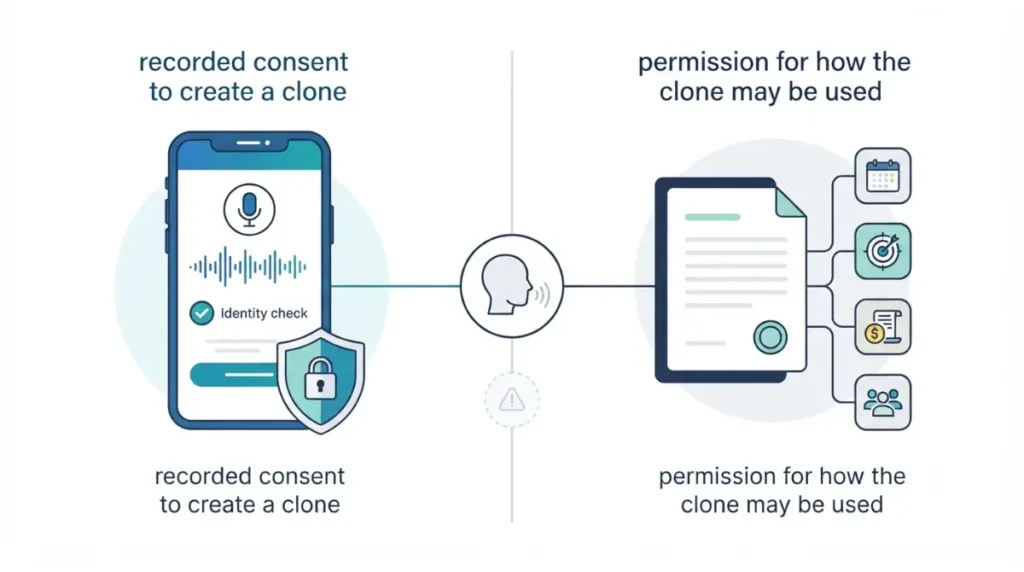
Descript’s check and the law are separate tests, and passing the first doesn’t settle the second.
Descript’s gate: the recorded statement
Descript builds a voice clone only after the person it belongs to records a consent statement. Its ethics statement on consent verification says customers can only create text-to-speech models authorized by the voice’s owner.
The legal layer: how you use the clone
The recording tells Descript the speaker agreed to a clone. It doesn’t define what you may do with that voice, for how long, or for whom. Those terms sit between you and the speaker, and the last section covers them.
How Descript’s consent recording works
As of 23 September 2026, the consent statement must be read in English, even when you generate speech in another language, according to Descript’s help page on creating a custom voice clone.
The statement and the English rule
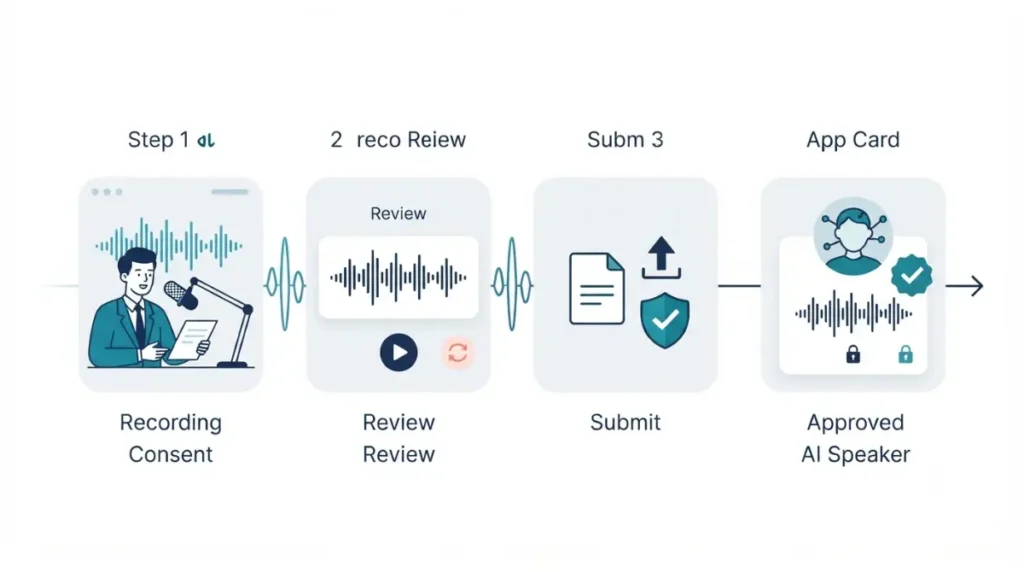
The speaker reads a short script saying they want Descript to create an artificial version of their voice, followed by a neutral passage. Delivery matters: Descript says the way the script is read directly shapes how the AI Speaker sounds.
Recording and submitting
- Add a speaker label, choose Create speaker, and name it.
- Open the speaker’s … menu and choose Enable speech generation. The consent script appears.
- Choose a microphone, record, review, and re-record if needed.
- Click Submit. Descript says the voice is typically ready within minutes.
You can’t add training audio to an existing clone later. A better result means a fresh recording.
Which plans include custom voice clones
On 23 September 2026, Descript’s pricing page listed custom voice clones as “Limited” on Free. It listed them as included on Hobbyist ($16 per person a month billed annually, $24 monthly), Creator and Business. Generated speech draws on your plan’s credits; how Descript AI credits get spent and what Free leaves out compared with paid plans cover the rest.
🗓️ Pricing verified 23 September 2026. Software pricing changes frequently — confirm on the vendor’s site before purchasing.
Can you clone a co-host, client or employee?
Yes, if that person records the consent statement themselves. Descript’s help centre, retrieved 23 September 2026, allows a clone made by the person or by someone acting for them with their recorded authorization.
When they can’t record in the app
Ask them to record the statement and send you the file. Descript’s help centre names this route for collaborators who can’t record in the app directly.
What you can’t do on their behalf
Under section 9.3 of Descript’s Terms of Service (Last Updated 25 February 2025), you agree not to read the statement on another person’s behalf or imitate them. Deceptive or unauthorized consent statements are expressly prohibited.
With a client or employee, make sure the yes is freely given and informed. The terms table further down is the part to show them before they record.
Voices Descript won’t clone
Descript’s help centre, retrieved 23 September 2026, lists four cases it cannot create a voice clone for. It states that any attempt to bypass the process breaches its Terms.
Deceased and non-consenting speakers
- It won’t clone a deceased individual.
- It won’t clone a person who hasn’t consented.
The help centre describes no family or estate route. If you hoped to recreate a relative’s voice, Descript doesn’t offer one.
Existing clips and AI-generated audio
- It won’t clone someone unable to record the consent statement.
- It won’t clone audio from an AI or artificial source.
A clip of someone talking is not their consent. Descript’s Terms mention clones made “in some cases” from submitted recordings of a consenting speaker, but the current help centre describes only the consent-statement route. Terms section 8.1(h) prohibits training audio you aren’t authorized to use.
What the speaker agrees to under Descript’s terms
Reading the statement grants Descript more than a clone. Section 9.3 of the Terms (Last Updated 25 February 2025, retrieved 23 September 2026) sets out four uses of the training audio:
| Clause | What it allows | Who is involved |
|---|---|---|
| 9.3(a) | Training the voice, synthesising speech, running the service | Descript |
| 9.3(b) | Adding the audio to research datasets after de-identification | Descript |
| 9.3(c) | Listening to training and synthesized audio to test quality and monitor misuse | Employees, vendors, contractors, including Amazon Mechanical Turk workers |
| 9.3(d) | Creating non-defamatory utterances for internal quality assurance | Employees, vendors, contractors, including Amazon Mechanical Turk workers |
Whether Descript trains its wider models on your recordings is its own question, covered in our explainer on Descript AI training.
Who else can use the voice, and removing it
Under 9.3, only the account holder and people they explicitly share with can generate audio in that voice. Descript’s AI Speakers help page lists Share, Rename and Delete voice in the Drive view’s AI Speakers tab, and states deletion is permanent. Sharing reaches drive members only; how Descript seats work explains who that includes.
🧾 Not Tested: We didn’t create or delete a clone. The help centre describes deletion by the account holding the voice. It describes no route for a speaker who doesn’t own that account, and doesn’t say whether de-identified research copies are removed. Agree on removal before recording.
When Descript’s consent isn’t the whole answer
Descript’s check confirms the speaker agreed to a clone. How you may use it depends on your agreement with them and the law where you publish. This section is general information, not legal advice.
What the recorded statement doesn’t cover
It sets no scope, duration, payment, or approved uses. Under Terms section 10, you also warrant that your content won’t violate anyone’s privacy or other rights. For paid, advertising or client work, put those terms in writing and have a lawyer in your jurisdiction review them.
The US federal bill to watch
The NO FAKES Act of 2026 record on Congress.gov summarizes S.4591 as a proposed federal right to authorize digital replicas of a person’s voice. Its action history wouldn’t load for us on 23 September 2026, so check its current status there before relying on it.
FAQ
1. Can I clone someone else’s voice in Descript?
Yes, if they record Descript’s consent statement themselves. As of 23 September 2026, a collaborator can record it and send you the file.
2. Does the Descript consent statement have to be in English?
Yes. As of 23 September 2026, Descript requires the statement in English even when you generate speech in another language.
3. Can Descript clone a deceased relative’s voice?
No. Descript’s help centre, checked 23 September 2026, lists a deceased individual among the voices it cannot clone.
4. Can I clone a voice from a YouTube clip?
Not without the speaker’s consent. Descript refuses non-consenting speakers, and its Terms prohibit training audio you aren’t authorized to use.
5. Who can listen to my Descript voice recordings?
Descript’s Terms let employees, vendors and contractors, including Amazon Mechanical Turk workers, hear samples to test quality and monitor misuse.
6. Can teammates use my Descript voice clone?
Only if you share it. The owner can share an AI Speaker with members of their Descript drive.
7. How do I delete a Descript voice clone?
The account holding it can delete it from the AI Speakers tab in Drive view. Descript says deletion is permanent.
8. Is Descript voice cloning on the free plan?
On 23 September 2026, Descript listed custom voice clones as “Limited” on Free and included on Hobbyist and above.
9. Is Descript’s consent recording enough legally?
Not necessarily. It shows the speaker agreed to a clone; how you use it depends on your agreement and local law.
Before you ask someone for their voice
Send the speaker Descript’s consent statement together with the terms table above, and let them decide with both in front of them. If they can’t record it themselves, have died, or say no, Descript won’t build the voice, and there’s no legitimate way around that. For commercial use, agree the terms in writing first.