
How to cancel Descript before your export options are gone
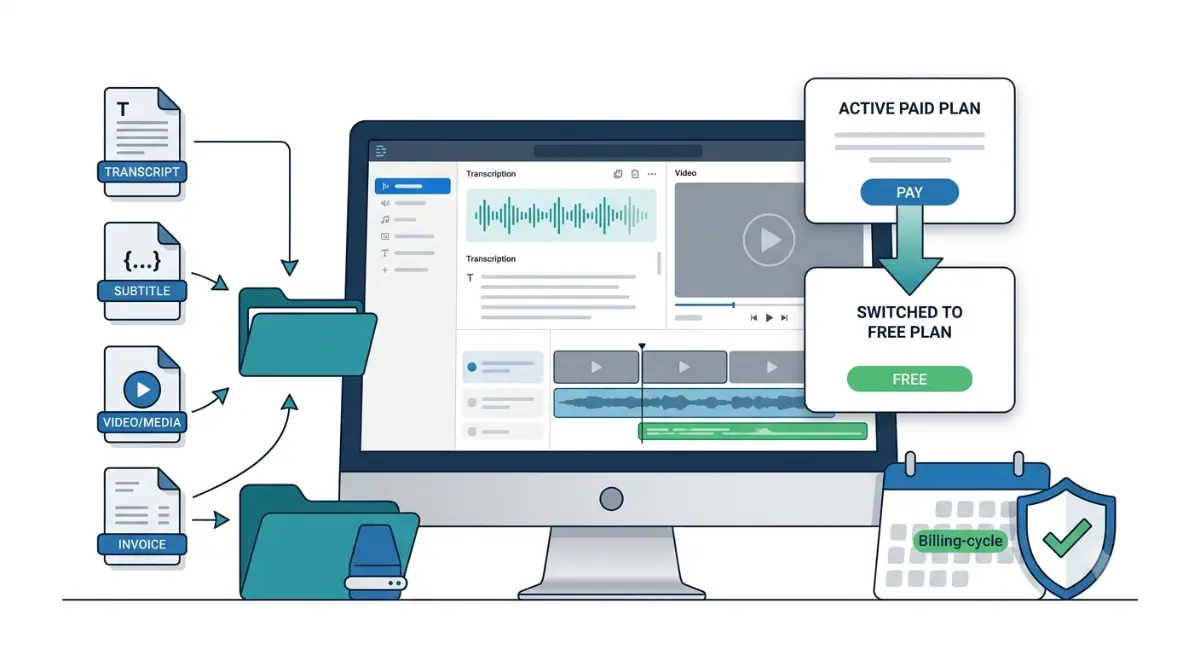
Table of Contents
Cancel Descript in App Settings → Plan → Change plan → Downgrade to Free; a cancellation reason is required. Your paid plan runs to the end of the billing cycle, then the drive drops to Free — 60 media minutes a month, 5 GB storage, 720p watermarked export, and no batch or timeline export (Descript’s pricing page, 8 September 2026). Export transcripts before that date.
🗓️ Pricing and plan limits verified 8 September 2026. Software pricing changes frequently — confirm on the vendor’s site before purchasing.
Cancel, downgrade, or delete — three different actions
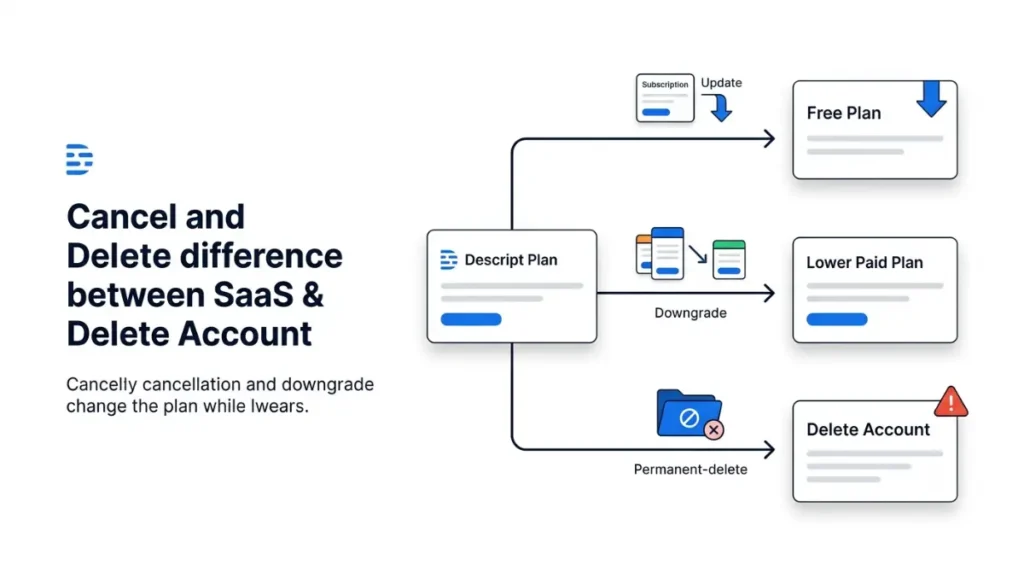
Three actions in Descript look alike and are not interchangeable.
Cancelling is a downgrade to Free
Cancelling is the same action as choosing downgrade to Free in the plan picker, per Descript’s cancellation documentation retrieved 8 September 2026. Only the Drive owner can do it, and support processes cancellation requests from the owner’s email address only. Do it in the desktop app or Descript for Web — account features are not supported on mobile browsers or tablet devices, per Descript’s system requirements retrieved 8 September 2026.
Deleting your account is something else
Deleting removes every project, drive and transcript permanently. It is not a cancellation, and there is no undo.
What your drive loses on the switch date
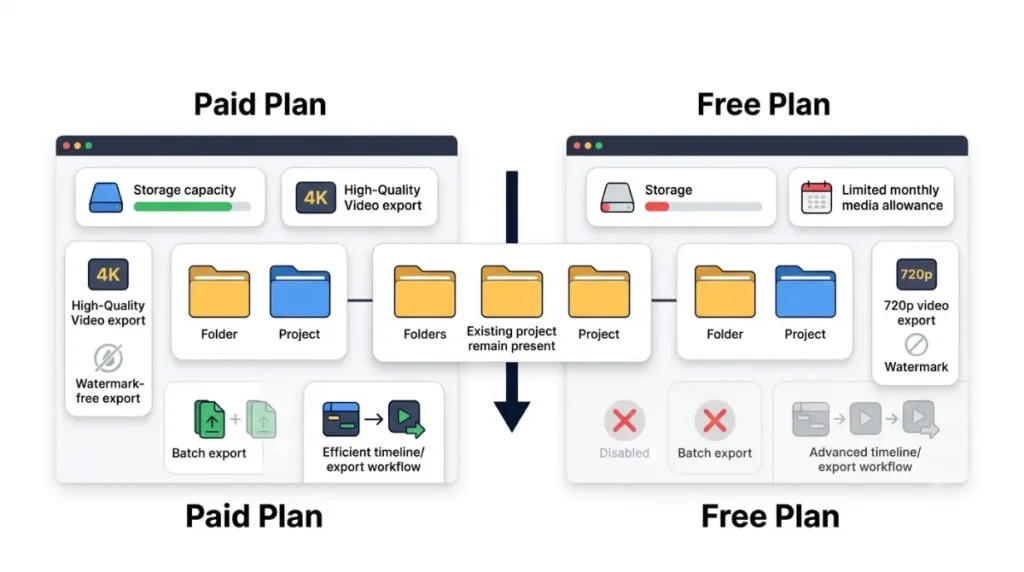
Your projects stay. Your export options shrink, and the shrinking starts the day the paid cycle ends.
What stays
Existing projects remain accessible after the drive moves to the Free plan, per Descript’s cancellation documentation retrieved 8 September 2026. Nothing is deleted at the switch.
What stops
| Capability | On the Free plan after the switch | Verified |
|---|---|---|
| Cloud storage | 5 GB per drive | 8 Sept 2026 |
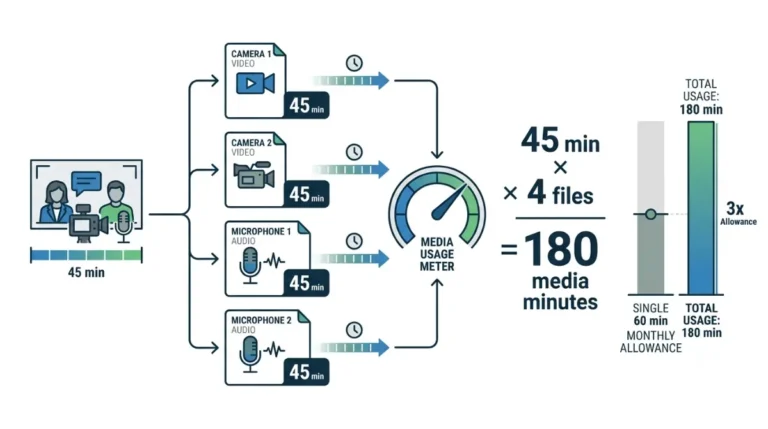
| Media minutes | 60 per month | 8 Sept 2026 |
| AI credits | 100 one-time, not monthly | 8 Sept 2026 |
| Video export resolution | 720p, local and web link | 8 Sept 2026 |
| Watermark-free export | Not included | 8 Sept 2026 |
| Batch file export | Not included | 8 Sept 2026 |
| Timeline export to Premiere, Final Cut, Pro Tools, Audition | Not included | 8 Sept 2026 |
⚠️ This Costs You: batch file export and timeline export are the two capabilities that disappear without warning. If your work has to reach another editor, those exports have to happen before the switch date, not after.
Descript does not publish what happens to a drive already holding more than 5 GB when it drops to Free. We could not locate a first-party statement on 8 September 2026, and a widely repeated claim that storage becomes read-only carries no source. Treat the limit as a reason to export, not a threshold to test. For what Free covers day to day, see our breakdown of Descript’s free and paid plan limits.
Export your transcripts before you cancel
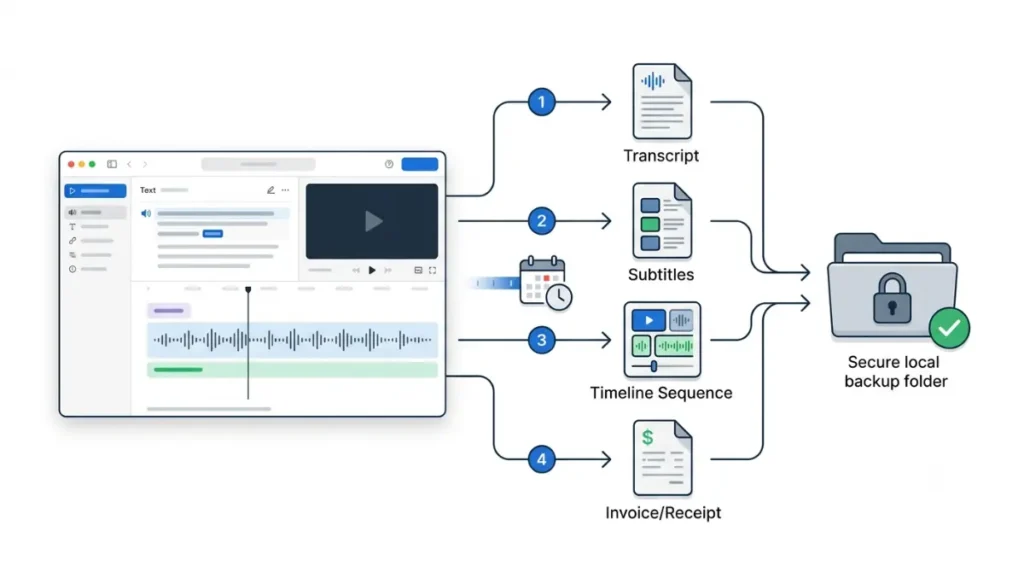
🛟 Back This Up First: everything in this section has to happen while the paid plan is still live. Export transcripts, subtitles, finished video and invoices to a folder on your own drive before the billing cycle ends.
Transcripts
Descript exports transcript text as .docx, .txt, .rtf, .md or .html, per Descript’s transcript export documentation retrieved 8 September 2026. Set timecode settings before you export — intervals, paragraph breaks, speaker labels and markers are chosen at export time, not added afterwards. A text export leaves out wordless media and scene boundaries.
Subtitles and timelines
Subtitles export separately as .srt or .vtt, with speaker labels and line limits set in the same dialog, per Descript’s subtitle export documentation retrieved 8 September 2026.
Work in this order:
- Export every transcript you want to keep, with timecodes set first.
- Export subtitles for anything that will be re-uploaded elsewhere.
- Export timelines to your next editor while timeline export is still available.
- Download your invoices.
The timing rules that decide whether you get money back
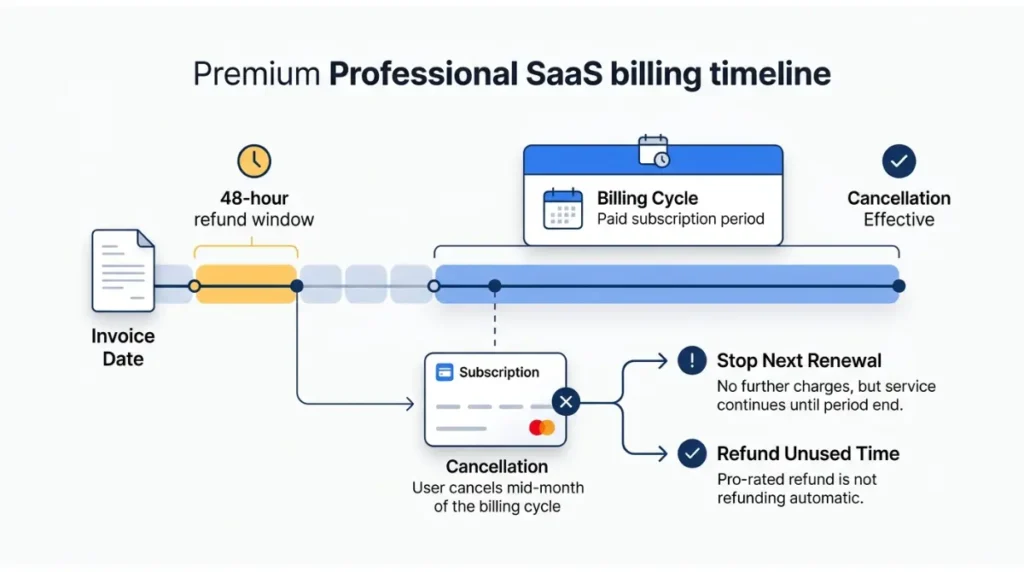
Descript refunds a plan only within 48 hours of the invoice date, per Descript’s refund policy retrieved 8 September 2026. Editor seat refunds run to 7 days; top-ups are non-refundable.
When cancellation takes effect
At the end of the current billing cycle. Your Plan tab shows that moment as a date, time and timezone under Billing cycle, per Descript’s renewal-date documentation retrieved 8 September 2026. A 48-hour window measured from an invoice is won or lost on exactly that detail.
⚠️ This Costs You: there is no proration. Cancelling mid-term does not return the unused part of the month or year — it stops the next charge only. Leaving a legacy plan is also one-way; you cannot return to it.
Why charges can continue
🔍 Why It Works This Way: every drive carries its own separately billed plan, per Descript’s billing overview retrieved 8 September 2026. Cancelling one drive leaves the others charging.
A past due account cannot change plans at all until the failed payment clears. Seat and top-up costs are covered in our notes on Descript’s per-user cost and what top-ups cost.
Should you downgrade to Hobbyist instead?
Downgrading solves one problem and not the other.
What Hobbyist keeps
Hobbyist costs $16 per person per month on annual billing, or $24 monthly, per Descript’s pricing page retrieved 8 September 2026. It carries 10 media hours a month, 400 AI credits, 100 GB of storage and 1080p watermark-free export.
When cancelling outright is the better call
Batch and timeline export stay excluded until Creator, at $24 per person per month annually or $35 monthly on the same page and date. If you are moving your work to another editor, Hobbyist brings nothing back that you needed — pay for one more month of Creator, export everything, then cancel.
✅ Do This: decide which of the two you are — staying smaller, or leaving. Our full cost breakdown across Descript’s tiers sets out what each one carries.
Check the cancellation actually went through
The cancellation confirmation message is the proof. Until it appears, nothing has changed.
Confirm the pending change
A pending cancellation or downgrade sits in the Plan tab until the cycle ends, and can be reversed there, per Descript’s cancellation documentation retrieved 8 September 2026. If charges continue afterwards, check whether you own a second drive.
Don’t delete your account to cancel
🛟 Back This Up First: account deletion removes all projects, drives, transcripts and invoices permanently.
Descript’s account-deletion page, retrieved 8 September 2026, states both that deleting does not cancel your subscription, and that active subscriptions are cancelled immediately with unused time forfeited. Those two statements do not agree, and we are not resolving them on your behalf. Cancel first, wait for the confirmation, export, then delete if you still want to.
🧾 Not Tested: we hold no paid Descript Drive, so the cancellation flow, the Plan tab and the confirmation screen were not opened first-hand. Every step, limit and policy above comes from Descript’s own public pages, captured 8 September 2026. What we cannot tell you is how long the confirmation takes to arrive or whether the pending state displays clearly.
Frequently asked questions
1. Does cancelling Descript delete my projects?
No. Existing projects stay accessible after the drive switches to Free; what shrinks is storage, resolution and export.
2. Can I get a refund if I cancel mid-term?
Only within 48 hours of the invoice date, per Descript’s refund policy retrieved 8 September 2026. Cancelling alone refunds nothing.
3. Is deleting my account the same as cancelling?
No. Deletion is permanent and removes projects, drives and transcripts. Cancel first, confirm it, then delete.
4. When does the cancellation take effect?
At the end of your current billing cycle. Your Plan tab shows that date, time and timezone under Billing cycle.
5. Why am I still being charged after cancelling?
Each drive carries its own separately billed plan. Owning more than one drive means cancelling one leaves the others running.
6. What formats can I export my transcript in?
Five text formats — .docx, .txt, .rtf, .md and .html — plus .srt or .vtt for subtitles.
7. Can I return to my legacy plan later?
No. Descript’s cancellation documentation states that once you leave a legacy plan, you cannot go back to it.
8. Can I cancel while a payment is failing?
No. A past-due account cannot change plans until the failed payment is resolved. Contact Descript support first.
9. Should I downgrade instead of cancelling?
Only if watermark-free export is what you need. Batch and timeline export stay excluded below Creator.
10. Can I cancel Descript from my phone?
No. Account features are not supported on mobile browsers or tablets — use the desktop app or Descript for Web.
What to do now
Open your Plan tab and read the billing cycle line, including the time and timezone. Export transcripts, subtitles and timelines while the paid plan is still live. Then cancel from Change plan → Downgrade to Free, and wait for the confirmation message before you close the tab.
2 Comments