
Descript RAM usage: what 8GB and 16GB Macs actually get
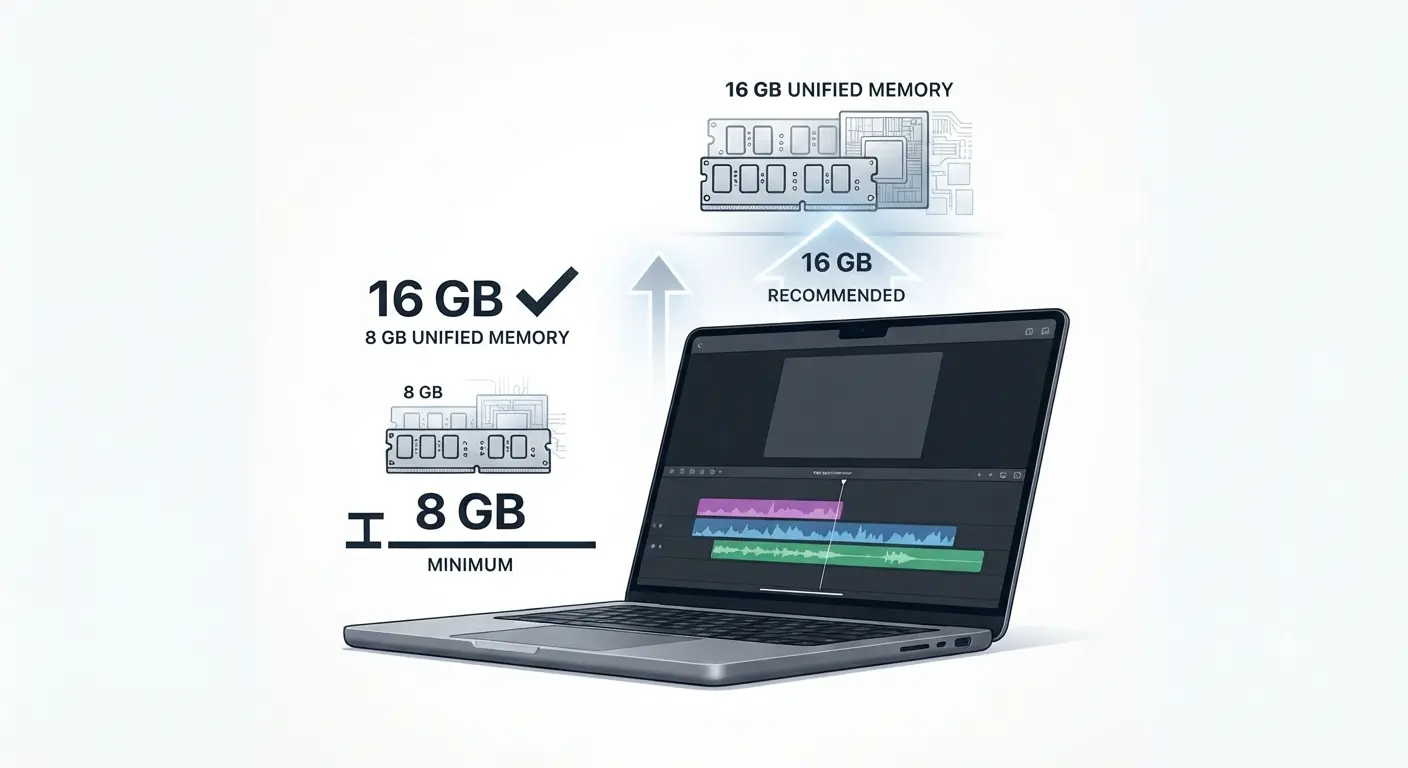
Table of Contents
Descript lists 8 GB RAM as the minimum for macOS and 16 GB unified memory as its recommendation for Apple silicon — both on the same support page, retrieved 12 September 2026. An 8 GB Mac clears the floor and sits 8 GB below the recommendation. Descript publishes no per-configuration memory usage figures.
Which memory number applies to your Mac
Two memory figures circulate for Descript on Mac, and which one applies depends on what you are about to do.
If you are buying or spec’ing a Mac
Read the next two sections first. Descript’s performance guidance asks you to meet or exceed its recommended specs, which makes the recommendation your number rather than the minimum.
If you are on 8 GB now and it is slow
Go to what slows the editor down. Descript names several causes ahead of memory, and three of them cost nothing to rule out.
If 4K is the reason you are asking
Hardware is only half of it. Descript gates 4K export to its Creator tier, and our free-versus-paid breakdown sets out that gate.
What Descript lists as minimum, and what it recommends
Descript publishes two memory figures for macOS, and they are 8 GB apart.
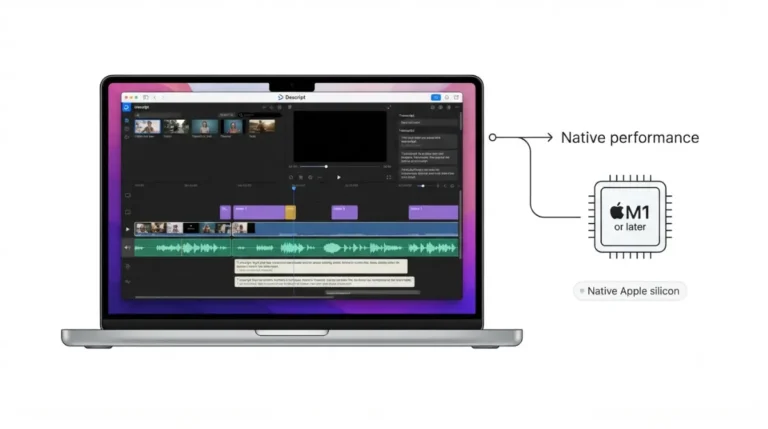
The minimum: 8 GB
Descript’s published system requirements list a minimum of 8 GB RAM and macOS 14 (Sonoma) or later for the Mac desktop app, retrieved 12 September 2026. That figure is the floor for running the application, and it is the only memory number in that section.
The recommendation: 16 GB
The same page carries a separate recommendations table listing 16 GB of unified memory for Apple silicon Macs, retrieved 12 September 2026. Nothing on the page says which of the two governs.
Why the two do not agree
Descript’s recorder troubleshooting article tells a reader who has run out of memory to check the recommended system requirements, then states 8 GB, retrieved 12 September 2026. That is the minimum figure carrying the recommendation’s name, in Descript’s own help centre.
💵 Verified: 8 GB minimum for macOS; 16 GB unified memory recommended for Apple silicon — Descript’s system requirements page, retrieved 12 September 2026.
Apple silicon and Intel Macs are specified differently
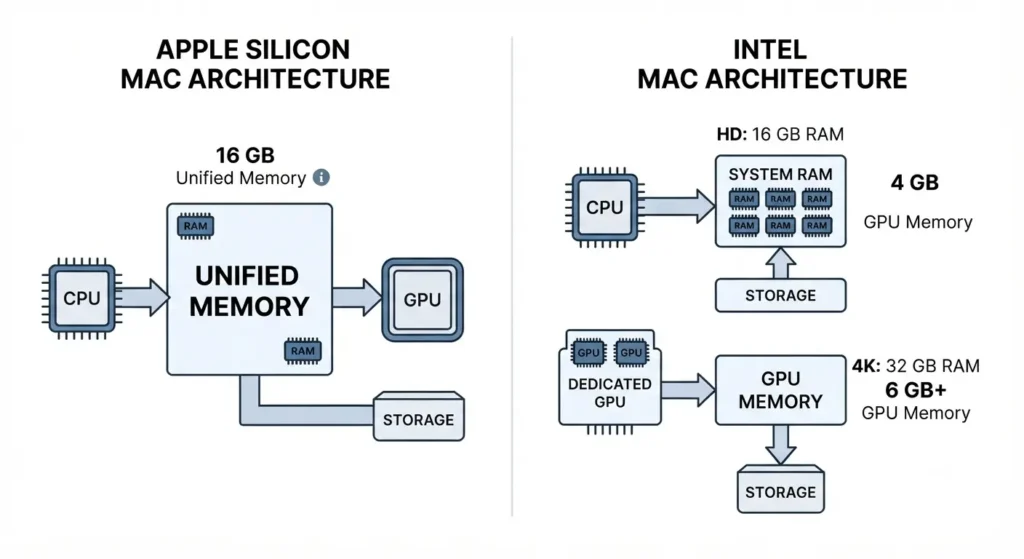
Descript specifies memory separately for Apple silicon and Intel Macs, and splits the Intel figure again by media resolution.
| Mac configuration | Recommended memory | Graphics memory | Verified |
|---|---|---|---|
| Apple silicon, M1 or later | 16 GB unified memory | Drawn from unified memory | 12 Sept 2026 |
| Intel, HD media | 16 GB RAM | 4 GB GPU memory | 12 Sept 2026 |
| Intel, 4K media | 32 GB RAM | 6 GB or more | 12 Sept 2026 |
One pool, or two
On Apple silicon Descript lists no separate graphics figure, because the same memory serves both, per its requirements page retrieved 12 September 2026. On an Intel Mac the RAM figure and the GPU figure are separate budgets and both have to clear.
The fan-less Air caveat
Descript’s processor row notes that fan-less Intel MacBook Air models may show performance problems under heavy workloads, retrieved 12 September 2026. That caveat is about sustained thermals, and no amount of memory addresses it.
Why Descript still lags when you have enough memory
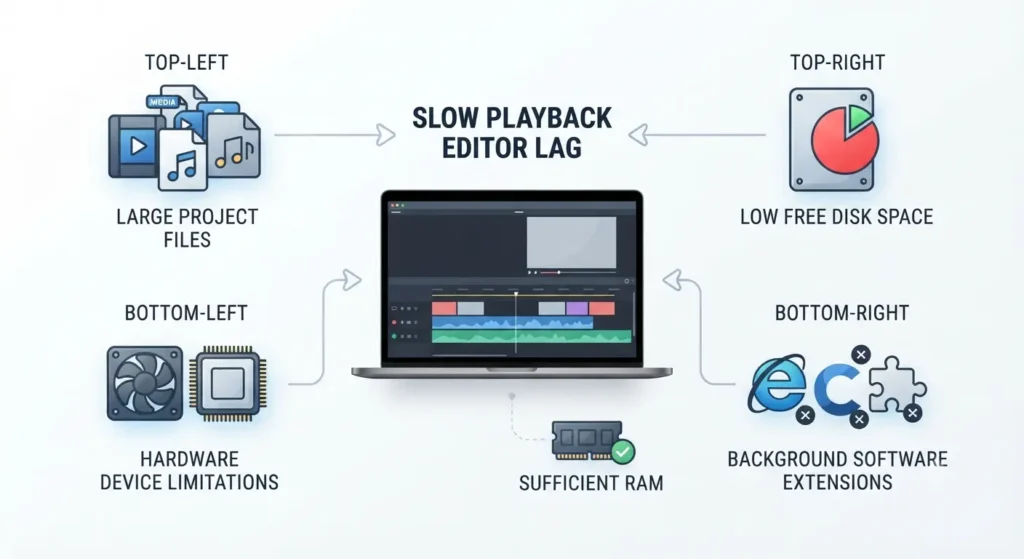
Descript’s performance guidance names several causes of a slow project ahead of memory, all retrieved 12 September 2026.
Project size comes first
Projects running to several gigabytes of files, long compositions, or many edits slow the editor down, and Descript’s suggested response is splitting the work into smaller compositions or separate projects. Descript states there is no single rule here and that device specs also matter.
The free-space floor
Descript runs best with at least 20 GB of free disk space, and its requirements table asks for 20–40 GB, both retrieved 12 September 2026. A nearly full disk produces symptoms that read like a memory shortage.
Two things to switch off
Writing-assistant extensions such as Grammarly can interfere with Descript, and its help centre also names McAfee as a reported source of lag, retrieved 12 September 2026. Both cost nothing to test.
What more RAM will not fix
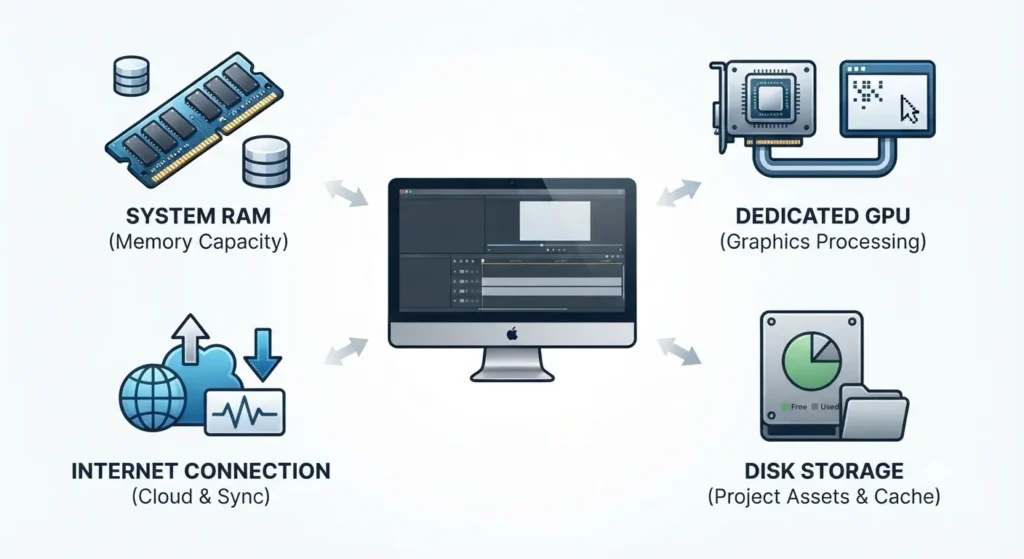
Three documented requirements sit outside memory entirely, and buying more memory clears none of them.
The screen recorder needs a graphics card
Descript’s screen recorder requires a dedicated GPU with a driver from 2021 or later, and Descript advises against using it on an older driver, retrieved 12 September 2026.
Bandwidth has its own floor
The stated minimum is 50 Mbps down and 10 Mbps up, below which uploads, project loading and version restores slow down, retrieved 12 September 2026. That ceiling is your connection’s, not your Mac’s.
The fix that is not yours
Force software video decoding is the setting most often suggested for stalling playback. Descript’s performance page scopes it to Windows, while its requirements page describes it without naming an operating system, both retrieved 12 September 2026. On a Mac, work through project size and disk space instead.
How long today’s requirement list stays true
Descript supports the current version of the app and any version released in the previous three months, per its requirements page retrieved 12 September 2026.
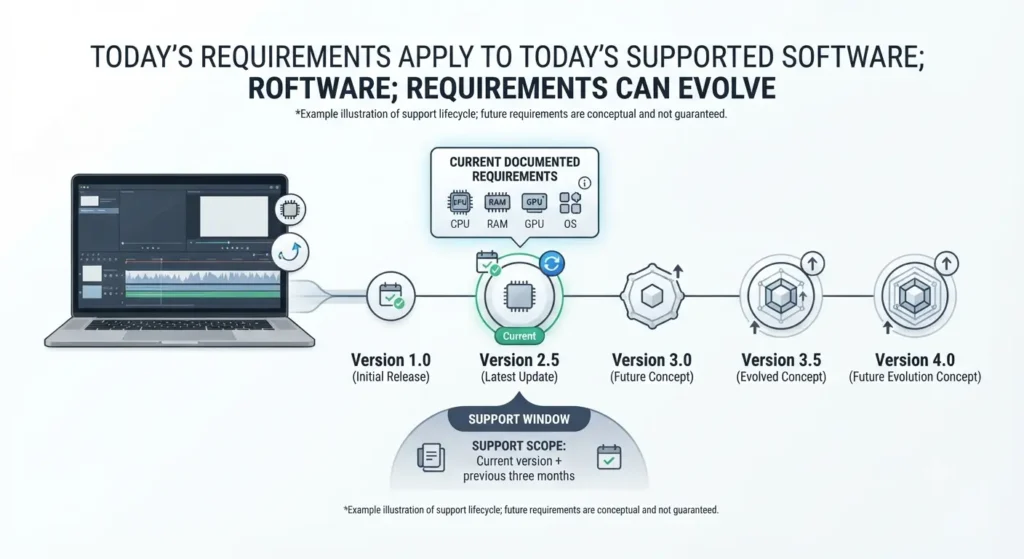
The support window is the real scope
Three months is a short window for a hardware decision. Figures verified today describe the build supported today, and a machine bought to the minimum is bought to a floor that the vendor can raise inside one quarter.
The download page says less
Descript’s Mac download page states only macOS 14 (Sonoma) or newer, with no memory figure anywhere on it, retrieved 12 September 2026. The page a buyer lands on before installing is the page that omits the number this article exists to answer.
What that costs
A memory upgrade is bought once, before the subscription starts, and appears on no plan card — the pillar covers the costs that sit outside the plan fee.
🧾 Not Tested: We did not run Descript on an 8 GB or 16 GB Mac, and we hold no Mac hardware to measure against. Nothing above reports observed memory usage, because Descript publishes none and we measured none. Every figure comes from Descript’s help centre and download page, captured 12 September 2026.
Descript memory questions, answered
1. How much RAM does Descript need on a Mac?
Eight gigabytes is the published minimum; 16 GB unified memory is the recommendation for Apple silicon, verified 12 September 2026.
2. Is 8GB enough for Descript?
It clears Descript’s minimum and runs the app, but sits below the recommended configuration for HD work, verified 12 September 2026.
3. Does Descript need 16GB?
Descript recommends 16 GB unified memory on Apple silicon. It is a recommendation, not a barrier to installing, verified 12 September 2026.
4. Is unified memory the same as RAM for Descript?
Descript lists no separate graphics memory figure for Apple silicon, because the same pool serves both, verified 12 September 2026.
5. What does Descript recommend for 4K on an Intel Mac?
32 GB of RAM and 6 GB or more of GPU memory, verified 12 September 2026.
6. Why is Descript slow when I meet the RAM requirement?
Descript’s performance guidance names project size, background apps, free disk space and extension conflicts ahead of memory.
7. Will more RAM fix Descript’s screen recorder?
No. The screen recorder needs a dedicated GPU with a driver from 2021 or later, verified 12 September 2026.
8. What macOS version does Descript require?
macOS 14 (Sonoma) or later, on both the requirements page and the Mac download page, verified 12 September 2026.
9. How long does Descript support an older app version?
The current version plus any released in the previous three months, per Descript’s requirements page, verified 12 September 2026.
The short version
Eight gigabytes runs Descript and eight gigabytes is not what Descript recommends, and the vendor publishes both figures without reconciling them. If you are buying, buy to the recommendation for your chip. If you already own the machine, rule out project size and disk space before you rule out memory.
2 Comments