What CapCut Pro Pricing Buys You Over Standard and Free
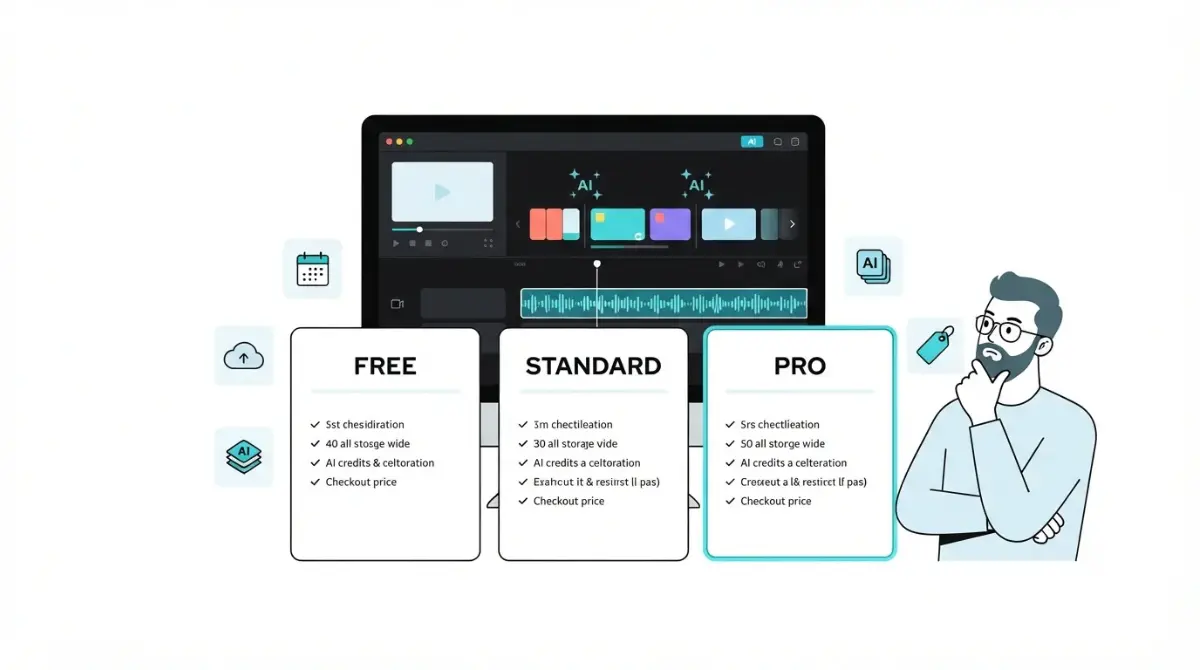
Table of Contents
CapCut Pro in one paragraph
The short answer
CapCut’s own Standard-vs-Pro page lists Pro at $19.99 a month or $179.99 a year (checked 28 Sept 2026), though CapCut says checkout prices vary by region and platform. A CapCut help notice dated 25 March 2026 closed the old Pro price to new subscribers. Annual only beats monthly once you’d pay a tenth month, and subscriptions auto-renew.
What this page documents
This page records CapCut’s paid plans from first-party surfaces only: CapCut’s own help centre, its terms, and its US App Store listing. Each figure carries the date we captured it.
Where CapCut’s own pages contradict each other, we show both versions and say so. We don’t average them or pick the friendlier one.
Start here: which situation are you in?
Your export just hit a Pro paywall
If a premium template, effect or AI tool is blocking you mid-project, start with what each plan actually gates.
Your renewal price jumped
If your renewal charge is higher than the price you signed up at, go to how CapCut Pro’s price changed.
You’re mid-trial and want out
If a trial is about to convert into a paid plan, go straight to cancelling before renewal. The 24-hour rule decides whether you’re charged.
You’re comparing Standard and Pro
Read current prices first, then the tenth-month rule.
What CapCut is and who pays for it
CapCut is a video editor made by ByteDance, with desktop, browser and mobile versions. Editing is free; money buys templates, materials, AI points and cloud storage.
Who owns CapCut in the US now
CapCut’s US Terms of Service, last updated 15 April 2026, name TikTok USDS Joint Venture LLC as the company US users contract with. The Terms describe themselves as a legally binding agreement between you and that company.
The US App Store listing names the seller as Bytedance Pte. Ltd., captured 28 September 2026. So two names appear on two surfaces, and the Terms are the document that names your contracting party.
Where it runs: desktop, web, mobile
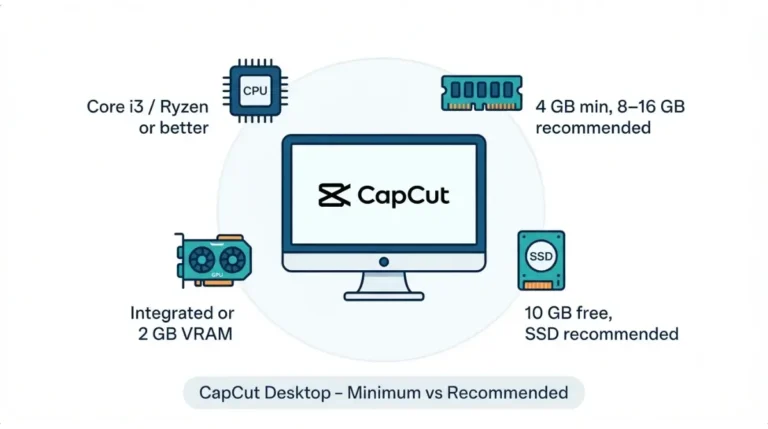
The US App Store listing, captured 28 September 2026, shows version 19.6.0. It requires iOS or iPadOS 15.0 or later on iPhone and iPad, and macOS 10.14 or later on Mac. CapCut also offers a desktop editor and a browser editor, CapCut Online.
Where you subscribe matters later, because refunds and cancellation run through the same channel.
✅ Do This: Install CapCut only from CapCut’s own site or an official app store. CapCut’s Terms state that unofficial versions from other platforms are not authorised, and that it isn’t liable for losses they cause.
What CapCut Pro costs right now
CapCut’s comparison page lists CapCut Pro at $19.99 per month or $179.99 per year, with a Team plan starting at around $24.99 per month, checked 28 September 2026. The same page says prices can vary by region, platform, taxes and promotional discounts.
Free, Standard, Pro and Team side by side
| Plan | Price (source, capture date) | Who hits this |
|---|---|---|
| Free | $0 — US App Store listing (“Free · In-App Purchases”), 28 Sept 2026 | Anyone editing without premium materials or cloud storage |
| Standard | $9.99/month — US App Store “Standard Monthly Subscription”, 28 Sept 2026 | Mobile editors who need templates and materials |
| Pro | $19.99/month or $179.99/year — CapCut Standard-vs-Pro page, 28 Sept 2026; $19.99/month also on the US App Store, same date | Editors who spend AI points or rely on cloud sync |
| Team | From around $24.99/month — CapCut Standard-vs-Pro page, 28 Sept 2026 | Shared workspaces with a team owner |
🗓️ Pricing verified 28 September 2026. Software pricing changes frequently — confirm on CapCut’s site or your app store before purchasing.
Why your checkout price may differ
CapCut’s billing help says your subscription’s currency is set automatically by the country or region of your App Store or Google Play account. Tax and promotions change the total on top of that.
The only price that binds you is the one on your own checkout screen before you confirm.
The Standard price CapCut doesn’t publish
CapCut’s March 2026 notice introducing Standard gives no price for it. The only first-party Standard price we found is the App Store line in the table above.
The same App Store list also shows unlabelled SKUs: a “Monthly Subscription” at $7.99, another at $19.99, and a “Yearly Subscription” at $89.99, all captured 28 September 2026. The listing doesn’t say which plan each belongs to, and we won’t guess.
🔍 Why It Works This Way: App stores list every subscription product an app has registered, including older or regional ones. An unlabelled line isn’t proof that a plan is on sale to you today.
How CapCut Pro’s price changed
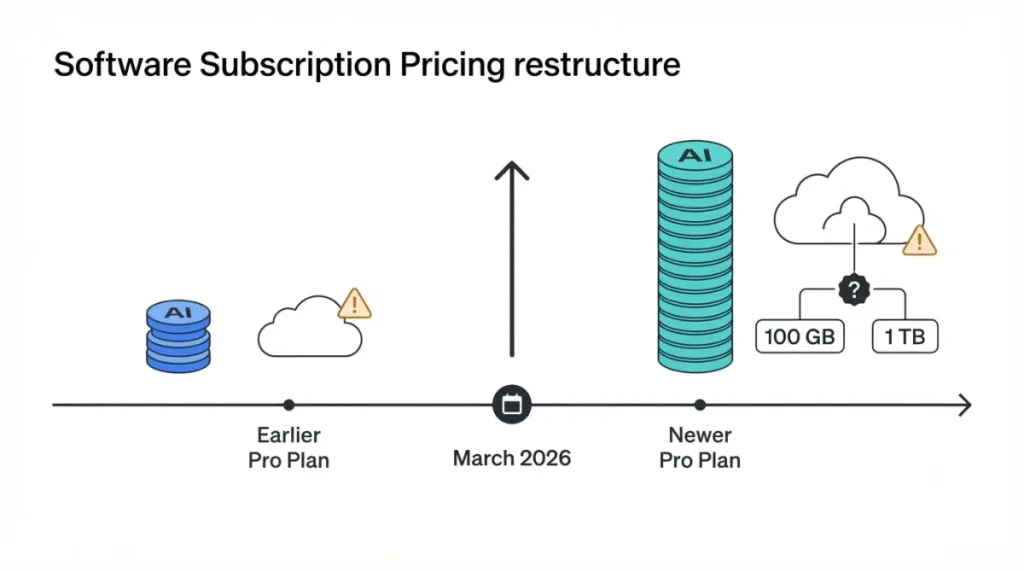
A CapCut help notice dated 25 March 2026 says previous pricing is no longer available to new subscribers. It also says the upgraded Pro plan raised AI points from 550 to 1,200 and cloud storage from 100 GB to 1 TB.
The price before the restructure
We have not yet retrieved an archived capture of CapCut’s pre-restructure Pro price, so this page does not state one. Figures published elsewhere for the old price disagree with each other. We won’t print any of them until we can show the archived page it came from.
What the March 2026 notice says changed
| Date | What changed | Source, captured |
|---|---|---|
| August 2024 | Free plan’s 1 GB of cloud storage discontinued | CapCut Standard-vs-Pro page, 28 Sept 2026 |
| Before 25 Mar 2026 | Pro included 550 AI points and 100 GB cloud storage (as described by the later notice) | CapCut pricing-change notice, 28 Sept 2026 |
| 25 Mar 2026 | New membership structure; old price closed to new subscribers; Standard plan introduced; Pro raised to 1,200 AI points and 1 TB | CapCut pricing-change notice, 28 Sept 2026 |
| 28 Sept 2026 | Current reference prices — see the price table above | CapCut Standard-vs-Pro page and US App Store, 28 Sept 2026 |
The full record lives in our CapCut price history tracker. It stays up to date as new captures come in. For the plan-by-plan detail of the restructure, see what changed in CapCut’s 2026 restructure.
Gaps we couldn’t document
Three facts are missing from CapCut’s own record, as retrieved on 28 September 2026:
- The old Pro price. We can’t state the pre-restructure monthly or annual price until the archived captures are pulled.
- When existing subscribers moved. No CapCut page we retrieved states the date existing subscribers moved to the new structure.
- Whether existing subscribers are protected. No CapCut page we retrieved says they are. So this page makes no “lock in the old price” claim, and you shouldn’t act on anyone else’s.
Read CapCut’s own pricing-change notice for its full wording.
What you actually get on Free, Standard and Pro
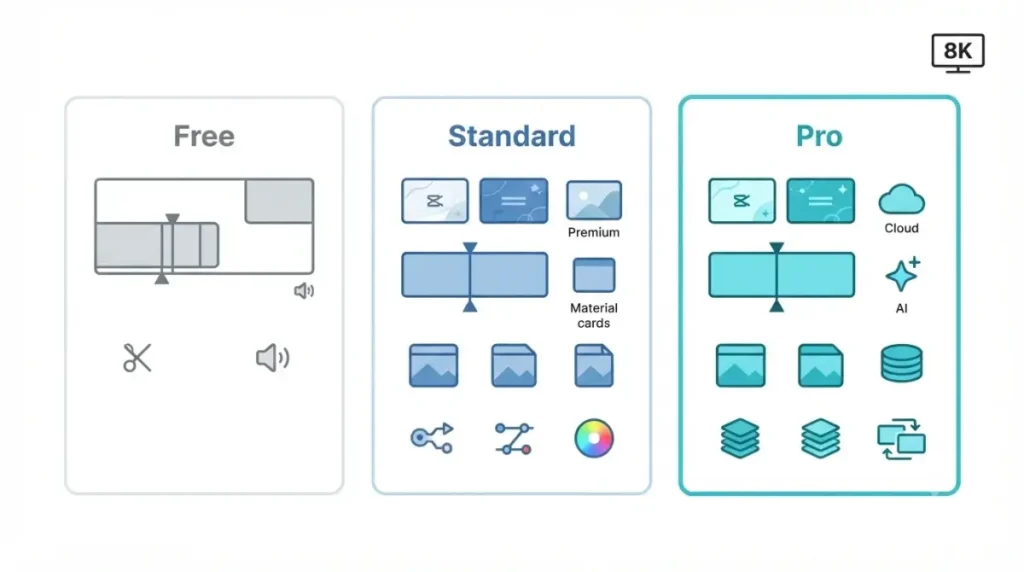
As of 28 September 2026, CapCut’s help notice describes Standard as a plan with templates, materials and a full suite of advanced editing tools. Pro adds AI points and more cloud storage on top.
Exports, watermarks and resolution
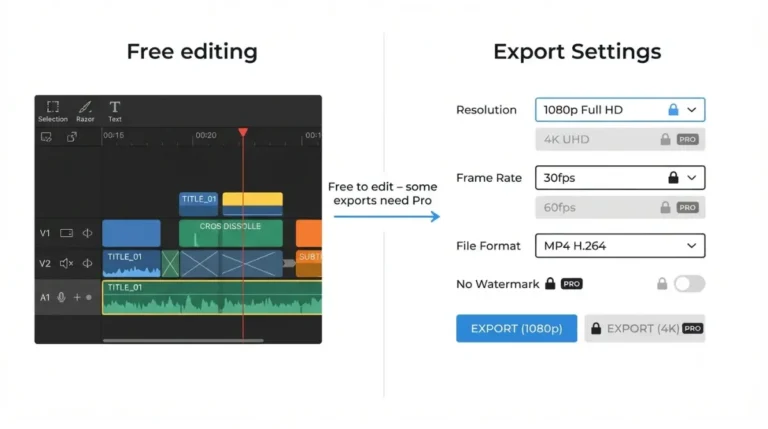
CapCut’s comparison page states that Standard and Pro users can both export at 8K. We found no CapCut help page, as of 28 September 2026, that sets an export-resolution limit by plan, so this page doesn’t state one.
We also found no first-party statement on which plans add a watermark. Check the export screen before you pay to remove something that may not be there.
AI tools and how points are metered
AI points are not unlimited. CapCut’s credit pages set out how they work:
- Subscription credits last one billing cycle and refresh each cycle.
- Subscription credits are spent first, then activity credits, then purchased credits.
🔍 Why It Works This Way: Pro’s allowance is a monthly budget, not an unlimited licence. Each AI action shows its credit cost before it runs, and unused subscription credits don’t roll into the next cycle.
Cloud storage: the 100 GB vs 1 TB problem
CapCut’s pricing-change notice says upgraded Pro includes 1 TB of cloud storage. CapCut’s storage help pages, dated the same day (25 March 2026), say Pro includes 100 GB and Teams includes 1,000 GB, with a 3,000 GB ceiling per account.
Extra storage packs only stay usable while a Pro or Teams subscription is active.
✅ Do This: Open Space in your account and read the storage figure there before relying on either number, especially before paying for an add-on pack.
For the tool-by-tool breakdown, see CapCut Standard vs Pro, feature by feature.
What CapCut Pro really costs over a year
At the web reference prices on 28 September 2026 ($19.99 monthly, $179.99 yearly), twelve monthly payments cost $239.88. That is $59.89 more than one annual payment. Both figures are our calculation from CapCut’s published prices, not figures CapCut states.
Monthly vs annual: the tenth-month rule
Nine monthly payments cost $179.91 (9 × $19.99), which is still below the annual price. Ten cost $199.90 (10 × $19.99), which is above it.
So annual billing only saves money if you would otherwise pay for ten or more months. For a short project, monthly is cheaper.
You can run your own monthly-vs-annual numbers with our cost calculator.
When AI points run out
CapCut’s credit-types page gives $4.99 for 100 purchased credits as its example price, captured 28 September 2026. Purchased credits remain valid for two years.
CapCut’s credits overview page, captured the same day, prices each credit at $0.01. CapCut doesn’t reconcile the two unit prices.
⚠️ This Costs You: Pro’s subscription credits expire when the Pro plan expires. Any unspent monthly allowance is lost when you cancel. Only purchased and activity credits survive.
For how fast each tool burns credits, see how CapCut AI points run out.
CapCut Pro trial and refund rules
CapCut’s help centre, captured 28 September 2026, says subscriptions are treated as virtual goods and generally aren’t refundable. One narrow exception sits in its US Terms.
Who gets a free trial
We could not retrieve a CapCut help page stating trial length or eligibility on 28 September 2026, so this page doesn’t state either. If your checkout offers a trial, treat it as a paid subscription with a delay, and write down the date it converts.
For current eligibility reports, see who qualifies for the CapCut Pro trial.
Why refunds are rare
CapCut’s position is that benefits are available immediately on purchase or renewal, which it says makes standard refunds hard to process. It does accept appeals for special cases such as accidental double billing.
The 14-day unused-service exception
CapCut’s US Terms allow a full refund, with or without a reason, within 14 calendar days of a direct subscription starting. The condition is that you haven’t used the Premium Services at all. Subscriptions bought through Apple or Google are also subject to those stores’ own terms.
⚠️ This Costs You: A single use of a premium feature closes the 14-day window. If you want the refund option, don’t touch Pro features until you’ve decided.
🧾 Not Tested: We have not bought a CapCut subscription, used a trial, or requested a refund. CapCut isn’t available through official channels in India, where our team works. Every rule here comes from CapCut’s help centre and US Terms, captured 28 September 2026.
For the appeal process, see CapCut’s refund routes explained.
How to cancel CapCut Pro before it renews
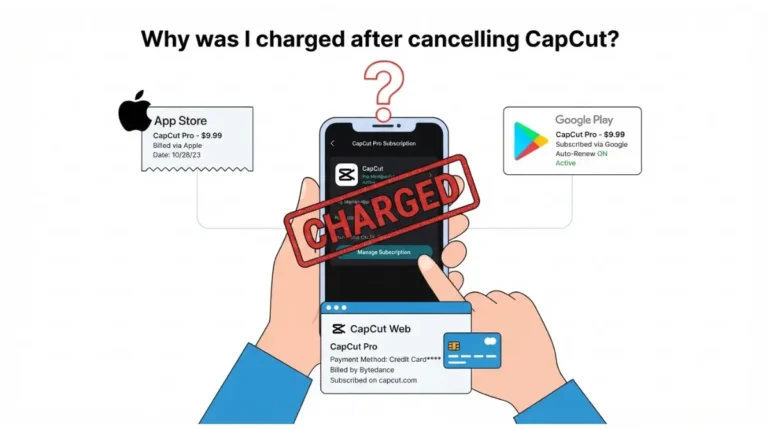
CapCut Pro and Teams renew automatically, and CapCut’s help centre says you must cancel at least 24 hours before the renewal date. Otherwise the account is charged and a new billing cycle starts (captured 28 September 2026).
Cancel where you subscribed
If you subscribed through the App Store or Google Play, CapCut’s Terms say your cancellation and refund are subject to Apple’s or Google’s terms. Cancel in the store that billed you, not inside CapCut.
For device-by-device steps, see our CapCut Pro cancellation walkthrough.
The 24-hour rule vs the ‘following month’ rule
CapCut’s comparison page FAQ says a cancellation made in the current month takes effect the following month, not the current one. The help centre frames the deadline as 24 hours before renewal.
Two CapCut pages, two framings. Treat the 24-hour deadline as binding, and don’t assume a same-day cancellation stops the next charge. CapCut’s cancellation help page is the fuller of the two.
What happens to projects using Pro materials
⚠️ Data-loss warning: Pro benefits end when the subscription ends. Download finished videos and any cloud-stored projects before your renewal date if you are cancelling.
CapCut’s pages confirm two losses at lapse. Subscription credits expire. Purchased extra storage stops working without an active subscription.
CapCut’s pages we retrieved don’t say whether projects built with Pro materials can still be exported after cancellation, or what happens to cloud files above the free quota. Assume the worst until you’ve checked.
For recovery options, see what happens to your drafts and exports after you cancel.
Where CapCut’s own information falls short
On 28 September 2026, CapCut’s own pages contradicted each other on at least five points that affect what you pay or what you get. No third-party blog is needed to find these; CapCut publishes them itself.
CapCut’s pages disagree with each other
| Topic | One CapCut page says | Another CapCut page says |
|---|---|---|
| What Standard is | 25 Mar 2026 notice: a new paid plan | 23 Sept 2026 comparison page: “commonly referred to as the free version” |
| Pro cloud storage | Pricing-change notice: 1 TB | Storage help pages, same date: 100 GB |
| Purchased credit lifespan | Credit-types page: 2 years | After-cancellation page: kept indefinitely unless stated otherwise |
| Purchased credit price | Credits overview: one flat unit price | Credit-types page: a different pack price (see the AI points section above) |
| When cancellation bites | Help centre: 24 hours before renewal | Comparison page: takes effect the following month |
On the same date, CapCut’s US App Store listing carried subscription SKUs that aren’t labelled by plan.
A buyer can’t settle any of these from CapCut’s public pages. The only reliable figure is the one inside your own account, on your own checkout screen, on the day you pay.
The export paywall that appears mid-project
CapCut’s help pages describe the credit prompt appearing at the moment of use. If your balance is short when you run an AI tool, you’re asked to buy credits or subscribe to Pro. After Pro lapses, AI tools with no remaining credits are disabled, with a prompt to buy or renew.
The cost shows up when you’re already committed to the edit, not when you plan it.
The content licence in the terms
CapCut’s US Terms say it doesn’t own your User Content. They also say that by submitting content through the Services, you grant TikTok USDS Joint Venture and its affiliates and partners an unconditional, non-exclusive, royalty-free, fully transferable, sub-licensable, perpetual and worldwide licence to use it.
“Perpetual” and “sub-licensable” mean the licence isn’t limited in time, and it can be passed to third parties. Read the licence section of CapCut’s US Terms of Service yourself before submitting anything you don’t fully control.
⚠️ This Costs You: If a client contract limits who may use their footage, submitting that footage through CapCut’s services may grant rights your contract doesn’t allow. That’s a question for a lawyer, not a plan tier.
How CapCut Pro’s cost compares with rivals
As of 28 September 2026, we had not captured a rival’s pricing on the same date and from the same store as the CapCut figures above. So this page doesn’t publish a side-by-side comparison yet. A comparison built from mismatched dates is the stale-price problem this site exists to avoid.
Price per year, same date
A fair comparison uses the same store, the same billing period and the same capture date. We’ll publish one only on those terms.
What each charges extra for
For CapCut, the extras are AI credits and storage packs, covered above. For any rival, check whether its AI features are metered before you compare headline prices.
Our CapCut alternatives by editing style page covers the options while the side-by-side is pending.
Who should skip CapCut Pro
Two buyer profiles pay for Pro and get little for it.
Casual editors who export a few videos a month
If you need templates and materials but don’t spend AI points or rely on cloud sync, Standard covers you. At the US App Store prices in the table above, captured 28 September 2026, Pro’s monthly price minus Standard’s monthly price equals a full Standard subscription plus one cent.
Every month on Pro, you’re paying for a second Standard plan you don’t use. If you need an AI tool only occasionally, CapCut positions purchased credits for users without an active Pro or Teams plan.
Businesses needing clean commercial-use rights
If your work is client footage under contract, the licence in CapCut’s Terms is the issue, and no plan tier changes it. Before using in-app music or effects in paid work, read CapCut’s Materials License Agreement (last updated 22 January 2026).
CapCut Pro questions, answered
1. Is CapCut Standard free?
No. CapCut’s March 2026 notice introduced Standard as a paid plan, though its own comparison page calls Standard the free version.
2. Does CapCut Pro auto-renew?
Yes. CapCut Pro renews automatically; cancel at least 24 hours before renewal, per CapCut’s help centre, captured 28 September 2026.
3. Can I get a CapCut Pro refund?
Generally no. CapCut’s US Terms allow a full refund within 14 days only if Premium Services were never used.
4. Is CapCut Pro yearly cheaper than monthly?
Only if you’d pay for ten or more months, using CapCut’s web reference prices captured 28 September 2026.
5. How much cloud storage does CapCut Pro include?
CapCut’s pages conflict. Its pricing notice says 1 TB, while its storage help pages say 100 GB; check your account’s Space.
6. What are CapCut AI points?
Credits for AI features. Pro’s subscription credits refresh each billing cycle and expire when the Pro subscription ends.
7. Does CapCut own my videos?
No. CapCut’s US Terms say it doesn’t own your content, but you grant a perpetual, sub-licensable licence to submitted content.
8. Who owns CapCut in the US?
CapCut’s US Terms, updated 15 April 2026, name TikTok USDS Joint Venture LLC as the company US users contract with.
The decision in one sentence
Pay for CapCut Pro only if you’ll spend AI points or depend on cloud sync every month. If you only need templates and materials, Standard does that job, and Pro’s extra cost buys you nothing you’ll use.