How to Cancel CapCut Pro With Apple, Google Play or CapCut
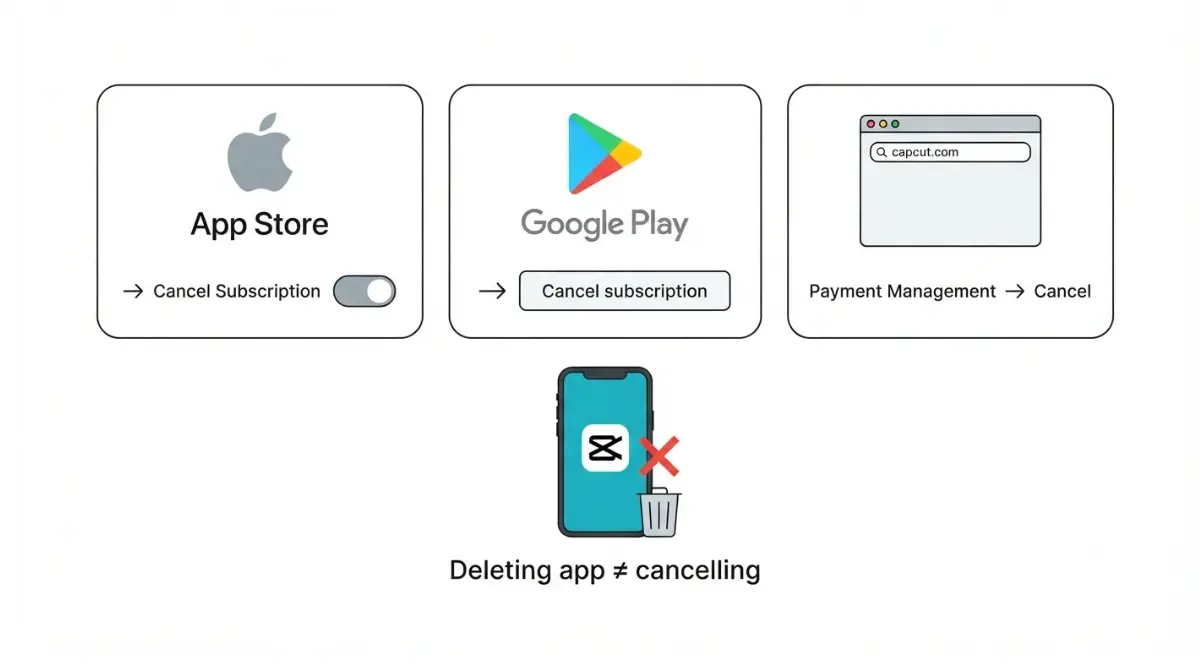
Table of Contents
Cancel CapCut Pro with whoever bills you: Apple (Settings > your name > Subscriptions) if you subscribed on an iPhone or iPad, Google Play’s subscriptions page on Android, or CapCut itself for a web or PC purchase. CapCut’s help center, retrieved 29 September 2026, says to cancel at least 24 hours before renewal or you’ll be charged. Uninstalling the app cancels nothing.
Find out who bills your CapCut Pro before you cancel
The company named on your receipt controls renewal, not the device you edit on.
Check your receipt, not your device
| Where you subscribed | Who controls renewal | Where to cancel | Source (retrieved) |
|---|---|---|---|
| App Store on iPhone or iPad | Apple | Apple Account subscriptions (next section) | Apple Support, 29 Sept 2026 |
| Google Play on Android | Google Play | Play subscriptions (Android section) | Google Play Help, 29 Sept 2026 |
| CapCut web or desktop checkout | CapCut | Payment records in your CapCut account (web section) | CapCut Help, 29 Sept 2026 |
| Wireless carrier or other provider | That provider | Contact that provider | Apple Support, 29 Sept 2026 |
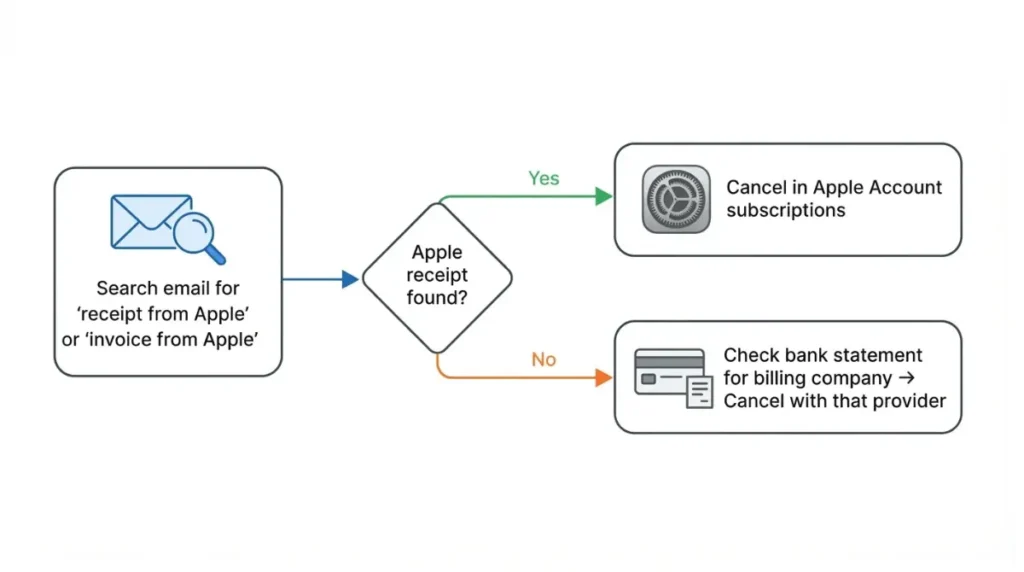
Search your email for the charge. Apple’s cancellation page suggests searching for “receipt from Apple” or “invoice from Apple”. If there’s no Apple receipt, it says to check your bank statement for the company that billed you.
Why the cancel button isn’t inside CapCut
For App Store purchases, Apple manages payment and billing. That is stated in CapCut’s refund guidance, dated 13 January 2026 and retrieved 29 September 2026. Google’s help page says uninstalling the app won’t cancel a Play subscription. Free-trial sign-ups follow the same biller rule.
Cancel CapCut Pro on iPhone or iPad
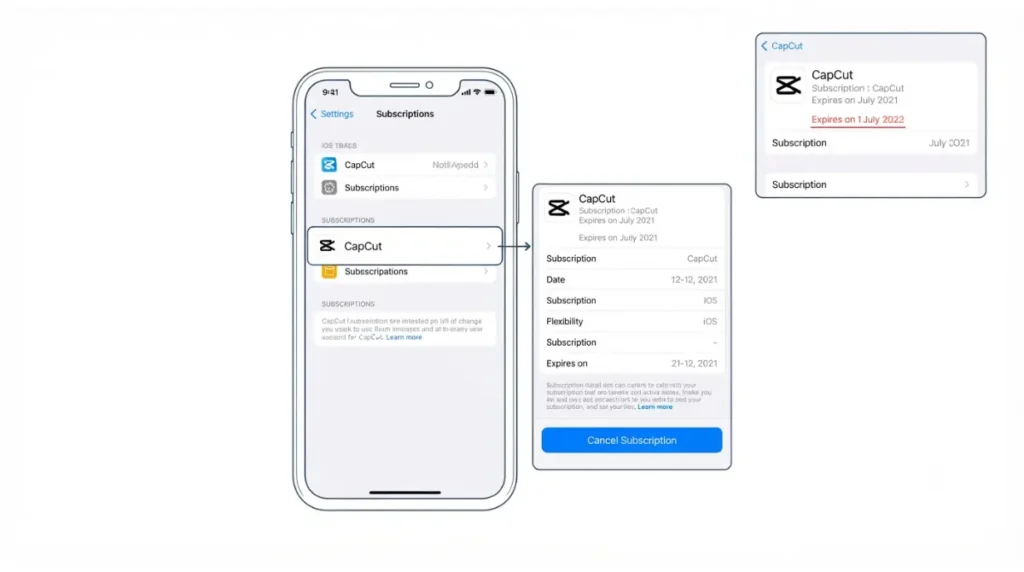
Apple bills App Store purchases, so you cancel in Settings. These are the steps from Apple’s support page (published 14 September 2026, retrieved 29 September 2026):
- In Settings, tap your name.
- Tap Subscriptions.
- Tap the CapCut entry.
- Tap Cancel Subscription. You might need to scroll down to find it.
How to tell it’s already cancelled
According to Apple, if there’s no Cancel button or you see an expiration message in red, the subscription is already cancelled. Nothing more is needed in that case.
Cancel CapCut Pro on Android through Google Play
Google Play bills Android purchases, so you cancel in the Play subscriptions list. These are the steps from Google’s help page (retrieved 29 September 2026):
- On your Android device, go to subscriptions in Google Play.
- Select the CapCut subscription.
- Tap Cancel subscription.
- Follow the instructions.
If CapCut isn’t in your subscriptions
Google says a missing subscription may sit on a different Google Account, so switch accounts and check again. If CapCut isn’t under any of your Google accounts, check the first row types in the “who bills you” table above.
Cancel a CapCut Pro plan you bought on the web or PC
If neither Apple nor Google lists CapCut, CapCut itself most likely billed you.
Where to look on CapCut’s site
CapCut’s refund guidance (dated 13 January 2026, retrieved 29 September 2026) points web and PC buyers to the Payment Management section of the account they paid with. There, it says to look for Transaction History or Subscriptions. Sign in with the same login you used at checkout.
What CapCut’s help center doesn’t document
As of 29 September 2026, CapCut’s help center publishes no step-by-step cancellation path for web or desktop. Guides elsewhere give menu names that contradict each other, so we don’t repeat any of them. If no cancel control appears, use the support route in the last section below.
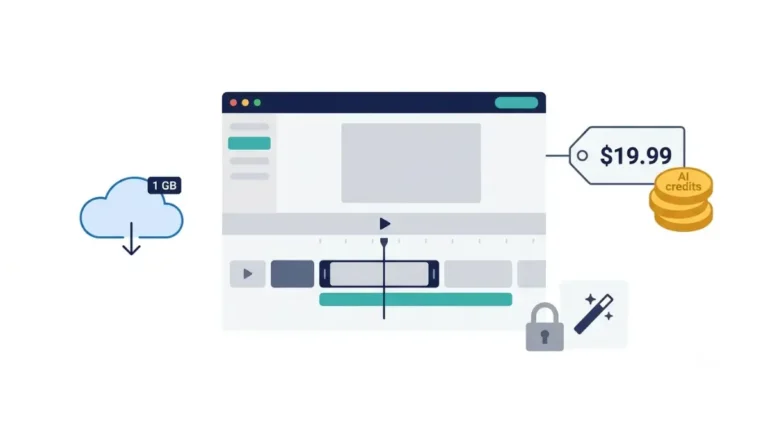
🛟 Back This Up First: Before your paid period ends, export any draft that uses Pro materials, and download cloud files if your total storage is over the free threshold described below.
What happens to your drafts, cloud files and credits
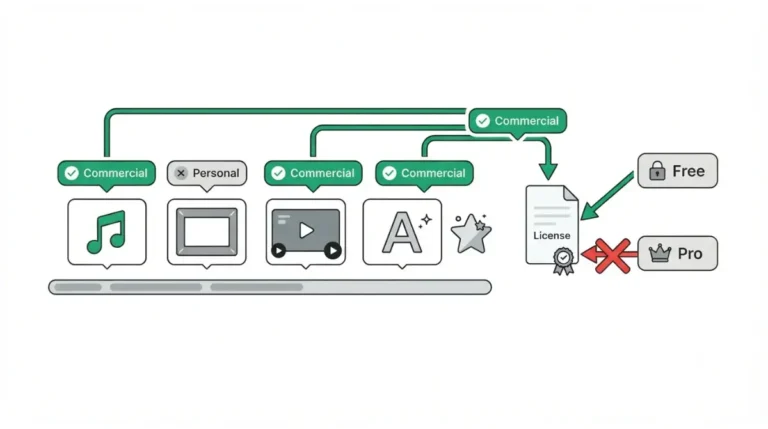
Your drafts stay after Pro ends, but drafts that use Pro materials can’t be exported.
Drafts that use Pro elements
CapCut’s drafts article (dated 31 March 2026, retrieved 29 September 2026) says drafts remain, and premium assets stay applied. Exporting them requires an active Pro subscription.
Your options are to renew, replace paid elements with free ones, or remove them. What the free tier can export is covered in CapCut’s free-plan export limits.
Cloud storage after Pro ends
Uploaded videos aren’t deleted and stay downloadable. That comes from CapCut’s cloud article, dated 31 March 2026 and retrieved 29 September 2026.
The same article says you can keep uploading as long as your total stored files are within 1 GB. Some guides say CapCut has no free cloud tier; CapCut’s own page says otherwise.
Subscription credits vs purchased credits
Credits exist only on CapCut Online (Web), per CapCut’s credits article (dated 23 March 2026, retrieved 29 September 2026). Subscription credits last until your billing cycle ends. Purchased and activity credits are unaffected. For the full list of what Pro adds, see what CapCut Pro includes over the free plan.
The renewal cutoff, refunds and a missing cancel button
CapCut says Pro and Teams subscriptions auto-renew. The source is its help article dated 25 March 2026, retrieved 29 September 2026.
Cancel at least 24 hours before renewal
If you miss that cutoff, the account is charged and a new billing cycle begins.
Google adds that an authorization hold may be placed up to 48 hours before renewal, or up to 5 days before in India or Brazil. That was retrieved 29 September 2026.
⚠️ This Costs You: Missing the 24-hour cutoff means a full new billing cycle is charged.
Cancelling isn’t a refund
CapCut treats subscriptions as virtual goods and says purchases generally don’t support refunds. It does allow appeals in special cases such as double-billing. For App Store purchases, CapCut’s refund guidance sends you to Apple’s Report a Problem. Refund depth belongs in our separate CapCut Pro refund guide.
If there’s no cancel option
CapCut’s missing-cancel article (dated 25 March 2026) asks you to send the following through CapCut’s support chat:
- the login method you used,
- your device and platform,
- a screenshot of the problem,
- and your order number or receipt.
✅ Do This: After cancelling, screenshot the subscription status showing the end date, and keep it with your receipt.
🧾 Not Tested: We did not cancel a paid CapCut Pro plan ourselves. Every step above comes from CapCut, Apple and Google help pages retrieved 29 September 2026. CapCut’s own web cancellation screens are not shown because we have no paid account to capture them from.
FAQ
1. Does deleting CapCut cancel my Pro subscription?
No. Google’s help page, retrieved 29 September 2026, says uninstalling an app doesn’t cancel its subscription.
2. How late can I cancel CapCut Pro?
At least 24 hours before renewal, per CapCut’s help center retrieved 29 September 2026; otherwise a new billing cycle is charged.
3. Do I keep CapCut Pro after cancelling?
On Google Play, yes, for the time already paid, per Google, retrieved 29 September 2026. Web subscription credits last until the cycle ends.
4. Can I get a CapCut Pro refund?
CapCut says subscriptions are generally non-refundable virtual goods, with appeals for special cases like double-billing.
5. What happens to my CapCut drafts after Pro ends?
They remain editable, but drafts containing Pro materials can’t be exported without an active subscription.
6. What happens to my CapCut cloud files?
They aren’t deleted and stay downloadable. New uploads continue while total storage is within 1 GB.
7. Are my CapCut credits still valid after cancelling?
Purchased and activity credits are unaffected. Subscription credits last until your billing cycle ends. Credits exist only on CapCut Online.
8. Why is there no cancel button for my CapCut subscription?
On Apple, no button means it’s already cancelled. For direct CapCut billing, contact CapCut support with your order details.
9. Can CapCut cancel a subscription I bought through Apple?
CapCut’s refund guidance says Apple manages App Store billing, so App Store subscriptions are handled through Apple.
Where this leaves you
Find the biller on your receipt, cancel there at least a day before renewal, and screenshot the result. Before the period ends, export drafts that use Pro materials. If cost is what’s pushing you out, CapCut’s plan prices show what each tier charges.