CapCut Export Stuck at 99%? A Plain Guide to CapCut’s Own Fixes
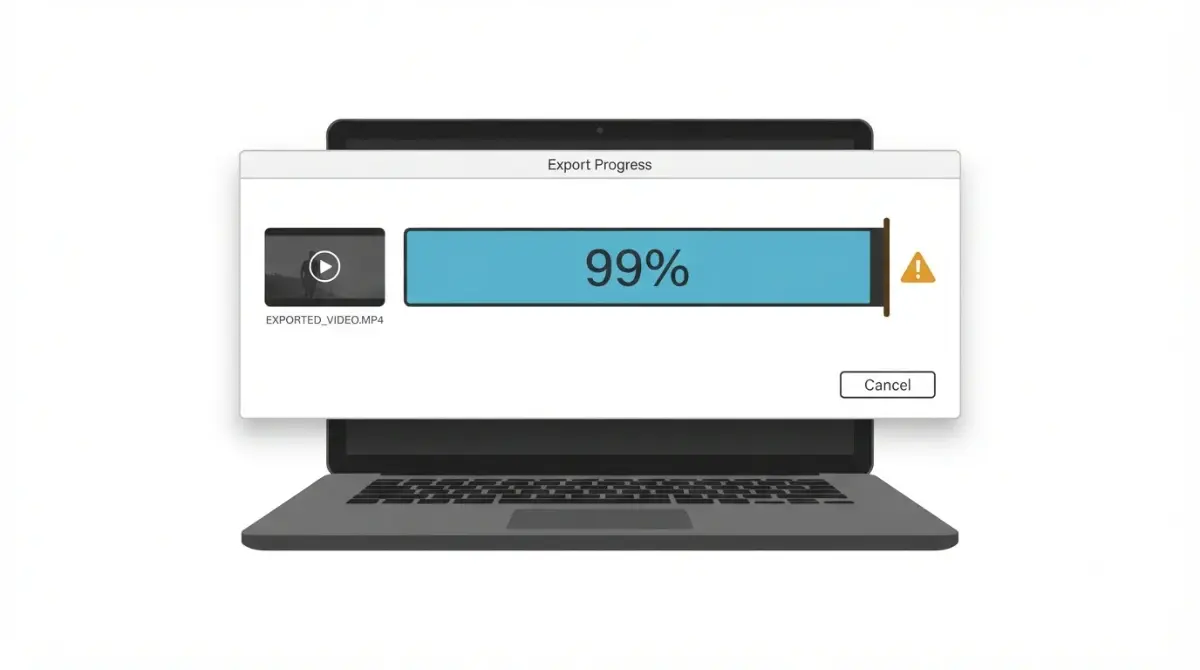
Table of Contents
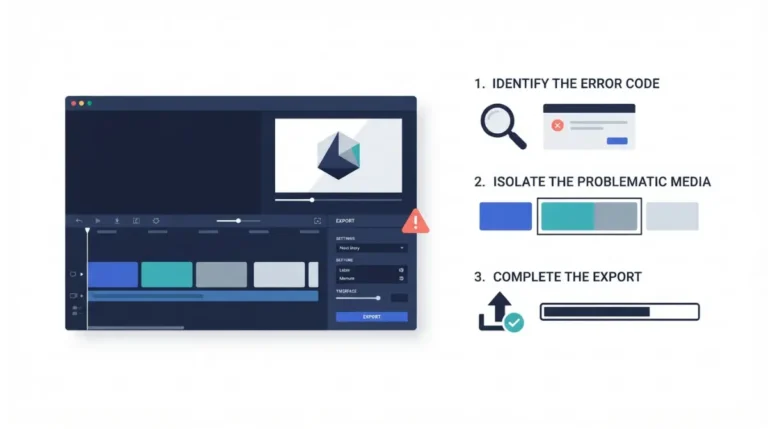
On PC, CapCut’s help page (dated 17 March 2026, retrieved 7 October 2026) says a 99% export has usually finished rendering but cannot be saved. It lists five steps, in this order: check free storage, change the export folder, replace damaged clips, restart CapCut, update CapCut. It gives no wait time before cancelling. Browser and phone steps differ, below.
🧾 Not Tested: We did not install or run CapCut on any machine for this article. Every step here is what a CapCut page stated on 7 October 2026.
What CapCut says causes a 99% stall
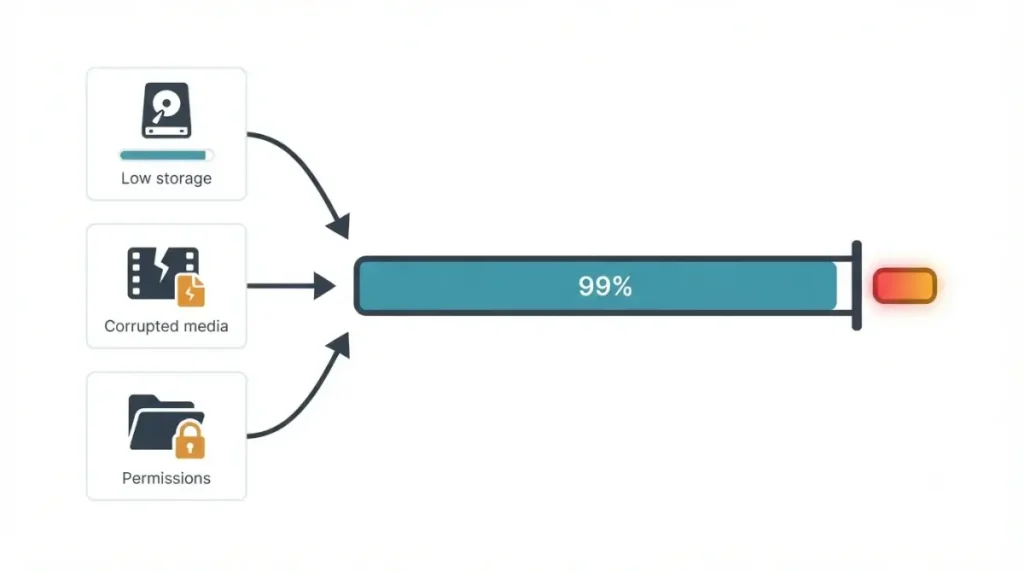
On PC, the 99% page names three causes: low disk space, corrupted project media and file permission issues (17 March 2026).
Causes CapCut names on its 99% page
The table sets that page beside CapCut’s 1% page and template-export page, each with its own date. If a Pro prompt blocks your export instead, that is a plan question, not a stall.
| Cause | 99% page (17 Mar 2026) | 1% page (18 Mar 2026) | Template-export page (Desktop, 13 Jan 2026) | Who hits this |
|---|---|---|---|---|
| Low disk space | Named; no figure | “Several gigabytes” free (18 Mar 2026) | At least 2–3 GB on the export drive (13 Jan 2026) | PC, Online, mobile |
| Corrupted media or effects | Named: corrupted project media | Named: corrupted clips or effects at the start | Not stated | PC, Online |
| Folder or file permissions | Named: file, browser or app permission | Not stated | Named: disk permissions | PC, Online, mobile |
| Hardware encoding or GPU driver | Not stated | Named: hardware encoding conflicts with GPU drivers | Named: GPU driver issues | PC |
| Antivirus or background processes | Not stated | Mobile fix only: close background apps | Named: antivirus blocking the final write; background processes | PC, mobile |
| Low memory or heavy project | Named for mobile: large project | Named: RAM (PC), browser memory (Online), complex projects (mobile) | Named: insufficient RAM | PC, Online, mobile |
Causes only its neighbouring pages name
Hardware encoding and GPU drivers appear only on the 1% page (18 March 2026); antivirus blocking the final write only on the template-export page (13 January 2026), written for template exports.
Is the video lost?
CapCut says the video has usually finished rendering but the app cannot finish saving it (17 March 2026). It says nothing about recovering a partial file.
Fix a 99% export on CapCut for PC
CapCut’s 99% page lists five steps under “CapCut PC”, kept in its order (17 March 2026). It does not say whether they cover a Mac, and CapCut publishes no desktop version number, so your menus may differ.
Check space, then change the export folder
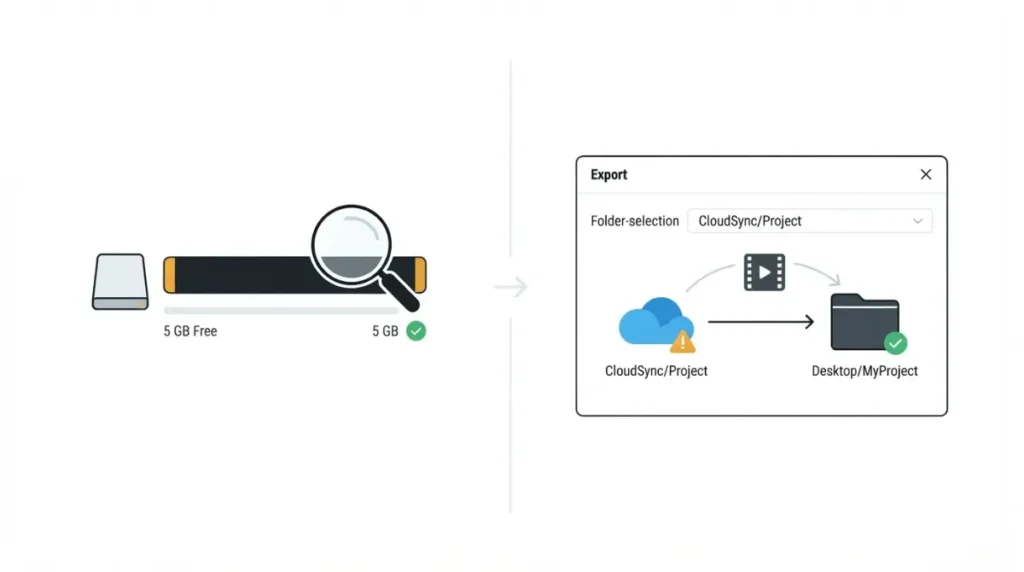
- Check available storage. Make sure the computer has enough disk space; CapCut gives no figure.
- Change the export location. Save the video to a different folder.
Replace damaged clips on a copy
🛟 Back This Up First: Replacing clips changes the project. Duplicate it and work on the copy, as CapCut’s 1% page suggests (18 March 2026); no page we opened gives a menu path, so we give none. Copy your original media files elsewhere first.
- Remove corrupted clips. Replace suspicious media files in the timeline.
Restart, then update from inside the app
- Restart CapCut. Close and reopen it, then export again.
- Update CapCut. CapCut’s update guide (24 December 2025): Settings, then Version, then Check for updates, or the upward-arrow icon top right. Do not uninstall to update; that may lose local projects.
Fix a 99% export on your phone or in the browser
CapCut lists separate fixes for each (17 March 2026). We give no iPhone or Android menu path; none was in the pages we opened.
CapCut on iPhone and Android
- Free up device storage.
- Lower the resolution or frame rate.
- Check storage permissions: allow CapCut device storage access in system settings.
- Restart the app or phone.
- Update CapCut from the App Store or Google Play.
CapCut Online in a browser
CapCut says the video finishes rendering in the cloud but cannot be fully downloaded.
🛟 Back This Up First: Removing a clip edits your project, and CapCut gives no backup step for the browser editor. Do not assume a copy feature exists; note which clip you remove and where it sat.
- Check download permissions: your browser must allow downloads from CapCut.
- Free up storage for the exported file.
- Refresh and export again.
- Remove problematic clips.
- Try another browser.
If CapCut’s 99% steps don’t work
These fixes come from CapCut pages for neighbouring symptoms; none is documented for 99%.
Hardware acceleration: documented for 1%, not 99%
CapCut’s 1% page says to turn it off under Settings, then Performance (18 March 2026); the 99% page does not list it. Its playback-lag page says to enable it for lag after exporting (18 March 2026). We cannot say which applies at 99%; note the setting first.
Antivirus and folder blocks: documented for template exports
CapCut’s template-export page says a Desktop stall at 99% often means antivirus or disk permissions blocked the final write (13 January 2026). Do not switch antivirus off; on a work computer, ask the administrator. On Windows, Microsoft’s Windows Security guide says Protection history lists items blocked (14 January 2026), and controlled folder access is off by default (17 July 2026).
Memory, background apps and cache
The template-export page lists low RAM and background processes among Desktop causes (13 January 2026): close other applications. On a phone, the 1% page says to close background apps and clear the cache (18 March 2026).
🛟 Back This Up First: Choose Clear Cache only, on CapCut’s mobile path: Settings → Apps → CapCut → Storage → Clear Cache (18 March 2026). We have not tested what the other options remove.
What CapCut doesn’t say, and who to contact
What CapCut’s pages leave out
As retrieved on 7 October 2026, the 99% page gives no wait time, free-space figure, version number or partial-file recovery advice.
Release notes and reinstalling
CapCut’s App Store listing (opened 7 October 2026) shows version 19.6.0, dated 21 September, for iPhone, iPad and Mac. All 25 visible entries, from 17.4.1 (10 April), carry one note: “Fixed some known issues and improved the trimming experience.” None names an export fix or describes the Windows build. CapCut’s new-release page lists no build notes (newest item 28 July 2026).
🛟 Back This Up First: The update guide says uninstalling may lose local projects (24 December 2025); the 1% page tells mobile users to “update or reinstall the app” (18 March 2026). Reinstall last, only from CapCut’s site or an official store, after copying your original media elsewhere.
Contacting CapCut support
The 99% page ends by pointing to CapCut’s support team (17 March 2026). Bring your platform and the steps you tried; CapCut states no response time. Stop changing settings by then: more reinstalling or storage clearing risks local projects.
Keep exports from stalling at 99% again
CapCut states no single free-space number for exports.
How much free space to plan for
| CapCut page | Platform | Free space stated | Page date |
|---|---|---|---|
| 99% page | PC, Online, mobile | None | 17 Mar 2026 |
| 1% page | PC | “Several gigabytes” | 18 Mar 2026 |
| 1% page | Mobile | “Several GB” | 18 Mar 2026 |
| Template-export page | Desktop | At least 2–3 GB on the export drive | 13 Jan 2026 |
| Template-export page | Mobile | More than 1 GB on the device | 13 Jan 2026 |
| Windows download page | Windows install | 2 GB available space or above | 20 Aug 2026 |
CapCut’s own storage minimums disagree on our requirements page, which records a second CapCut page with a different Windows figure (20 August 2026); we did not locate it to link it. Treat the largest figure above as a floor.
Where to export to
CapCut’s 99% page says to change the export location (17 March 2026). The template-export page says to avoid cloud-synced folders such as OneDrive or iCloud (13 January 2026).
Export a long project in sections
CapCut’s 1% page tells browser-editor users to export shorter segments and combine them later (18 March 2026). No page we opened gives this for 99%.
CapCut export stuck at 99%: questions answered
How long should I wait before cancelling a CapCut export?
CapCut states no wait time. Its 99% page says the video has usually finished rendering but cannot be saved (17 March 2026).
Is my video lost if the CapCut export freezes at 99%?
CapCut says the video has usually finished rendering but does not say whether a partial file can be recovered (17 March 2026).
How much free space does a CapCut export need?
CapCut gives no single free space figure: several gigabytes (1% page, 18 March 2026) or at least 2–3 GB (template page, 13 January 2026).
Does turning off hardware acceleration fix CapCut export stuck at 99%?
CapCut documents turning off hardware acceleration for a stall at 1%, not 99% (18 March 2026); its 99% page does not list it.
Can antivirus block a CapCut export at 99%?
CapCut’s template-export page says a 99% stall on Desktop often means antivirus or disk permissions blocked the final write (13 January 2026).
Does updating CapCut help with an export stuck at 99%?
CapCut’s 99% page tells PC and mobile users to update (17 March 2026). Its App Store notes are covered under release notes above.
Should I reinstall CapCut if the export is stuck at 99%?
CapCut’s pages disagree on reinstalling: update or reinstall on mobile (18 March 2026), but uninstalling may lose local projects (24 December 2025).
Is a CapCut export stuck at 99% a Pro paywall?
No: CapCut’s 99% page names storage, damaged media and permissions, not plan tier (17 March 2026). A Pro prompt is a different block.
Why is CapCut Online stuck at 99%?
At 99%, CapCut says Online’s cloud render finishes but cannot be fully downloaded: low storage, browser permissions or corrupted media (17 March 2026).
What to check first at 99%
On PC, work through CapCut’s five steps on a copy of the project (17 March 2026); on a phone or in the browser, use that platform’s list. If the bar still stops, contact CapCut’s support team. For the plan side, see what each CapCut plan includes.