
What Apple silicon support actually means for Descript on a Mac

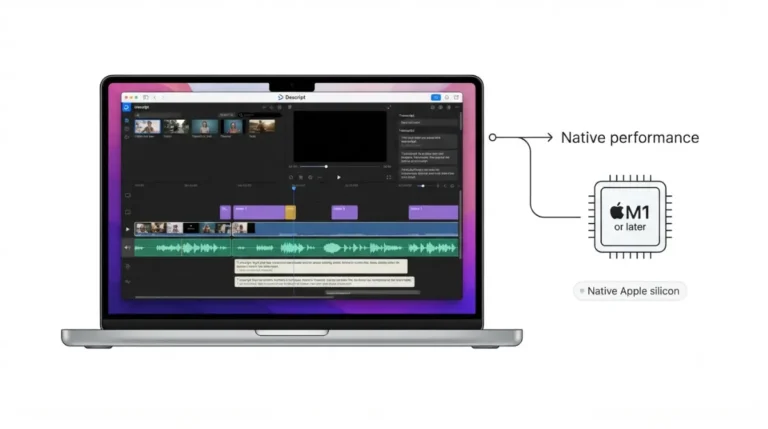
Descript on Apple silicon: one Mac installer serves both chip families, and Descript’s requirements name M1 or later. Here’s how to confirm your own copy.
 BySameer Patel
Last Updated:
BySameer Patel
Last Updated: Descript on Apple silicon: one Mac installer serves both chip families, and Descript’s requirements name M1 or later. Here’s how to confirm your own copy.
 BySameer Patel
Last Updated:
BySameer Patel
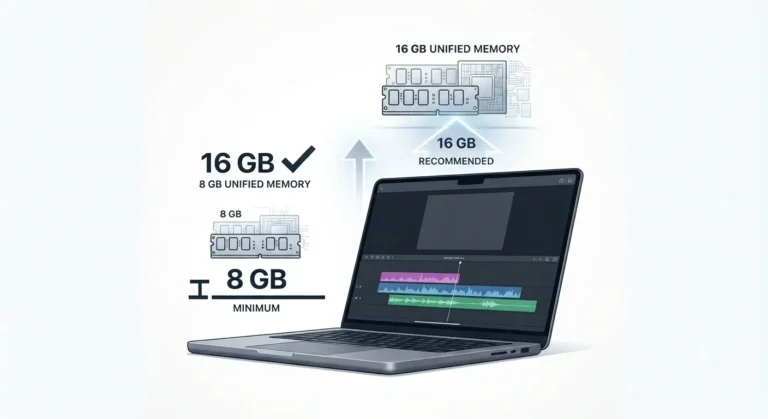
Last Updated: Descript RAM usage splits into two published figures on Mac: an 8GB minimum and
a 16GB unified-memory recommendation. The gap decides what to buy.
 BySameer Patel
Last Updated:
BySameer Patel
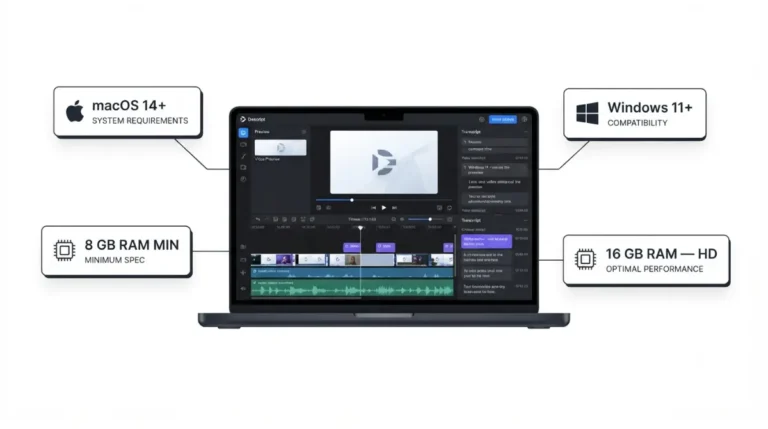
Last Updated: Descript system requirements start at 8GB RAM — but Descript’s own documentation recommends double that for HD editing, and rules out Windows 10 entirely.
 BySameer Patel
Last Updated:
BySameer Patel
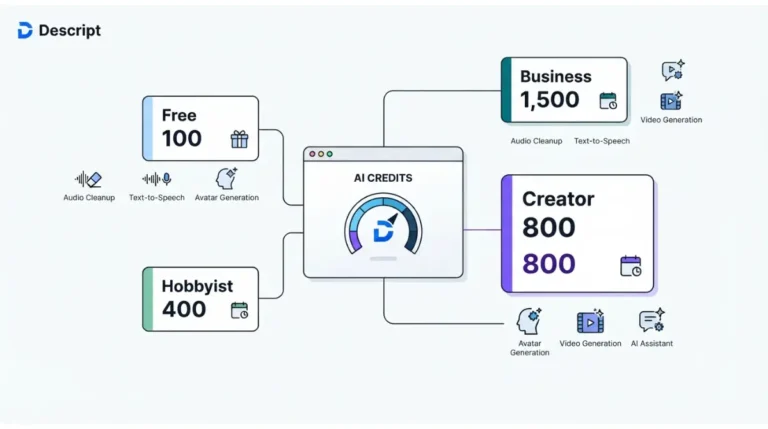
Last Updated: Descript AI credits are capped on only two tools. Creator’s 800 a month cover at least 26 of them; Underlord and avatars carry no published price.
 BySameer Patel
Last Updated:
BySameer Patel
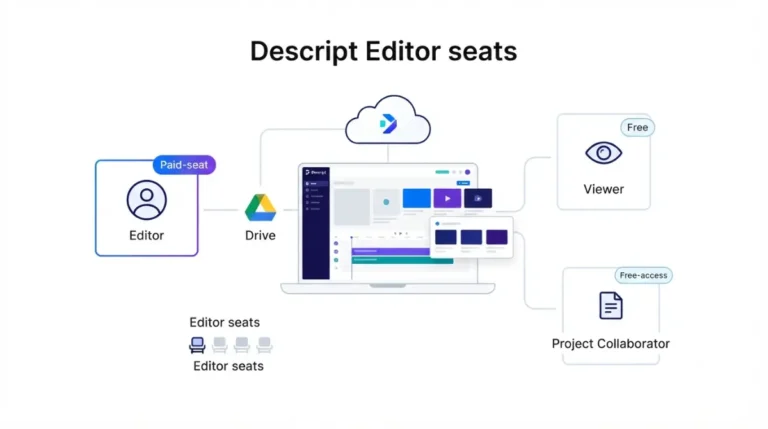
Last Updated: Descript seats and license rules decide who pays: only Editors take paid seats, and any Editor can add one unless the owner turns on approval.
 BySameer Patel
Last Updated:
BySameer Patel
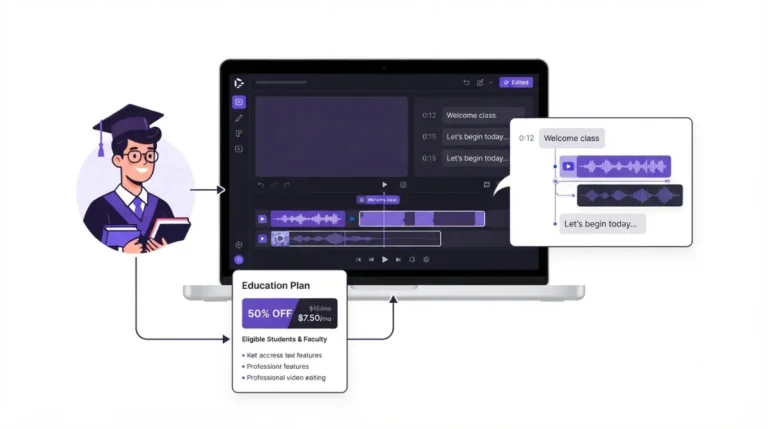
Last Updated: Descript’s student discount halves the Hobbyist rate for students, educators and non-profits, but the plan can’t buy top-ups when a month runs out.
 BySameer Patel
Last Updated:
BySameer Patel
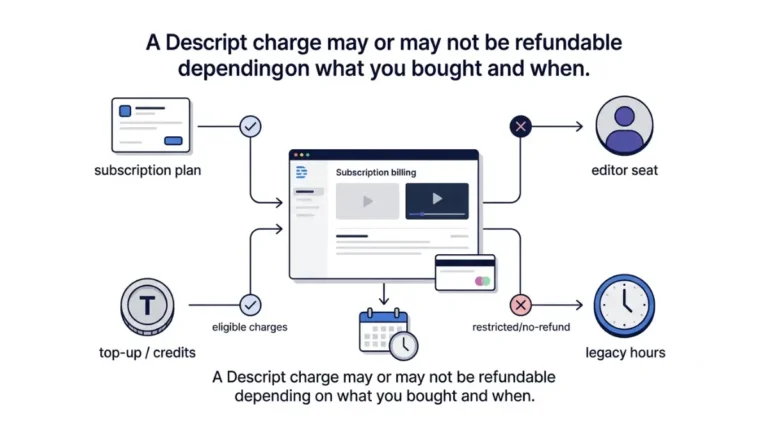
Last Updated: Descript’s refund policy covers four kinds of charge on different terms, and two of them are final on purchase. Here is which one you are looking at.
 BySameer Patel
Last Updated:
BySameer Patel
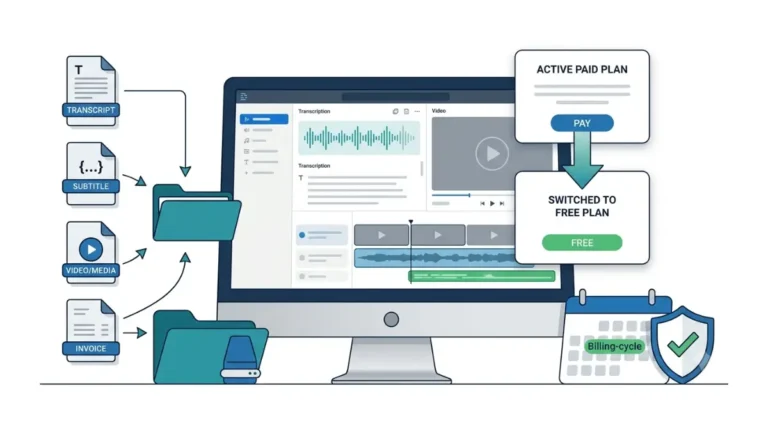
Last Updated: Cancelling Descript is a downgrade to Free, and the switch happens at the end of your billing cycle. Batch and timeline export stop there — export first.
 BySameer Patel
Last Updated:
BySameer Patel
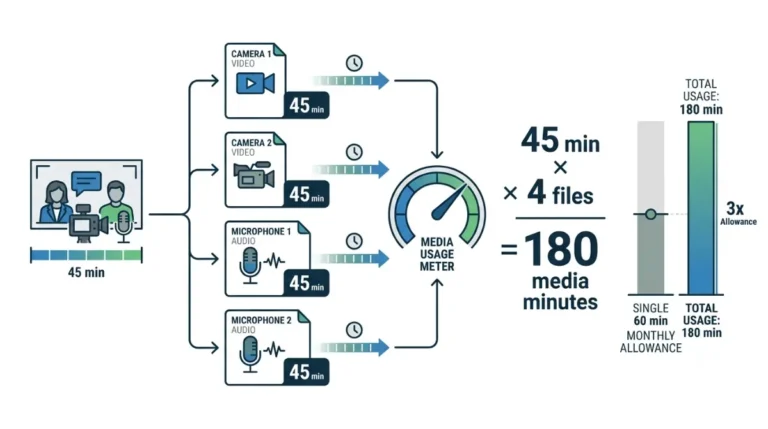
Last Updated: Media minutes count uploads and recordings, transcribed or not. Still images cost one second each, and imports from your own drive cost nothing at all.
 BySameer Patel
Last Updated:
BySameer Patel
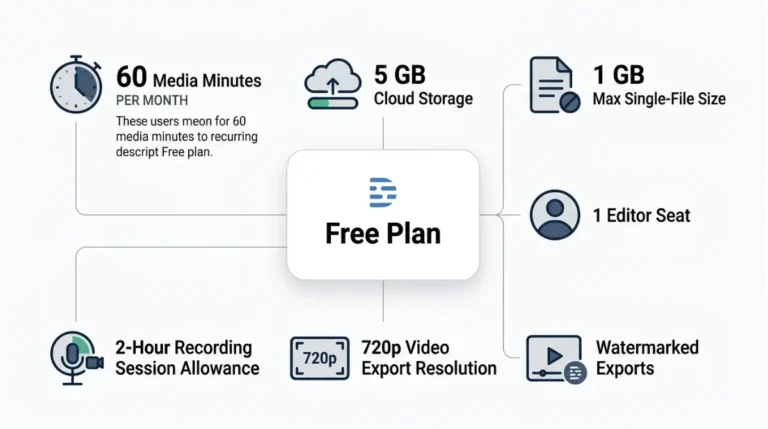
Last Updated: Descript’s free vs paid split isn’t only volume: multitrack transcription and speaker detection are included free, while every export carries a watermark.