CapCut Lagging on PC? A Plain Guide to CapCut’s Own Fixes
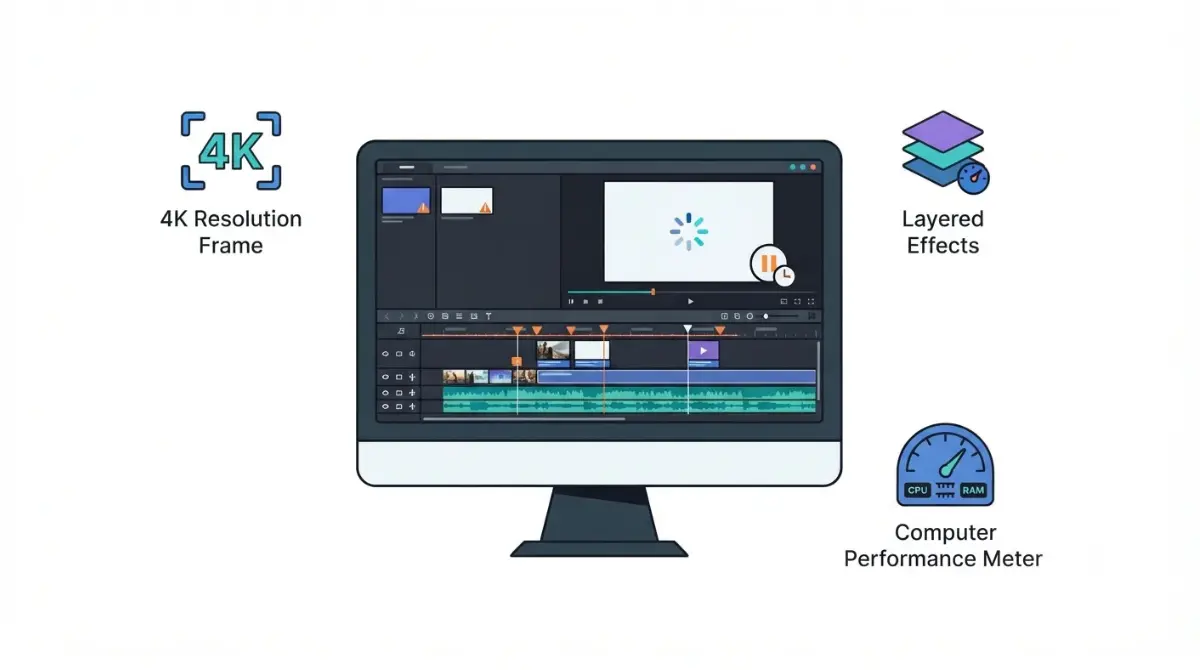
Table of Contents
🧾 Not Tested: We did not install or run CapCut. Every instruction below is what a CapCut page stated on 9 October 2026, and the Intel section is one forum thread, not a vendor statement.
CapCut’s own lag pages, dated 18 March 2026 and 24 March 2026, blame 4K or 60 fps projects, stacked effects, limited RAM or graphics power, outdated GPU drivers and busy background programs. Their PC fixes include lower preview resolution, a simpler timeline and hardware acceleration, yet CapCut’s connection-error page, dated 31 December 2025, says to turn it off. Which applies depends on your symptom.
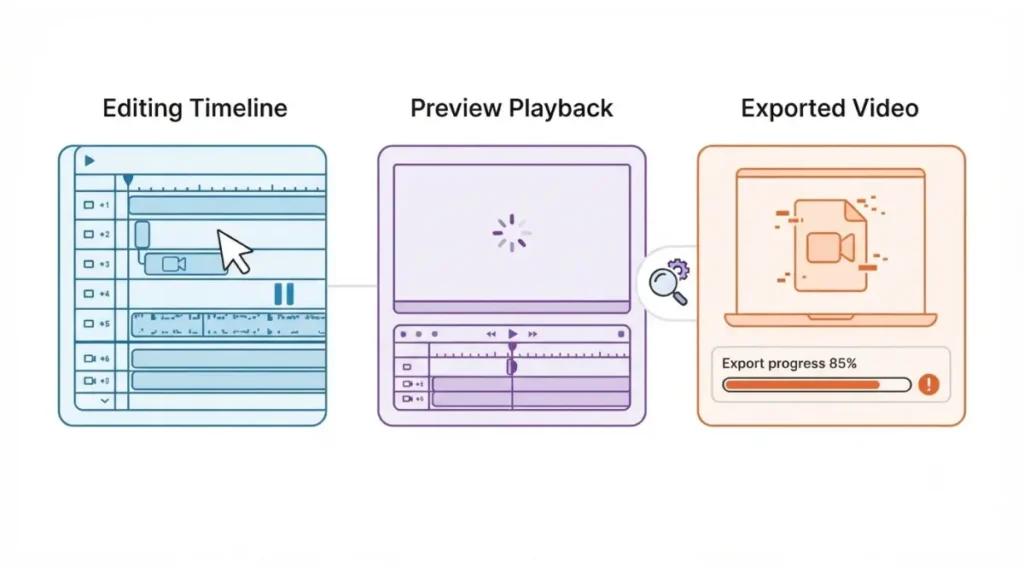
Is your CapCut lag in preview, playback or export?
This page covers CapCut Desktop on a Windows PC; CapCut’s lag pages also carry Web and Mobile lists, not covered here. None of the CapCut pages we opened names Windows 11 alone or a desktop version number, so check yours under Settings > About (the path on CapCut’s 31 December 2025 page).
Lag while you edit
Go straight to the steps below.
Lag that appears only in preview
CapCut’s transition-lag page (24 March 2026) says transitions may lag only in preview and look smooth after export.
Lag after export, or an export that freezes
Stutter in an exported file has its own causes on CapCut’s lag-after-export page (18 March 2026). An export that freezes instead of stutters is a different problem.
Why CapCut lags on a PC, according to CapCut
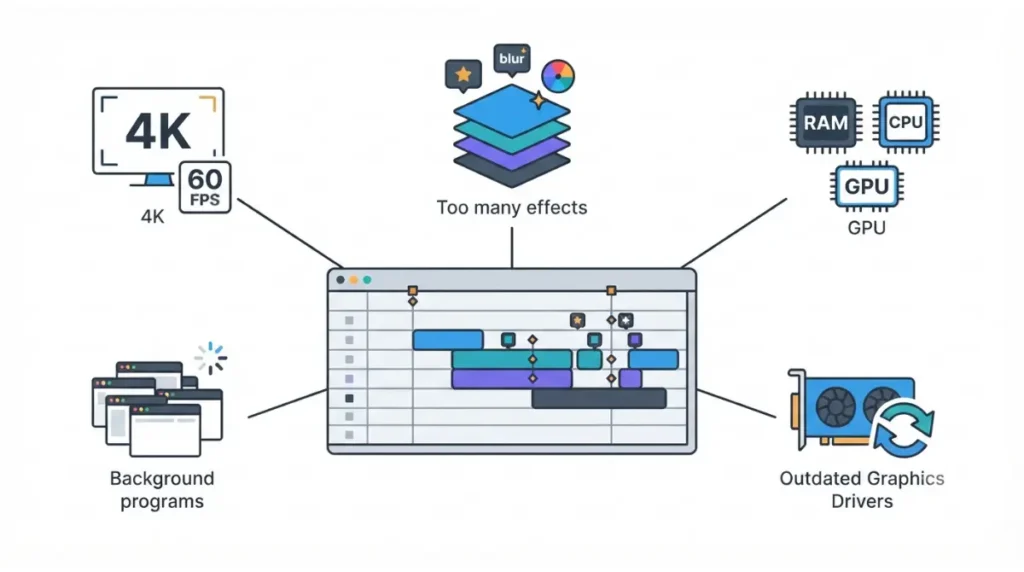
CapCut’s two lag pages (18 and 24 March 2026) name these causes and rank none of them:
- 4K or 60 fps projects (both pages).
- Too many effects or layers (24 March page).
- Limited RAM, CPU or GPU power (24 March page).
- Outdated graphics drivers, named for lag after export (18 March page).
- Several programs running at once, named for export (18 March page).
Whether your PC meets CapCut’s figures
CapCut’s PC guide (20 August 2026) recommends an Intel Core i5 or AMD Ryzen 5 CPU and 8GB to 16GB of RAM on Windows 10 or 11 (64-bit); its 4K export page (6 January 2026) recommends 8GB+ of RAM on Windows. See CapCut’s requirements compared page by page and what CapCut says about RAM.
How to fix CapCut lagging on a Windows PC, step by step
The order is ours; each step is CapCut’s, with its page and date.
Cheap, reversible steps first
- Close background programs (24 March 2026; 18 March 2026).
- Lower the preview resolution in the player window (20 August 2026).
- Simplify the timeline by minimizing stacked effects (24 March 2026).
- For 4K or 60 fps exports, lower resolution, frame rate or bitrate (18 March 2026).
Update drivers and CapCut
🛟 Back This Up First: Export finished videos before updating or reinstalling. Uninstalling during an update may lose unsynced local projects (31 December 2025).
- Update graphics drivers through NVIDIA, AMD or Intel’s official tools (30 January 2026).
- Go to Settings > About > Check for Updates (31 December 2025). Menu names may differ on your build.
Check whether it is preview-only
- Export a short clip. Smooth playback means the lag was in preview only (24 March 2026).
Should hardware acceleration be on or off in CapCut?
CapCut’s pages say both: on for two lag pages, off for two other symptoms, and none says what to do when lag persists with acceleration already on.
| Symptom | CapCut says | Page | Page date |
|---|---|---|---|
| Lag after exporting | Enable hardware acceleration | Lag after export | 18 Mar 2026 |
| Transition lag | Enable hardware acceleration | Transitions lagging | 24 Mar 2026 |
| Heavy editing | Turn it on or off under the performance options tab | PC guide | 20 Aug 2026 |
| “No internet connection” | Settings → Performance: turn off hardware-accelerated encoding and decoding | Connection error | 31 Dec 2025 |
| Export stuck at 1% | Settings → Performance: turn off hardware acceleration | Stuck at 1% | 18 Mar 2026 |
Proxy mode: described, but no menu path
CapCut’s PC guide (20 August 2026) says to turn on Proxy Mode when a timeline slows from too many effects, with no menu path. Another CapCut page (30 January 2026) says proxy uses low-resolution media and to turn it off in Project Settings for accurate previews.
CapCut still lagging with low GPU use? What’s documented
One documented case, one GPU family; nothing here applies if your card is NVIDIA or AMD.
One documented case: Intel Arc on Windows 11
In an Intel Community thread, a Windows 11 user with an Intel Arc B580 reported 15–20% GPU use in CapCut Desktop 7.3.0 on 13 November 2025. An Intel moderator said on 19 November it had recreated the issue, then reported normal behaviour on 7.5.0 at about 96% GPU use on 27 November. On 14 December an Intel engineer said an issue was identified in testing, with no detail.
The last post we could load, 28 January 2026, asks whether it is resolved. This is one user and one GPU family; we found no confirmed cause or fix, and loaded 20 of the thread’s 23 replies.
Before you clear cache or reinstall
🛟 Back This Up First: Export finished videos first. CapCut’s pages we opened do not say where Windows stores projects, so we name no folder.
CapCut lists Settings > Draft > Clear Cache for edits that don’t match the preview, not for lag (30 January 2026), and does not say what it removes.
When to contact CapCut
On another GPU or build, use the earlier steps, then contact CapCut with device type, OS version, CapCut version and when the issue began (31 December 2025).
How to stop CapCut lagging again
Compare your PC with CapCut’s figures
Check your CPU, RAM and Windows version against the figures in the causes section, then keep CapCut updated as in the fix steps.
Does Pro change any of this?
No CapCut page we opened on 9 October 2026 ties lag to a plan. If a Pro prompt, not lag, is what stops you, see what CapCut’s paid plans include.
CapCut lagging on PC: questions answered
1. Why is CapCut lagging on my PC?
CapCut’s lag pages name 4K or 60 fps projects, stacked effects, limited hardware, outdated drivers and busy background programs (18 and 24 March 2026).
2. Does hardware acceleration fix CapCut lag?
Two CapCut lag pages say enable it (18 and 24 March 2026); its connection-error page says turn it off (31 December 2025). The symptom decides.
3. Does CapCut proxy mode stop lag?
CapCut’s PC guide says to turn on Proxy Mode when a timeline slows from too many effects (20 August 2026), but gives no menu path.
4. Why does CapCut lag in preview but export fine?
CapCut says transition lag may appear only in preview and look smooth after export (24 March 2026). Export a short clip to check.
5. Does clearing CapCut’s cache fix lag?
CapCut lists Settings > Draft > Clear Cache for edits that don’t match the preview, not for lag (30 January 2026). Back up first.
6. How much RAM does CapCut need to avoid lag?
CapCut’s PC guide recommends 8GB to 16GB (20 August 2026); its 4K export page recommends 8GB or more on Windows (6 January 2026).
7. Why is CapCut lagging with low GPU usage?
One Intel Arc user on Windows 11 reported it (November 2025); Intel’s moderator saw normal behaviour on a later build. No fix is documented.
8. Does CapCut Pro reduce lag?
No CapCut page we opened ties lag to a plan (9 October 2026). Plan details are in our pricing guide.
9. Should I reinstall CapCut to fix lag?
CapCut warns that uninstalling during an update may lose unsynced local projects (31 December 2025). Back up first
What to try first
Close background programs, lower the preview resolution, simplify stacked effects and update graphics drivers, then export a short clip to see whether the lag is preview-only. CapCut lists these steps without ranking them.
Treat hardware acceleration as symptom-specific, and back up before clearing cache or reinstalling. If lag persists, contact CapCut with your version and PC details (31 December 2025).