How Much RAM Does CapCut Use? What CapCut Says It Needs
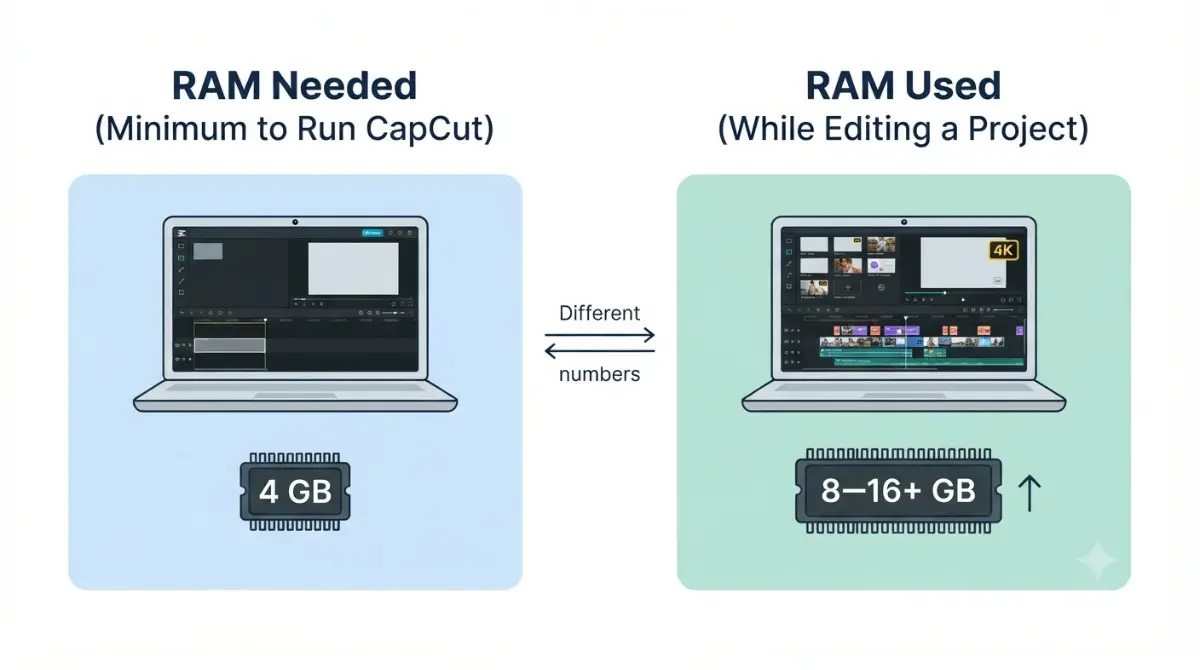
Table of Contents
The Windows requirements in CapCut’s Desktop guide list 4 GB of RAM as the minimum and recommend 8–16 GB (checked 2 October 2026). CapCut’s Mac guide says 4 GB is enough to edit and 8 GB or more improves the experience (checked 2 October 2026). These are CapCut’s stated figures, not measurements of how much RAM a 4K edit uses; we did not test that.
CapCut RAM use vs RAM needed
RAM use is what a project takes while you edit. RAM needed is what CapCut lists so the app will run. They are different numbers, and these pages publish only the second.
None of the three CapCut pages used here, retrieved 2 October 2026, states a RAM-use figure. This page records the stated requirements, dates each, and shows where the pages disagree.
Deciding whether to upgrade? Read the table next. Machine in front of you? Jump to the check-your-RAM steps.
CapCut minimum and recommended RAM
Each guide gets a row.
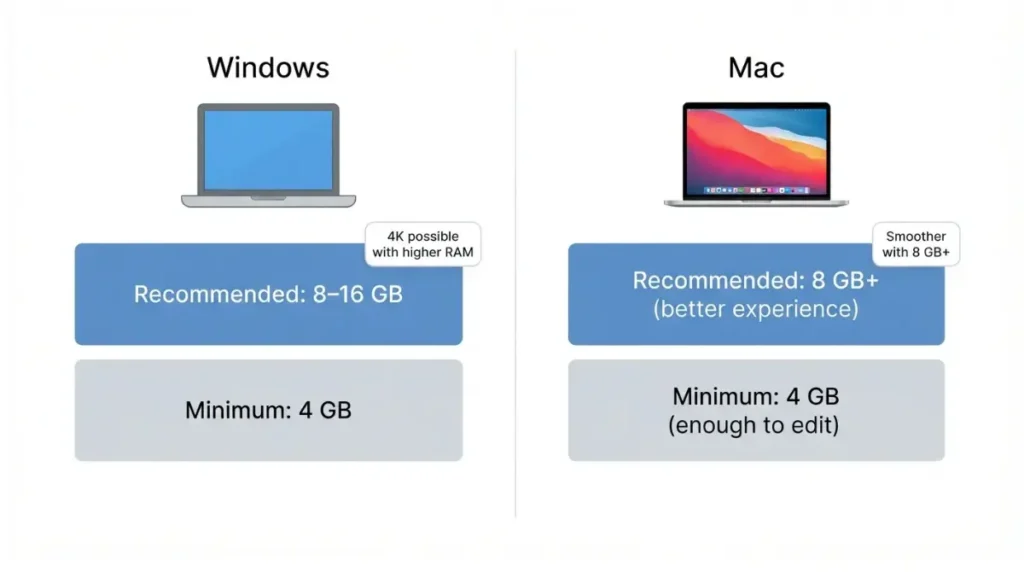
| Platform and source (page date) | Minimum RAM (checked) | Recommended RAM (checked) |
|---|---|---|
| Windows: Desktop guide, 20 Aug 2026 | 4 GB, 2 Oct 2026 | 8–16 GB, 2 Oct 2026 |
| Mac: Mac guide, 29 Sep 2026 | 4 GB, enough to edit, 2 Oct 2026 | 8 GB or more, 2 Oct 2026 |
Can CapCut run on 4 GB of RAM?
CapCut’s guides list 4 GB as the floor for Windows and Mac (checked 2 October 2026). Neither promises smooth 4K playback.
8 GB or 16 GB: which is the target?
CapCut’s Windows range is 8–16 GB (checked 2 October 2026) and does not say which end suits 4K.
CapCut system requirements for Windows and Mac
Beyond RAM, CapCut’s two guides list different operating-system and storage floors (checked 2 October 2026).
Windows 10 or later
The Desktop guide, dated 20 August 2026, lists Windows 10 (64-bit) or later and 10 GB of free storage (checked 2 October 2026). The CapCut PC system requirements page covers the rest.
macOS 10.15 or later
The Mac guide, dated 29 September 2026, lists macOS 10.15 or later and 2 GB of free storage (checked 2 October 2026). For the full spec, see CapCut system requirements for Windows and Mac. These pages disagree with CapCut’s product page; see the last section.
What slows CapCut down on 4K footage
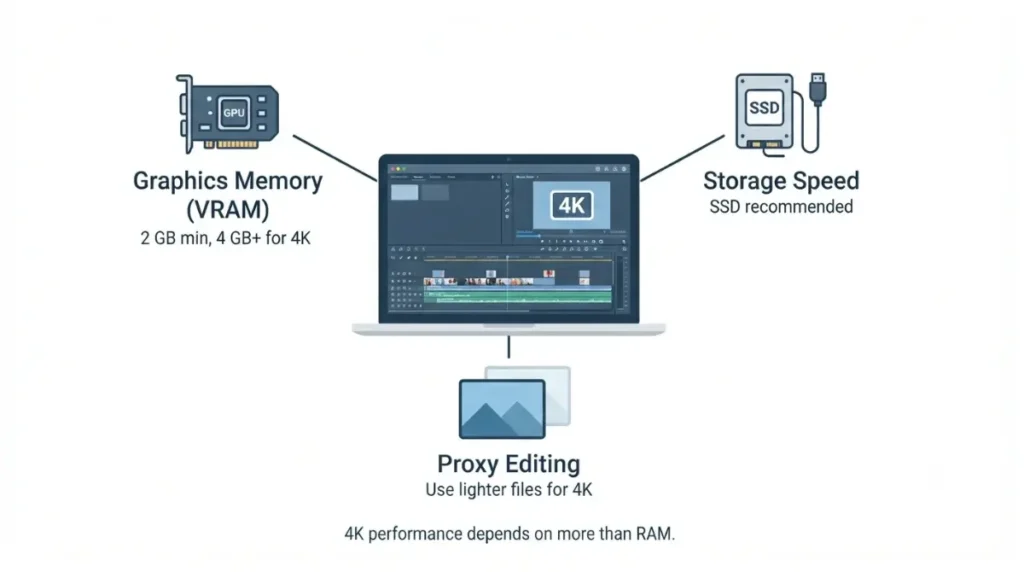
CapCut’s 4K guidance names graphics memory and storage, not RAM.
Graphics memory (VRAM)
The Desktop guide lists integrated graphics or 2 GB of VRAM as the minimum, and a dedicated GPU with 4 GB or more of VRAM for 4K editing (checked 2 October 2026).
Storage and proxy editing
The guide recommends an SSD and suggests proxy editing, which uses lighter stand-in files, for 4K or high-bitrate footage (same page, checked 2 October 2026).
None of the pages used states how much RAM a 4K project takes, so we give no figure. For what each plan includes, including export resolution, see CapCut free plan export limits and CapCut Pro pricing and plans.
How to check your RAM and CapCut’s memory use
CapCut publishes requirements, not usage, so only your own machine’s reading applies to you.
On Windows
We could not locate a Microsoft documentation page for checking RAM on Windows (checked 2 October 2026), so no steps are given rather than guessed.
On Mac
Apple’s Activity Monitor guide says its Memory pane shows physical memory (installed RAM), memory used, and memory pressure (retrieved 2 October 2026).
Compare your specs with these figures in the System Requirements Checker.
Download CapCut from official sources
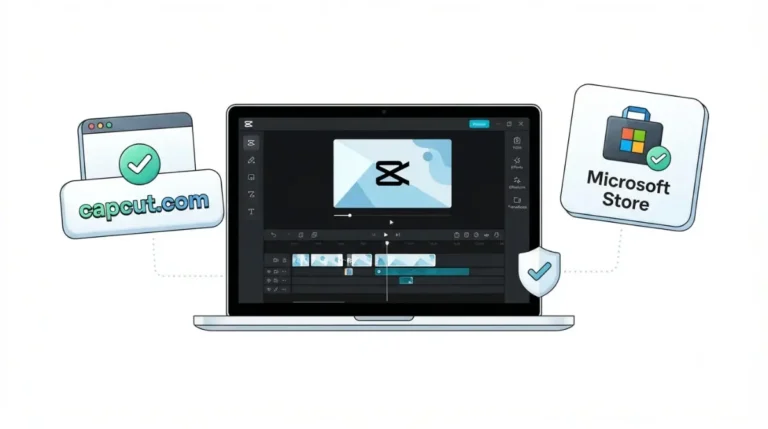
CapCut’s Desktop guide says the Windows app is available from the official CapCut site or the Microsoft Store, and Mac users download a DMG file (page dated 20 August 2026, checked 2 October 2026). Start from CapCut’s desktop video editor page.
Where CapCut’s own pages disagree
Three CapCut pages state three operating-system minimums (checked 2 October 2026).
macOS minimum: 10.14 or 10.15?
| CapCut page | Windows floor | macOS floor |
|---|---|---|
| Desktop editor page (no page date; checked 2 Oct 2026) | Windows 7 or above; 10 recommended | 10.14 or above |
| Desktop guide (20 Aug 2026; checked 2 Oct 2026) | Windows 10 (64-bit) or later | Not listed |
| Mac guide (29 Sep 2026; checked 2 Oct 2026) | Not listed | 10.15 or later |
macOS 10.15 or later and Windows 10 (64-bit) or later satisfy all three pages; that is our reading, not a CapCut statement.
FAQ
1. Can CapCut run on 4 GB of RAM?
CapCut’s guides list 4 GB of RAM as the Windows minimum and enough to edit on Mac (checked 2 October 2026); neither promises smooth 4K.
2. Is 8 GB or 16 GB of RAM enough for CapCut?
CapCut’s Windows guide recommends 8–16 GB of RAM (checked 2 October 2026) but does not say which amount suits 4K editing.
3. Does CapCut need a graphics card?
CapCut lists integrated graphics or 2 GB of VRAM as the minimum and a dedicated 4 GB-plus GPU for 4K (checked 2 October 2026).
4. What are CapCut’s Mac requirements?
CapCut’s Mac guide lists macOS 10.15 or later, 4 GB of RAM and 2 GB of storage (checked 2 October 2026).
5. Which Windows version does CapCut need?
CapCut’s Desktop guide lists Windows 10 (64-bit) or later (checked 2 October 2026); its desktop product page lists Windows 7 or above.
6. How do I check how much RAM my Mac has?
Apple’s Activity Monitor guide says the Memory pane shows physical memory, meaning the RAM installed, and memory used (retrieved 2 October 2026).
7. Where should I download CapCut?
Per CapCut’s guide, Windows users can use the CapCut site or Microsoft Store and Mac users a DMG file (checked 2 October 2026).
8. Why is CapCut lagging on 4K footage?
The pages used name no cause; the Desktop guide recommends an SSD and proxy editing for 4K footage (checked 2 October 2026).
What to take from CapCut’s RAM figures
The RAM table above holds CapCut’s stated figures with their dates. What no CapCut page used here states is how much RAM a 4K project takes, and this page does not claim to know. Read your own machine’s memory figure, then see CapCut Pro pricing and plans for plan details.