CapCut system requirements differ between CapCut’s own pages
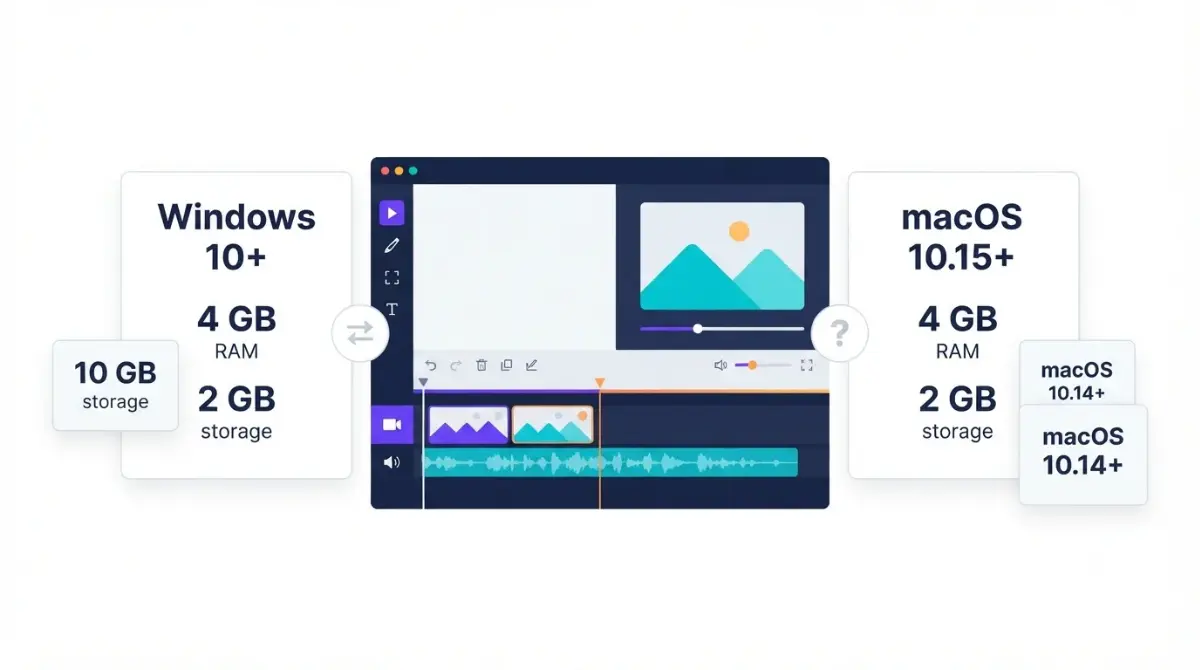
Table of Contents
CapCut’s own pages disagree on its system requirements. Two CapCut articles dated 20 August 2026 (Windows, desktop) both list Windows 10 or later, a Core i3-class CPU and 4 GB RAM, but one lists 2 GB free storage, the other 10 GB. CapCut’s Mac article, dated 29 September 2026, says macOS 10.15; the Mac App Store listing, captured 2 October 2026, says 10.14.
Desktop, browser or phone: which requirements apply?
This page covers CapCut’s desktop apps for Windows and Mac only.
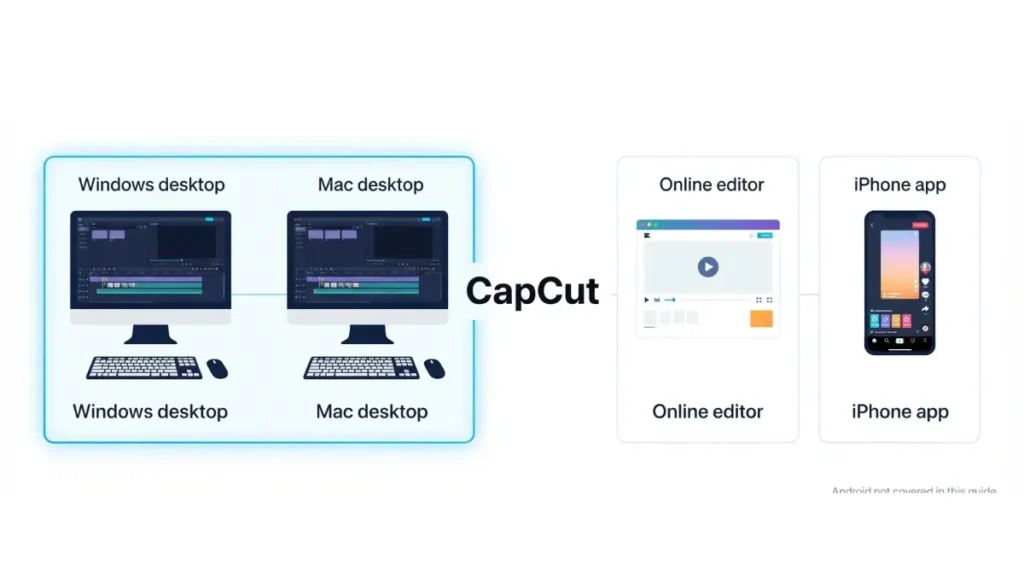
Desktop app (Windows and Mac)
CapCut offers separate Windows and Mac installers (20 August 2026). To check your machine, Microsoft says right-click Start, choose Settings, then System > About for version, RAM and 32- or 64-bit, and System > Storage for free space (retrieved 2 October 2026). Apple says choose About This Mac from the Apple menu (retrieved 2 October 2026). You can also use our System Requirements Checker.
Browser editor and phone apps
CapCut’s Windows article says an online editor offers core editing features without installation (20 August 2026). The App Store listing says the iPhone app needs iOS 15.0 or later (retrieved 2 October 2026). Android is not covered here.
CapCut’s Windows requirements, page by page
Three CapCut pages state Windows requirements, and they do not match.
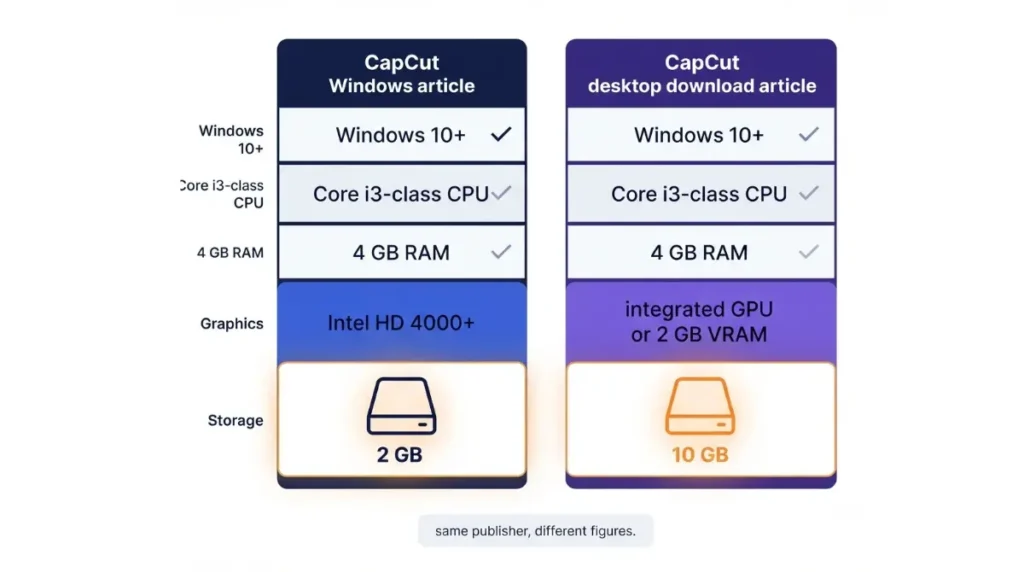
Minimum specs: two pages, two storage figures
| Spec | Windows article | Desktop download article | Desktop page FAQ |
|---|---|---|---|
| OS | Windows 10 or above (20 Aug 2026) | Windows 10 (64-bit) or later (20 Aug 2026) | Windows 7 or above, 10 recommended (undated) |
| CPU | Intel Core i3 or above (20 Aug 2026) | Core i3 or equivalent AMD (20 Aug 2026) | not stated |
| RAM | 4 GB or above (20 Aug 2026) | at least 4 GB (20 Aug 2026) | not stated |
| Graphics | Intel HD Graphics 4000 or above (20 Aug 2026) | integrated GPU or 2 GB VRAM (20 Aug 2026) | not stated |
| Free storage | 2 GB or above (20 Aug 2026) | 10 GB (20 Aug 2026) | not stated |
Page dates as shown on each page; all retrieved 2 October 2026.
💵 Verified: Windows free storage: 2 GB on CapCut’s Windows article, 10 GB on its desktop download article. Both pages are dated 20 August 2026; retrieved 2 October 2026.
The two articles, both dated 20 August 2026, agree on Windows 10, 4 GB RAM and a Core i3-class CPU; graphics and storage differ.
Windows 7 or Windows 10?
The desktop page’s FAQ says Windows 7 or above, with Windows 10 recommended (undated page; retrieved 2 October 2026). Both dated articles say Windows 10. Microsoft ended Windows 10 support on 14 October 2025 (Microsoft Support, retrieved 2 October 2026). None of the CapCut pages we opened explains the gap.
CapCut’s Mac requirements: macOS 10.14 or 10.15?
CapCut’s Mac figures split on the macOS floor.
macOS version: three pages, two answers
| Source | macOS floor |
|---|---|
| CapCut Mac article (29 Sep 2026) | 10.15 or later |
| Mac App Store listing (retrieved 2 Oct 2026) | 10.14 or later |
| CapCut desktop page FAQ (undated; retrieved 2 Oct 2026) | 10.14 or above |
CapCut’s Mac article, dated 29 September 2026, also lists a dual-core processor, 4 GB RAM (8 GB or more is better) and 2 GB of free storage. macOS 10.14 is Mojave and 10.15 is Catalina, per Apple Support (retrieved 2 October 2026). The desktop download article covers Mac downloads but lists no macOS floor (20 August 2026).
Apple silicon: what CapCut hasn’t said
None of the CapCut pages we opened on 2 October 2026 says whether the Mac app runs natively on Apple silicon or through Rosetta. We do not rely on third-party claims on this point. CapCut’s App Store listing gives capcut.support@bytedance.com for questions (retrieved 2 October 2026).
What CapCut recommends beyond the minimums
CapCut’s desktop download article adds a recommended tier.
Recommended specs for 4K and heavy edits
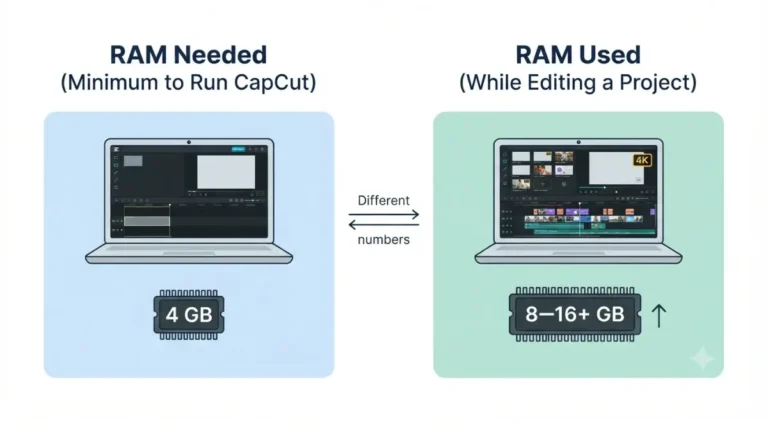
It lists Windows 10 or 11 (64-bit), a Core i5 or Ryzen 5, 8–16 GB RAM, an SSD, and a dedicated GPU with 4 GB or more VRAM for effects and 4K (20 August 2026). Its minimum, same date, allows an integrated GPU or 2 GB VRAM.
For plan limits on export, see CapCut free plan export limits and what CapCut Pro pricing buys you.
Proxies and project files
The same article says to use proxies for large 4K footage and describes its 10 GB minimum as space for installation and project files (20 August 2026). No CapCut page we opened gives benchmark or export-time figures (2 October 2026).
Where to download CapCut safely
Use only CapCut’s own download routes.
Official download routes
CapCut’s desktop download article says Windows users can install through the Microsoft Store or CapCut’s site, and Mac users download a DMG file (20 August 2026). The Mac App Store listing is the other Mac route (retrieved 2 October 2026). The desktop page carries CapCut’s download button (retrieved 2 October 2026).
Why this page links no third-party installers
This site does not link cracked, modified or mirror-site installers for CapCut, and does not say where to find them. If an installer did not come from CapCut or an official store, do not run it.
How to read CapCut’s version and date stamps
The CapCut pages we opened carry date stamps but no change history.
What the page dates show
The Windows and desktop download articles show 20 August 2026, and the Mac article shows 29 September 2026 (all retrieved 2 October 2026). The desktop page’s Windows 7 and macOS 10.14 lines carry no date, so we cannot say when they were written.
Version numbers and our recheck schedule
The Mac App Store listing’s version history shows 19.6.0 dated 21 September (retrieved 2 October 2026), on a listing shared with iPhone and iPad. No CapCut page we opened gives a separate desktop build number.
🧾 Not Tested: We did not install or run CapCut on any machine for this article. Every figure here is what a CapCut page, the Mac App Store listing, or a Microsoft or Apple support page stated on 2 October 2026, and we make no claim about how CapCut performs on any hardware.
FAQ
1. What are the CapCut system requirements for Windows?
CapCut’s two Windows articles, both dated 20 August 2026, list Windows 10 or later, a Core i3-class CPU and 4 GB RAM; storage differs.
2. Does CapCut work on Windows 7?
CapCut’s desktop page FAQ says Windows 7 or above (undated; retrieved 2 October 2026), but both articles dated 20 August 2026 say Windows 10.
3. How much storage do CapCut system requirements call for?
Windows: 2 GB in one CapCut article, 10 GB in another (both 20 August 2026). Mac: 2 GB (29 September 2026).
4. What macOS does CapCut need?
CapCut’s Mac article (29 September 2026) says macOS 10.15 or later; the Mac App Store listing (retrieved 2 October 2026) says 10.14 or later.
5. Can CapCut run on 4 GB RAM?
CapCut’s Windows articles (20 August 2026) list 4 GB minimum; its Mac article (29 September 2026) says 4 GB works, 8 GB or more helps.
6. Does CapCut need a graphics card?
CapCut’s desktop download article (20 August 2026) lists an integrated GPU or 2 GB VRAM as minimum, 4 GB or more VRAM as recommended.
7. Does CapCut run natively on Apple silicon?
None of the CapCut pages we opened on 2 October 2026 says whether the Mac app runs natively on Apple silicon or through Rosetta.
8. Is there a CapCut browser editor if my PC is too old?
CapCut’s Windows article (20 August 2026) says an online editor offers core editing without installation; that article gives no requirements for it.
9. Why do CapCut system requirements differ between pages?
None of the CapCut pages we opened on 2 October 2026 explains the differences, and the desktop page FAQ carries no date.
Conclusion
CapCut states its requirements in several places and they do not agree. If you are unsure, plan for the larger Windows storage figure, 10 GB (20 August 2026), and the newer macOS floor, 10.15 (29 September 2026). Check your own specs with the steps in the first section, then download only from the routes listed above.