Free CapCut Alternatives Whose Own Pages Say No Watermark

Table of Contents
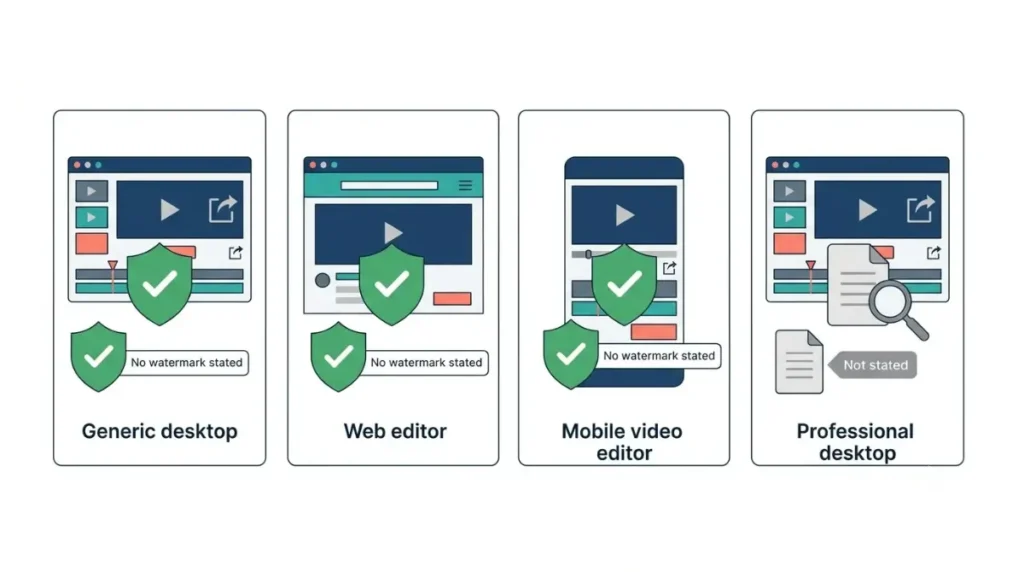
Three free editors say on their own pages that exports carry no watermark: OpenShot, Clipchamp and VN. Clipchamp’s free plan exports up to 1080p, and Microsoft says a premium feature blocks saving rather than adding a mark (captured 12 October 2026). OpenShot says it has no subscriptions, watermarks or project limits. DaVinci Resolve is covered below; its product page states no watermark position.
Why CapCut’s free export leaves some people searching
CapCut’s own pages describe two different outcomes at export.
What CapCut’s own pages say
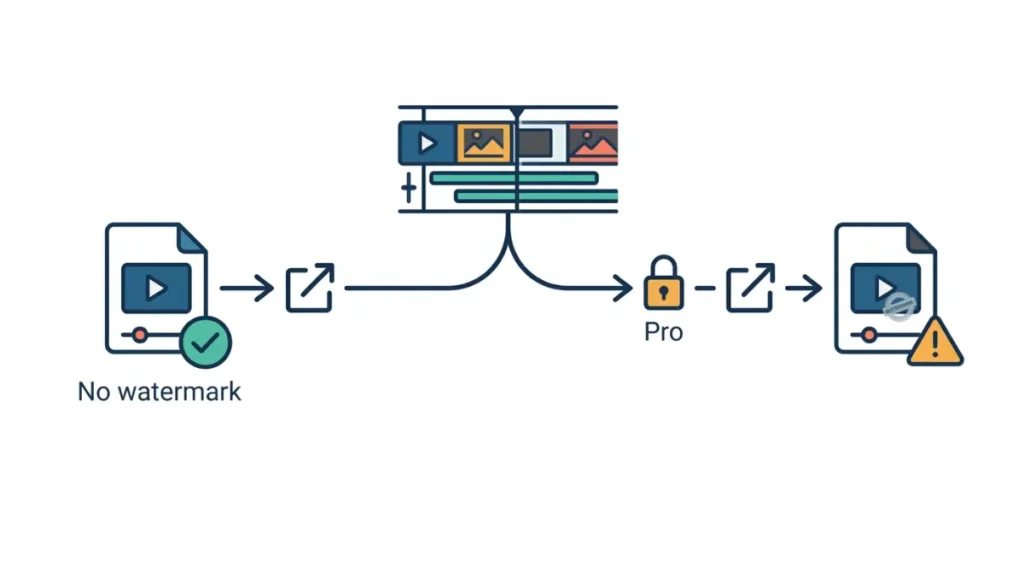
CapCut’s resource page says it “will automatically export your video without watermark” and dates itself 31 December 2025 (captured 12 October 2026). Its help page says a Pro prompt appears when a project holds premium elements only Pro subscribers can use, and that declining it on mobile exports with a CapCut watermark (page dated 2 April 2026, captured 12 October 2026). What CapCut’s free plan can’t export has the detail.
How this list was chosen
Only editors whose own pages state their watermark position are listed. Section five names who was left out.
Which free editors say no watermark on their own pages
Each row quotes a vendor page, captured 12 October 2026.
What each vendor’s page says
| Editor | Runs on | What its own page says | Source, captured |
|---|---|---|---|
| OpenShot | Linux, Mac, Windows | “Edit without subscriptions, watermarks, or project limits.” | OpenShot features page, 12 Oct 2026 |
| Clipchamp (free plan) | Web and Windows app; personal Microsoft account sign-in | “Watermark-free video exports” | Clipchamp pricing and Microsoft Support, 12 Oct 2026 |
| VN | iOS 16.0 or later | “Free with No Watermark” | VN’s US App Store listing, 12 Oct 2026 |
| DaVinci Resolve 21 | Mac, Windows, Linux | No watermark statement | Blackmagic product page, 12 Oct 2026 |
The one with a condition: DaVinci Resolve
DaVinci Resolve‘s product page lists the free version’s limits but states no watermark position (captured 12 October 2026). It is therefore not counted among the three above.
What each free editor costs when you want more
Prices come from each vendor’s own page.
🗓️ Pricing verified 12 October 2026. Software pricing changes frequently — confirm on the vendor’s site before purchasing.
Paid tiers, side by side
| Editor | Paid option | Price, captured 12 Oct 2026 | Who hits this |
|---|---|---|---|
| CapCut (reference) | Pro | $19.99 per month; the page says displayed pricing is for reference only (12 Oct 2026) | Pro subscribers; see what CapCut Pro pricing buys you over Standard and Free |
| Clipchamp | Premium features via Microsoft 365 Personal or Family | No price stated on the pricing page (12 Oct 2026) | Anyone needing 4K, premium stock or the brand kit |
| DaVinci Resolve | Studio | $295 (12 Oct 2026) | Anyone past the free caps |
| VN | VN Pro; credit packs | VN Pro $7.99 and $69.99, periods not labelled; credits $1, $3, $5, $10 (12 Oct 2026) | iOS users wanting paid features |
| OpenShot | None listed | No subscriptions stated (12 Oct 2026) | None |
Free is not the same as ad-free
VN’s listing shows Contains Advertising (captured 12 October 2026), so free there does not mean ad-free. The listing does not say whether the two VN Pro prices are monthly or yearly.
Export limits and what each blocks instead of a watermark
Clipchamp’s free plan adds no watermark; on a personal account, a premium feature blocks saving instead (Microsoft Support, captured 12 October 2026).
Resolution and frame-rate caps
| Editor | Export cap | What a paid feature does | Source, captured |
|---|---|---|---|
| Clipchamp (free) | Up to 1080p HD; premium lists up to 4K UHD | Personal accounts: no watermark, but no export | Clipchamp pricing, 12 Oct 2026 |
| DaVinci Resolve (free) | 8-bit formats, up to 60fps, up to UHD 3840 x 2160 | Not stated on the product page | Blackmagic product page, 12 Oct 2026 |
| VN | “Up to 4K resolution at 60fps”; plan not stated | Not stated on the listing | VN’s US App Store listing, 12 Oct 2026 |
| OpenShot | No cap stated on the features page | No paid feature stated | OpenShot features page, 12 Oct 2026 |
What happens when you use a paid feature
Work and school accounts follow separate rules on the same Microsoft page, and the other three pages state no equivalent behaviour (captured 12 October 2026).
Which free editor suits which kind of project
Platform, sign-in and caps are the only fit criteria these vendor pages document.
Match by device and workflow
Clipchamp’s personal version runs at app.clipchamp.com or in the Windows app, and its pricing page says to sign in with a personal Microsoft account (captured 12 October 2026). VN’s listing requires iOS 16.0 or later. OpenShot and DaVinci Resolve list Linux, Mac and Windows. For commercial work, CapCut’s commercial-use rules sit in their own guide, and each rival has its own terms.
Left out, and why
Shotcut, Kdenlive, InShot, KineMaster and Edits are not listed. This article cites no vendor page that states their watermark position.
What you lose when you leave CapCut
🛟 Back This Up First: Export every finished video that uses Pro materials before your plan ends. CapCut’s help page (dated 31 March 2026, captured 12 October 2026) says drafts using paid materials cannot export without an active Pro subscription.
Finished videos first
Export finished videos while Pro is active; CapCut’s page names no other way to export drafts that use paid materials.
Drafts and Pro materials
The same page says you can still open, view and continue editing those drafts without losing progress. How to cancel CapCut Pro covers the billing side.
🧾 Not Tested: We have not exported video from any editor named here. Every statement above comes from a vendor page captured on 12 October 2026, so we have not confirmed what any export file looks like.
FAQ
1. Is there a free CapCut alternative with no watermark?
Yes. OpenShot, Clipchamp and VN are free CapCut alternatives whose own pages state no watermark, captured 12 October 2026.
2. Does CapCut’s free plan add a watermark?
CapCut’s resource page says free exports carry no watermark; its help page says declining the Pro prompt on mobile adds one (12 October 2026).
3. Does Clipchamp’s free plan watermark videos?
No. Microsoft says Clipchamp adds no watermark; on personal accounts a premium feature blocks saving until you upgrade (Microsoft Support, 12 October 2026).
4. Is DaVinci Resolve a free CapCut alternative with no watermark?
Blackmagic’s product page lists a free version up to UHD at 60fps with 8-bit formats but states no watermark position (12 October 2026).
5. Is VN really free?
VN’s US App Store listing says “Free with No Watermark” and lists in-app purchases and advertising (captured 12 October 2026).
6. Can I export 4K from a free CapCut alternative?
Clipchamp’s free plan stops at 1080p; Resolve’s free version lists UHD and VN’s listing says 4K at 60fps (12 October 2026).
7. Which free CapCut alternatives run on Windows, Mac and Linux?
Free CapCut alternatives OpenShot and DaVinci Resolve list Linux, Mac and Windows (vendor pages, captured 12 October 2026).
8. Do I need an account to use Clipchamp’s free plan?
Clipchamp’s pricing page says to sign in with a personal Microsoft account to get started (captured 12 October 2026).
9. Does OpenShot have project limits or a watermark?
OpenShot’s features page says you can edit without subscriptions, watermarks or project limits, and states no export cap (captured 12 October 2026).
Where to start
Clipchamp suits web or Windows work, VN suits iOS, and OpenShot lists Linux, Mac and Windows; DaVinci Resolve lists the same systems but states no watermark position. Each export screen can still behave differently from its page, so try one short export before committing a long project.