What Apple silicon support actually means for Descript on a Mac
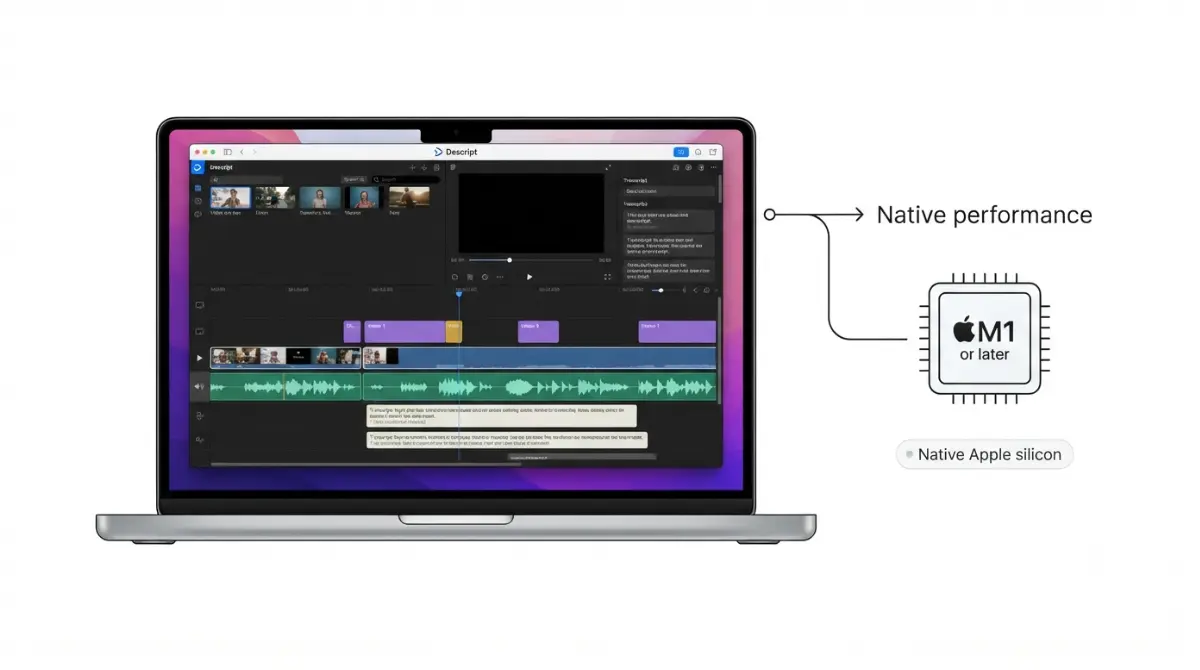
Table of Contents
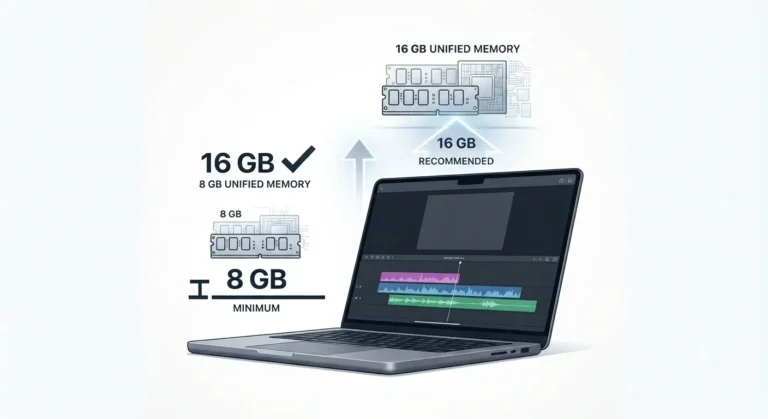
Yes — Descript publishes native Apple silicon support for its Mac desktop app. Descript’s system requirements page, retrieved 15 September 2026, lists Apple silicon M1 or later as a supported macOS processor and recommends 16 GB of unified memory. One Mac installer serves both chip families, with no Rosetta step named on Descript’s download or requirements pages that day.
What Descript says about Apple silicon support
Descript’s published macOS requirements name Apple silicon M1 or later as a supported processor, retrieved 15 September 2026.
The processor line on Descript’s requirements page
The same row lists Intel 7th Gen (Kaby Lake) or newer beside it, so both chip families sit on one supported list. Descript’s own announcement of native Apple silicon support describes the desktop app being rebuilt for M-series Macs. That page carries an update stamp of 29 July 2026 and shows no original publication date, so this article does not date the rollout.
Why no vendor page uses the word Rosetta
Neither the requirements page nor the Mac download page uses the word Rosetta, checked 15 September 2026. Silence is not confirmation, which is why the question keeps getting asked.
🔍 Why It Works This Way: Rosetta only applies to apps built solely for Intel. Apple describes it as background translation for Intel-based apps, so an app shipped as Universal or Apple silicon never calls on it.
How to check whether your copy is running natively
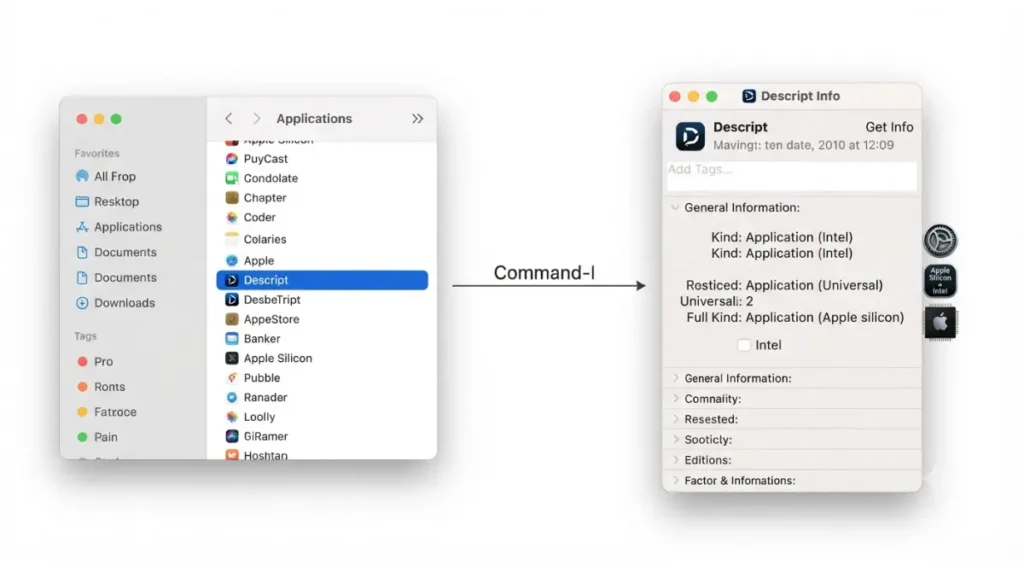
Select Descript in your Applications folder, press Command-I, and read the line marked Kind — that is the check, and it takes about thirty seconds.
Check the Kind line in Get Info
- Open the Applications folder in any Finder window.
- Click Descript once to select it.
- Choose Get Info from the File menu, or press Command-I.
- Read the value after Kind.
Apple documents three possible values: Application (Intel), Application (Universal), and Application (Apple silicon). Only the first one needs Rosetta.
Check the Intel-based Apps list in System Settings
On macOS 27 or later, Apple also exposes a list under General, then About, then the Details button beside Intel-based Apps. Anything absent from that list is not an Intel-based app.
What to do if it says Intel
✅ Do This: If Get Info reports Application (Intel), delete that copy and reinstall from Descript’s official download page rather than updating in place. If it reports Universal and a developer-provided “Open using Rosetta” box is ticked, untick it — Apple’s guidance on Intel-based apps and Rosetta states that setting forces a universal app to open as an Intel-based one on macOS 27 or earlier.
That setting matters more each year. Apple states on the same page, published 14 September 2026, that Rosetta is available on macOS 27 or earlier, and that from macOS 28 it narrows to certain older, unmaintained games.
Descript’s current Mac requirements, with dates
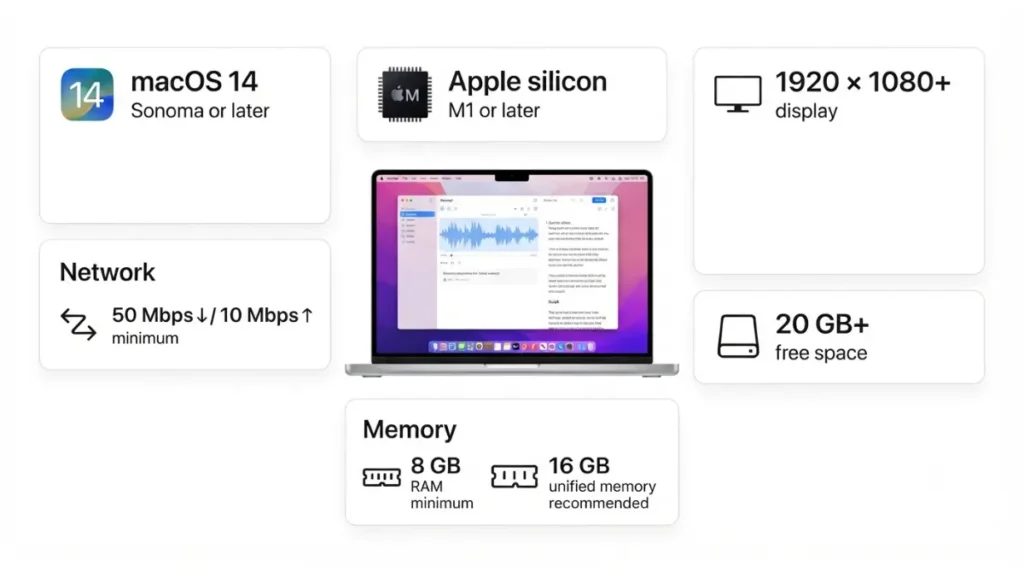
Every figure below comes from Descript’s published macOS requirements, retrieved 15 September 2026.
| Component | Apple silicon Mac | Verified |
|---|---|---|
| Operating system | macOS 14 (Sonoma) or later | 15 Sep 2026 |
| Processor | Apple silicon M1 or later | 15 Sep 2026 |
| Memory (recommended) | 16 GB unified memory | 15 Sep 2026 |
| Memory (minimum) | 8 GB RAM | 15 Sep 2026 |
| GPU | Uses unified memory | 15 Sep 2026 |
| Free space | 20–40 GB; at least 20 GB | 15 Sep 2026 |
| Display | 1920 × 1080 or higher | 15 Sep 2026 |
| Internet | 50 Mbps down / 10 Mbps up minimum | 15 Sep 2026 |
Recommended for Apple silicon
Descript publishes no version number, so the reference point is its support window: the current release plus anything issued in the previous three months, retrieved 15 September 2026.
The minimum, and what it leaves out
💵 Verified: Minimum 8 GB RAM; 16 GB unified memory recommended for Apple silicon — Descript’s system requirements page, retrieved 15 September 2026.
A base MacBook Air clears the minimum and misses the recommendation by half. That gap is the single most useful number on this page, and Descript does not headline it. The Windows figures and the full comparison sit in our breakdown of Descript’s Mac and Windows requirements.
Where Intel Macs stand on the same requirements page
Descript had not dropped Intel Mac support as of 15 September 2026.
The Intel processor and memory line
The macOS processor row lists Intel 7th Gen (Kaby Lake) or newer, with a vendor note that fan-less Intel MacBook Air models may see performance issues under heavy workloads, retrieved 15 September 2026. Intel memory guidance is 16 GB for HD media and 32 GB for 4K, with 4 GB of GPU memory for HD and 6 GB or more above that, same date.
iPad, Chromebook, and mobile browsers
Descript states it is not officially supported on mobile browsers or tablet devices such as Chromebooks and iPads, retrieved 15 September 2026. Playback preview may work; editing and account features are not supported.
Why Descript can still feel slow on an M-series Mac
Native and fast are two different claims, and Descript’s own requirements page names the things that actually slow the editor down.
Three causes appear there, all retrieved 15 September 2026:
- Free disk space. Descript uses cloud storage, but some actions rely on the local disk, and at least 20 GB free is recommended for larger projects.
- Connection speed. Below 50 Mbps down and 10 Mbps up, Descript says uploads, project loading, and revision restores may be delayed.
- Media resolution against available memory — the 4K figures in the table above, not restated here.
Settings and connection the requirements page names
A Force software video decoding toggle in app settings disables GPU-based decoding in favour of the CPU, offered as a remedy for blank scenes, stalled playback, and videos that fail to load.
Descript’s dated release round-ups describe improved media computation after import, which Descript states delivered 2–5× faster timeline navigation in its own testing and was rolling out gradually as of the round-up dated 5 August 2026. That figure is Descript’s, from Descript’s testing, and we have not measured it. If memory is your suspicion, we cover how much memory Descript actually uses on a Mac separately.
Where the Mac installer comes from, and how updates work
Descript’s official Mac download page served a single installer with no chip selection when we captured it on 15 September 2026.
One installer, no chip selection
The page states macOS 14 (Sonoma) or newer as the requirement, same date. Download only from Descript’s own page; we do not link or name third-party installer sources for this app, and neither should you use one.
How Descript updates itself
Descript’s install documentation states the app checks for updates while running, downloads them in the background, and applies them at next launch, with no manual step, retrieved 15 September 2026.
Before you delete and reinstall
🛟 Back This Up First: Descript’s own Apple silicon instruction is to quit the app and Screen Recorder fully, drag Descript from Applications to the Trash, and reinstall. That is the basic removal. Descript’s uninstall documentation describes a separate, fuller procedure that also clears saved files and preferences from your user Library — do not run those extra steps when all you need is a reinstall, and export anything held locally before you do.
🧾 Not Tested: Nobody at App Compare HQ ran Descript on an Apple silicon Mac for this article — we do not have one with Descript installed. Everything above describes what Descript’s and Apple’s public pages stated on the dates given. The one thing we cannot confirm for you is the Kind value your own copy reports, which is exactly why the check in Section 2 is yours to run, not ours to report.
Descript on Apple silicon: common questions
1. Does Descript run natively on Apple silicon?
Yes. Descript’s system requirements list Apple silicon M1 or later as a supported macOS processor, retrieved 15 September 2026.
2. Do I need Rosetta to run Descript?
Descript’s requirements and Mac download pages name no Rosetta step, checked 15 September 2026. Confirm on your own Mac using Get Info.
3. How do I check if Descript is running natively on my Mac?
Select Descript in Applications and press Command-I. Apple documents three Kind values: Intel, Universal, and Apple silicon.
4. Is there a separate Apple silicon download for Descript?
No. Descript’s Mac download page offered one installer with no chip selection when captured on 15 September 2026.
5. What macOS version does Descript need?
macOS 14 (Sonoma) or later, listed as both the recommendation and the minimum on Descript’s requirements page, retrieved 15 September 2026.
6. How much RAM does Descript need on an M-series Mac?
Descript recommends 16 GB of unified memory for Apple silicon and sets 8 GB as the minimum, retrieved 15 September 2026.
7. Does Descript still support Intel Macs?
Yes. Intel 7th Gen (Kaby Lake) or newer appears on the same macOS processor row, retrieved 15 September 2026.
8. Why is Descript slow on my M1 Mac if it’s native?
Descript names free disk space, connection speed, and media resolution against memory as performance factors, retrieved 15 September 2026.
9. How do I update Descript to the current build?
You don’t. Descript’s install documentation states the app updates in the background and applies it at next launch, retrieved 15 September 2026.
10. veDoes Descript work on an iPad or a Chromebook?
No. Descript states tablets and mobile browsers are not officially supported; playback preview may work, editing does not.
What to do next
Run the Get Info check before you spend any time diagnosing performance, because a ticked Rosetta box explains more than any setting inside Descript does. If the Kind line reads Universal or Apple silicon, the chip is not your problem and Section 5 is where to look instead. With the hardware question settled, the next one is money — what each Descript tier actually costs once the extras are added.
Does Descript work on an iPad or a Chromebook?
No. Descript states tablets and mobile browsers are not officially supported; playback preview may work, editing does not.
What to do next
Run the Get Info check before you spend any time diagnosing performance, because a ticked Rosetta box explains more than any setting inside Descript does. If the Kind line reads Universal or Apple silicon, the chip is not your problem and Section 5 is where to look instead. With the hardware question settled, the next one is money — what each Descript tier actually costs once the extras are added.