Descript lost edits: how to recover work that disappeared
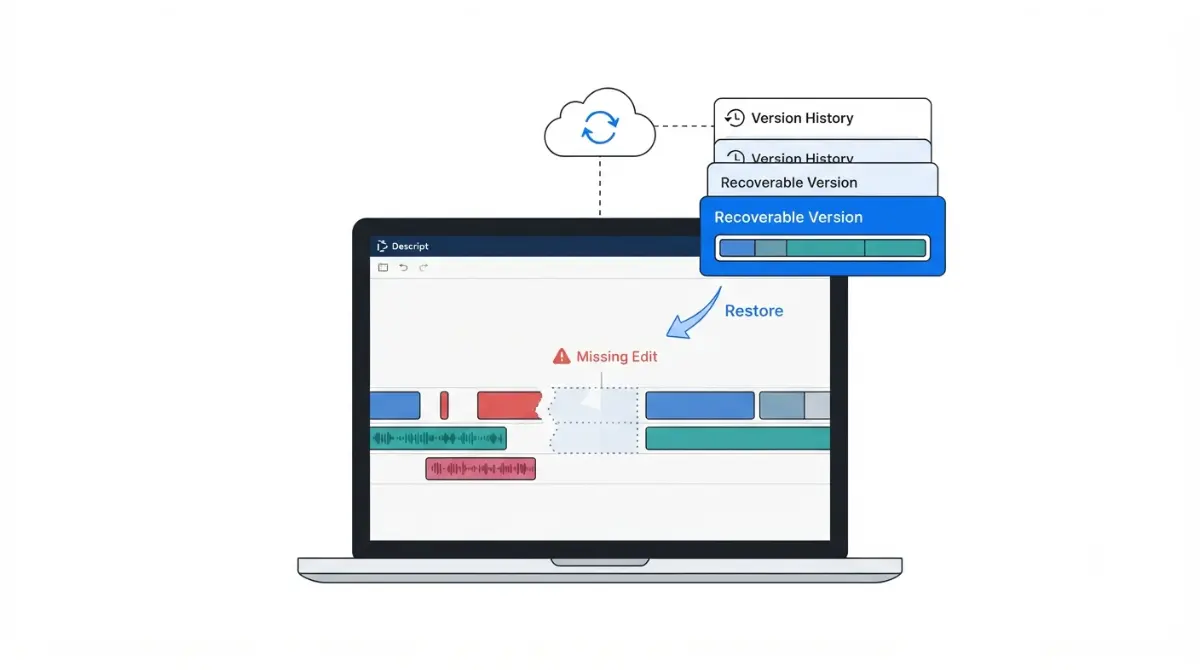
Table of Contents
If your Descript edits vanished, open File > Version history first: edits that never left your machine appear as “pending” revisions and are usually still there. Descript’s own status page logged a collaborator-sync fault on 18 June 2026 that reverted projects on reopen. Deleted projects, by contrast, cannot be recovered at all.
Work out which kind of missing you’re dealing with
Descript has no Save button — edits write to the cloud as you make them, and offline editing is not supported, per Descript’s documentation on saving and syncing retrieved 19 September 2026.
The four states, side by side
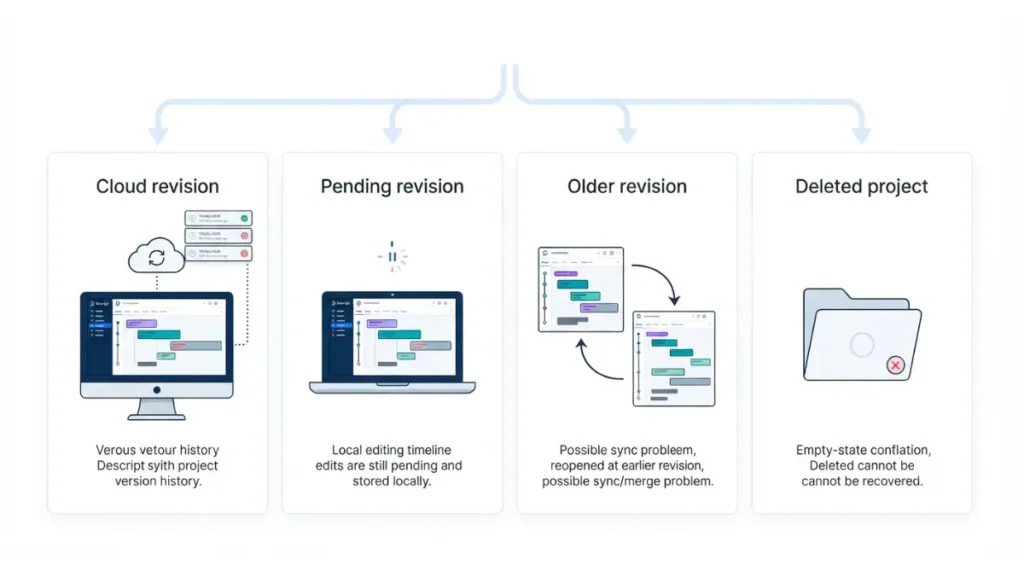
| What you’re seeing | What it means | Where to go |
|---|---|---|
| Revisions carry timestamps, edits gone | The edits reached Descript’s servers | Restore from version history |
| Revisions read “pending” | The edits are still on your machine | Stuck pending revisions |
| Project reopened at an older revision | Possible sync or merge fault | When Descript’s sync is the cause |
| The project itself is gone | Deletion is not reversible | What cannot be recovered |
If the desktop app will not launch at all, that is a different fault — see our guide to Descript not opening on Windows 11.
Do this before you touch anything
Stop editing. Every new edit adds another revision and lengthens the list you are about to search.
Restore from version history
Version history is Descript’s first recovery route, documented in its version history article retrieved 19 September 2026.
Before you restore: what this overwrites
🛟 Back This Up First: Restoring affects every composition and file in the project, not only the one you have open. Export a project backup first — the steps are in the next section — and warn any collaborators before you restore.
Opening version history and showing all revisions
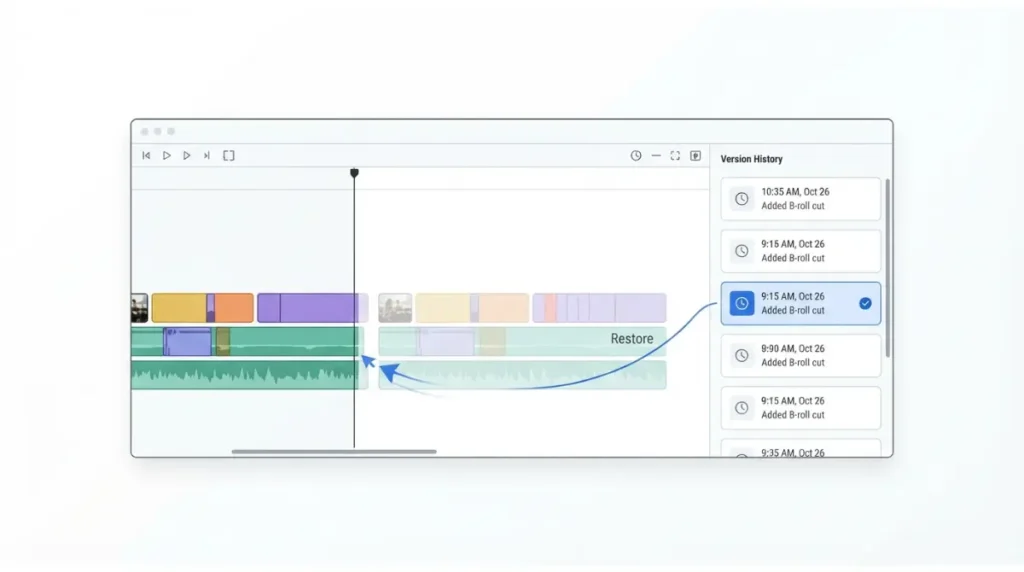
- Select File > Version history from the Descript menu; the panel opens on the right.
- Choose Show all revisions — the default list is condensed and hides entries.
- Click a revision to preview it, then use Restore, and confirm in the dialog that warns about conflicts for other editing members.
Descript does not publish how far the revision list reaches back, or whether that differs by plan. We found no first-party page stating either, retrieved 19 September 2026, so we are not going to guess a number.
If the edits were cut, not lost
Removed media is a different state with a faster fix. Descript marks it in the script with a split vertical line; select across that area, right-click, and choose Restore removed media, which restores everything removed inside the selection, per Descript’s page on restoring removed media retrieved 19 September 2026.
When revisions are stuck as pending
A pending revision is not lost work. Descript states these are saved locally to your device, usually after local network instability, and often commit on their own after a few minutes — its guide to projects that aren’t saving, retrieved 19 September 2026.
What the pending label means
Leave the project open and wait. If timestamps replace the pending labels, the edits have reached the cloud and there is nothing to restore.
Forcing a stuck save through a backup file
🛟 Back This Up First: Import writes the backup into whichever project is open. Open the intended project before you import — importing into the wrong one turns one problem into two.
- In the open project, select Help & feedback > Debug > Export project backup, then save the file somewhere obvious such as the desktop. Descript’s recovery page gives this path as Help > Debug instead, so check both menus; both pages retrieved 19 September 2026.
- Open the intended project, select Help & feedback > Debug > Import project backup, and choose that file.
Where self-service ends
If the import fails, stop there. Descript asks for that same backup file when you contact support, and its team decides whether the missing data can be restored, retrieved 19 September 2026. Continuing to edit past this point overwrites the state support would be working from.
When Descript’s own sync is the cause
Sometimes the fault is upstream, and Descript’s status page is public.
The June 2026 collaborator-sync fault
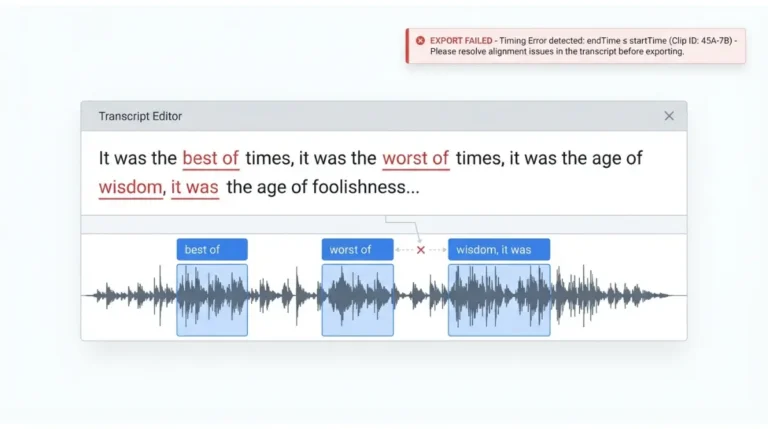
Descript logged an incident titled Projects reverting to earlier revisions after reopening, investigating at 20:35 and resolved at 21:52 on 18 June 2026 — a collaborator sync issue, severity Minor, affecting the Project Editor. Affected projects did not restore themselves. Descript published a manual route for that incident: a Fix button on a highlighted entry in version history, Compare Changes to open the lost version in a second tab, then copying the content back, per its incident record retrieved 19 September 2026. That path is documented only inside that record, so read it as what happened in June, not as a control you will find today.
Collaboration conflicts are normal behaviour
🔍 Why It Works This Way: When Descript cannot cleanly reconcile a cloud revision with a local one, it creates a new revision holding the conflicting changes and leaves the reconciling to you — version history documentation, retrieved 19 September 2026.
💵 Verified: Project Editor uptime 99.95% and Live Collaboration/Project Sync 100% across the June to September 2026 window, with no active issues — Descript’s status page, retrieved 19 September 2026.
What cannot be recovered
A deleted project is gone. Descript states that deleted projects cannot be recovered, and that any files, transcriptions or other media inside them not used in another project are removed from the account permanently, per its page on deleting a project retrieved 19 September 2026.
We found no first-party documentation of a trash, archive or restore window, retrieved 19 September 2026.
If that is your situation, the only remaining copies are exports you already made elsewhere on your own machine. Do not install third-party recovery utilities aimed at Descript files; we do not link them and we would not use one.
Habits that make the next one recoverable
Two habits cover most of it, and both follow from how the app is built rather than from generic advice about saving often.
Watch the sync indicator
Descript shows a spinning indicator in the top-left corner while it uploads recent edits, and hovering over it reveals the current status, retrieved 19 September 2026. Editing can continue while it spins; closing the machine while it spins is what causes trouble. Offline editing is not supported at all — our guide to Descript and offline editing covers what that means for travel and unstable connections.
Export a backup before anything risky
✅ Do This: Before a restore, a big structural edit, or handing a project to a collaborator, export a project backup through the Debug menu and keep it outside Descript.
🧾 Not Tested: We did not reproduce a data-loss event in Descript, because doing so safely is not possible. Every step, menu path and figure above comes from Descript’s own published documentation and status page, each retrieved 19 September 2026. Nothing here is a first-hand account of using the app.
Frequently asked questions
1. Where is version history in Descript?
Open the project and select File > Version history from the Descript menu; the panel opens on the right side.
2. Does restoring a version affect my other compositions?
Yes. Restoring affects every composition and file in the project, not only the one you currently have open.
3. What does a pending revision mean?
Your edits are saved locally to your device and have not yet reached the cloud, usually because of local network instability.
4. How do I export a Descript project backup?
Open the project, then select Help & feedback > Debug > Export project backup and save the file somewhere you will find it.
5. Can I recover a deleted Descript project?
No. Descript states deleted projects cannot be recovered, along with media inside them not used in another project.
6. Does Descript work offline?
No. Descript does not support offline editing; an internet connection is needed for changes to sync and the project to back up.
7. How do I restore media I cut from the script?
Select across the split vertical line marking removed media, right-click, and choose Restore removed media.
8. Has Descript ever lost edits through a sync fault?
Yes. Descript logged a collaborator-sync incident on 18 June 2026 in which projects reverted to earlier revisions on reopening.
10. Will Descript support restore my data if I ask?
Descript asks for a project backup file and its team then decides whether the missing data can be restored.
Before you close this tab
Work through it in order: identify which of the four states you are in, check version history, deal with pending revisions through the backup file, check the status page, and accept what is genuinely gone.