Canva Integrations on Every Plan, From Free to Enterprise

Canva integrations split three ways: Slack and HubSpot’s app work on any plan, data connectors need Business, the Salesforce app needs Enterprise.
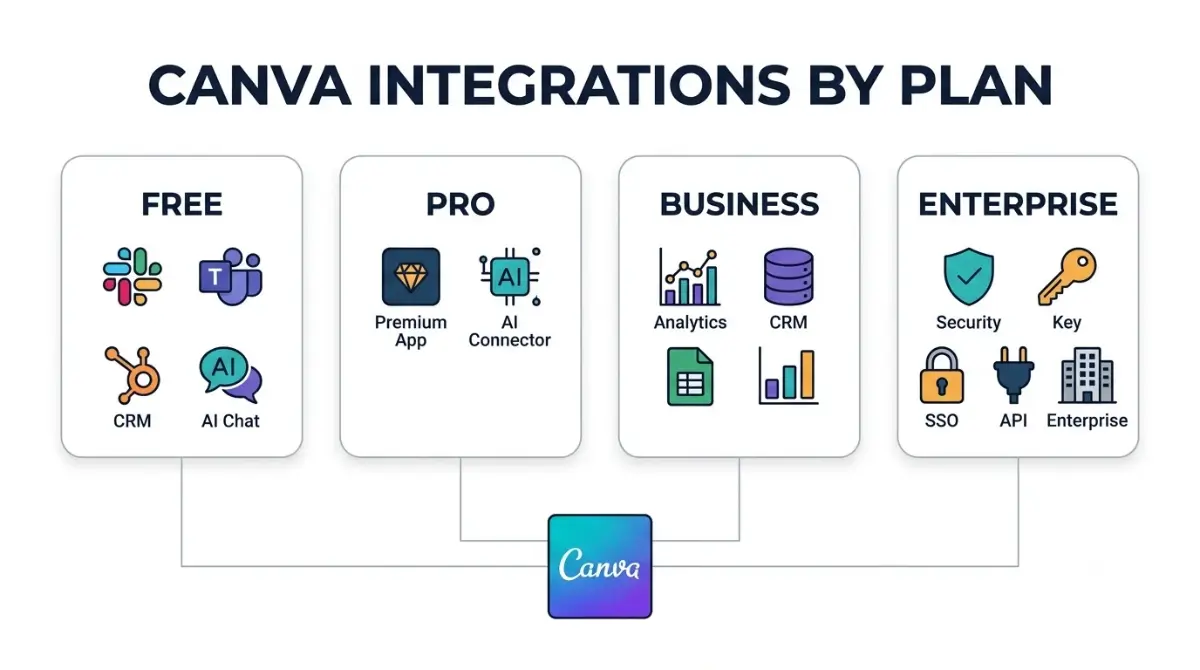
Table of Contents
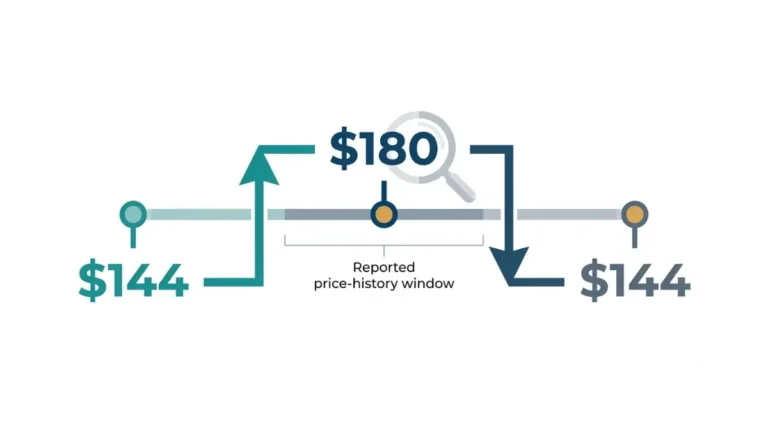
Every Canva plan, Free included, connects to Slack, Microsoft Teams and HubSpot’s Design with Canva app. Importing Google Analytics or HubSpot data into Canva needs Business, which Canva’s US pricing page listed at US$250 a year per person on 17 October 2026, US$106 more than Pro’s US$144. The Canva for Salesforce app, private API integrations, SSO and SCIM need Enterprise.
🗓️ Pricing verified 17 October 2026. Both prices exclude applicable tax, per Canva’s pricing page. The US$106 gap is App Compare HQ’s subtraction of the two listed yearly prices (US$250 − US$144). Software pricing changes frequently, so confirm on the vendor’s site before purchasing.
What counts as a Canva integration
Canva uses two words for third-party connections, and the plan gate depends on which one you need.
Apps run inside the editor
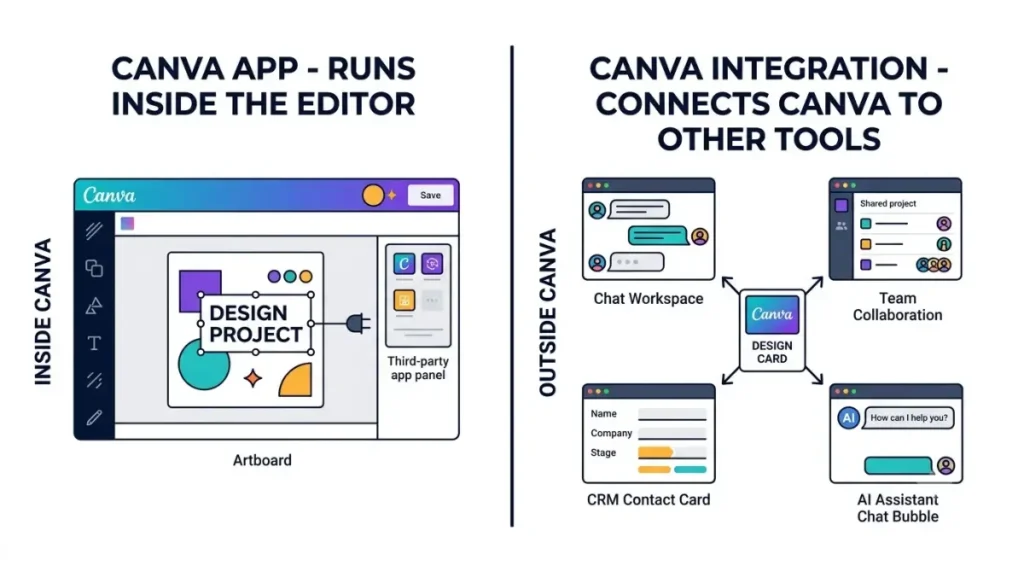
Canva’s developer documentation, read 17 October 2026, defines Canva Apps as tools built with its developer SDK, listed in the Apps Marketplace and used inside the Canva editor.
Integrations bring Canva into other tools
The same page defines Canva integrations as connections that extend Canva off-platform. Canva’s own examples are Canva for Slack and Canva for ChatGPT.
Which situation are you in?
- You want Canva inside a chat tool, CRM or AI assistant: start with the free-plan section.
- You want business data inside Canva designs: read the Business section.
- You need CRM automation, single sign-on or a private integration: read the Enterprise section.
Plan prices, AI limits and refund terms are covered in Canva’s plan prices, AI limits and refund rules.
Canva integrations that work on the free plan
Four kinds of Canva connection need no paid plan, according to Canva’s own pages read 17 October 2026.
Slack and Microsoft Teams
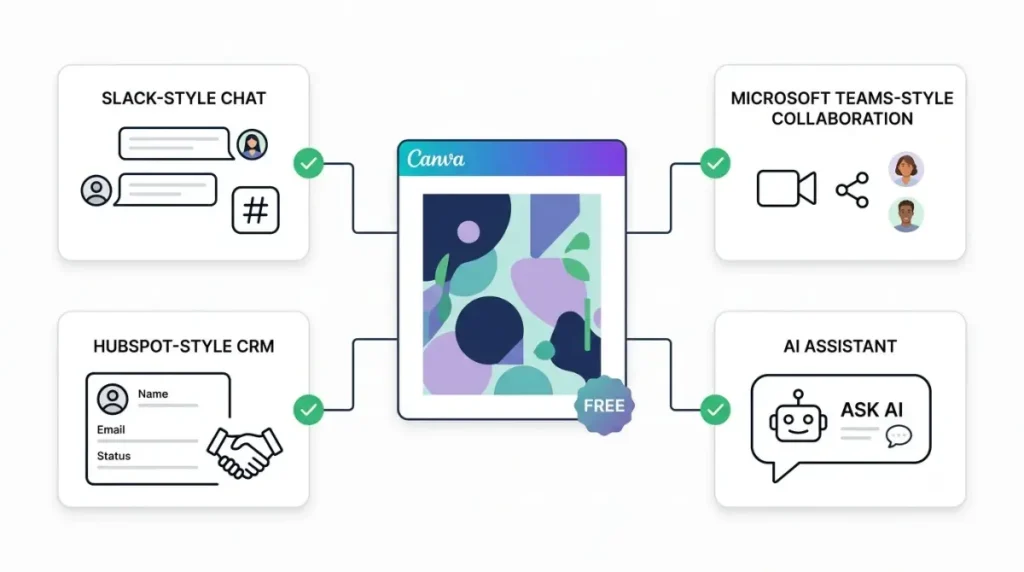
Canva’s Slack page says anyone with a Canva account can use the Slack integration, and names Free and Pro users explicitly. Canva’s Microsoft Teams help page says the app is available to all Canva users. Each person adds the app and signs in separately.
HubSpot’s Design with Canva app
Canva’s HubSpot page says the HubSpot app is free across all HubSpot hubs and tiers with any Canva plan, though some Canva features inside it need a paid plan. This is not the HubSpot data connector, which is a separate Business feature.
Apps from the Marketplace
Canva’s developer documentation on premium apps, read 17 October 2026, describes two kinds of app. A freemium app keeps its core features available on Canva Free. A gated app does not.
🔍 Why It Works This Way: HubSpot appears on two different plans because Canva runs two HubSpot products. The Design with Canva app puts the Canva editor inside HubSpot and works on any plan. The data connector pulls HubSpot CRM data into Canva Sheets and Charts, and that one is Business-only.
What Canva Pro adds to integrations
Canva Pro adds paid-app access and Canva AI connectors, but not data imports, based on Canva’s pages read 17 October 2026.
Premium apps in the Marketplace
On the same premium-apps page, a gated app’s features are only available on paid Canva plans, including Education and Nonprofit. A freemium app’s premium features also need a paid plan. Pro is the cheapest individual plan that meets both conditions.
Two different “AI connectors”
Canva uses one name for two products that work in opposite directions. Canva’s pricing page lists Canva AI connectors as a new feature on Pro and Business, and marks it “Soon” on Enterprise. Canva’s developer documentation describes these as read-only links, built by Canva, that bring content from tools such as Gmail, Notion and Google Calendar into Canva AI.
The AI Connector works the other way: it lets ChatGPT, Claude, Gemini and Microsoft Copilot work with your Canva account. Canva’s AI Connector page says every plan, including Free, can connect, and that Resize needs a paid plan. Canva’s Help Center also says all accounts, Free included, can connect, yet the eligible-plans list on that same page leaves Free out.
What Pro still can’t import
Pro includes no data connectors; the next section gives Canva’s wording. Storage, Brand Kits and monthly AI uses are covered in what else Free and Pro lock or unlock.
Canva Business integrations: the data connectors
No, Canva Pro does not include data connectors. Canva’s Help Center, read 17 October 2026, limits them to Business and Enterprise subscriptions.
Google Analytics, HubSpot and Salesforce data
Canva’s help pages for Google Analytics, HubSpot, Statista and World Bank data each say the feature is only on Business and Enterprise. Canva’s Charts help page names Google Sheets, Salesforce, Google Analytics, HubSpot and World Bank as sources, with imports capped at 1,000 rows and 100 columns on 17 October 2026. HubSpot’s premium datasets also need an active HubSpot subscription.
Data-connector apps from other developers
Canva’s developer documentation, read 17 October 2026, limits apps built on its Data Connector intent to Business, Enterprise, Education and Nonprofits. Free users who installed such an app before the restriction keep their access.
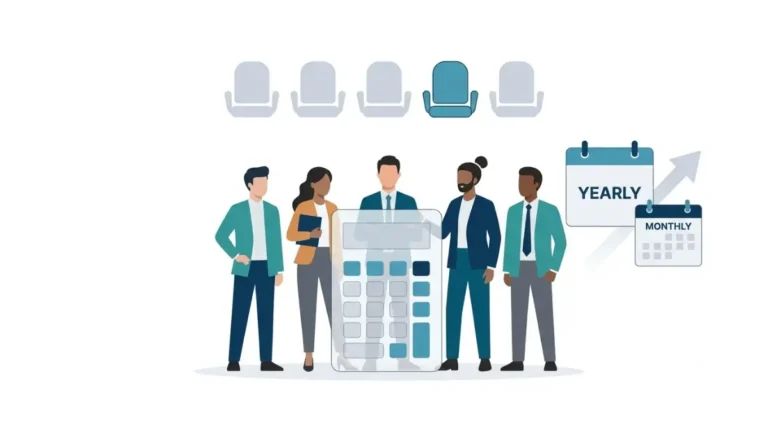
⚠️ This Costs You: Buying Pro to pull Google Analytics or HubSpot numbers into Canva gets you nothing on that front. The step up is the Business price in the answer above, charged per person, so price what five Business seats cost before you upgrade a team.
The integrations matrix
| Integration | Lowest plan Canva names | Source, read 17 Oct 2026 |
|---|---|---|
| Slack app | Free | Canva + Slack, 17 Oct 2026 |
| Microsoft Teams app | Free | Canva Help: Teams, 17 Oct 2026 |
| HubSpot Design with Canva app | Free | Canva + HubSpot, 17 Oct 2026 |
| AI Connector (ChatGPT, Claude, Gemini, Copilot) | Free on the product page; the Help Center’s eligible-plans list omits Free | AI Connector, Help Center, 17 Oct 2026 |
| Freemium Marketplace apps, core features | Free | Premium apps docs, 17 Oct 2026 |
| Gated apps and premium app features | Pro (any paid plan) | Premium apps docs, 17 Oct 2026 |
| Canva AI connectors (Gmail, Notion, Calendar into Canva AI) | Pro; Enterprise marked “Soon” | Pricing page, 17 Oct 2026 |
| Google Analytics, HubSpot, Statista, World Bank data | Business | Data connectors help, 17 Oct 2026 |
| Salesforce data in Canva Charts | Business | Charts import help, 17 Oct 2026 |
| Third-party data-connector apps | Business (also Education, Nonprofits) | Data Connector docs, 17 Oct 2026 |
| Canva for Salesforce app | Enterprise | Canva for Salesforce, 17 Oct 2026 |
| Private API integrations | Enterprise | Creating integrations, 17 Oct 2026 |
| SSO and SCIM provisioning | Enterprise | Pricing page, 17 Oct 2026 |
| Autofill and brand-template APIs | Canva’s pages disagree (next section) | API capabilities, Autofill guide, 17 Oct 2026 |
Spotted a cell that has changed? Tell us and we’ll re-check it against Canva’s page.
Canva integrations that need Enterprise, not Business
Three connections sit above Business on Canva’s pages read 17 October 2026, and a fourth depends on which Canva page you read.
Canva for Salesforce
Canva’s Salesforce page says the Canva for Salesforce app is free to install but exclusive to Canva Enterprise customers who also run Salesforce Professional, Enterprise or Unlimited.
Private integrations, SSO and SCIM
Canva’s developer documentation says private integrations can only be used by a team on Canva Enterprise. On 17 October 2026, Canva’s pricing page listed SSO and SCIM provisioning on the Enterprise card, not the Business card. Enterprise showed no price, only “Let’s talk”.
Autofill and brand templates: Canva’s pages disagree
| Canva page, read 17 Oct 2026 | Autofill API | Brand-template API |
|---|---|---|
| API capabilities reference | Enterprise organization members | Plans with brand templates, such as Pro, Teams, Enterprise |
| Autofill guide | Pro (incl. Education, Nonprofits), Teams, Enterprise | Same as Autofill |
| AI Connector page | Enterprise only | Enterprise only |
✅ Do This: If a tool you’re buying depends on Canva Autofill, ask that vendor or Canva sales to confirm in writing which Canva plan each of your users needs. Do this before you buy seats.
Admin approval, Canva Teams and refreshing data
Three things trip people up after they have connected something.
Admins may need to approve
Slack and Microsoft Teams administrators may need to approve the Canva app before anyone can add it. On a Canva team, Canva’s Help Center says an admin may need to allow the AI Connector. If a data source won’t connect, Canva’s data-connectors page says to check that your admin has granted Canva API access.
If you’re still on Canva Teams
Canva’s upgrade help page, read 17 October 2026, says Canva Teams is no longer available for new sign-ups or upgrades. Creating a team now requires Business.
Refreshing imported data
🛟 Back This Up First: Before you refresh a connected range in Canva Sheets, copy any notes or formulas you typed inside that range to cells outside it. A refresh replaces everything inside the range.
On 17 October 2026, Canva’s data-connectors help page said a refresh clears the existing data range, fetches the new data and rebuilds the range to fit. If the new data has fewer rows, the extra rows are deleted, and only content outside the range is left untouched. Imports are one-way: edits in Canva don’t go back to Google Analytics or HubSpot.
🧾 Not Tested: We did not connect any integration on this page. That needs paid Canva Business and Enterprise accounts, plus HubSpot and Salesforce subscriptions, which we do not hold. Every plan gate above comes from Canva’s public pricing page, Help Center and developer documentation, read 17 October 2026.
Canva integrations FAQ
1. Does Canva Pro include data connectors?
No. Canva’s Help Center, read 17 October 2026, limits Canva data connectors to Business and Enterprise subscriptions.
2. Is Canva’s Slack integration free?
Yes. Canva’s Slack page, read 17 October 2026, says anyone with a Canva account, including Free users, can use the Slack integration.
3. Is the Canva HubSpot integration free?
Canva’s HubSpot app works on any plan; HubSpot data import needs Business or Enterprise, per Canva’s pages read 17 October 2026.
4. Does Canva Business include the Salesforce integration?
Business includes Salesforce data in Canva Charts; the Canva for Salesforce app is Enterprise-only, per Canva’s pages read 17 October 2026.
5. Does Canva Pro include Autofill API access?
Canva’s own pages disagree: on 17 October 2026, its Autofill guide named Pro, while its API capabilities reference named Enterprise only.
6. Can I connect Canva to ChatGPT or Claude on the free plan?
Canva’s AI Connector page, read 17 October 2026, says all plans including Free can connect; its Help Center’s eligible-plans list omits Free.
7. Does Canva Business include SSO?
No. On 17 October 2026, Canva’s pricing page listed SSO and SCIM provisioning on the Enterprise card, not the Business card.
8. Does imported data sync back to Google Analytics or HubSpot?
No. Canva’s help pages, read 17 October 2026, describe Google Analytics and HubSpot imports as one-way; edits in Canva stay in Canva.
9. Can I still sign up for Canva Teams?
No. Canva’s Help Center, read 17 October 2026, says Canva Teams is unavailable for new sign-ups or upgrades; creating a team requires Business.
Which Canva plan your integration needs
If you need Canva in Slack, Microsoft Teams, HubSpot or an AI assistant, any plan connects. If you need Google Analytics, HubSpot or Salesforce data inside Canva, you need Business. If you need the Canva for Salesforce app, a private integration, SSO or SCIM, you need Enterprise.
Compare the yearly cost of each in every Canva plan priced one by one.